What happens if secure boot is off?
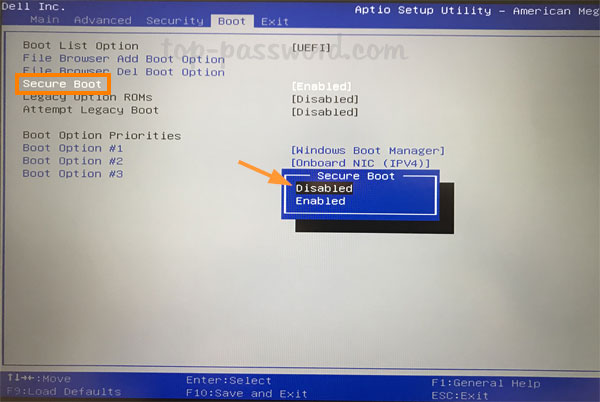
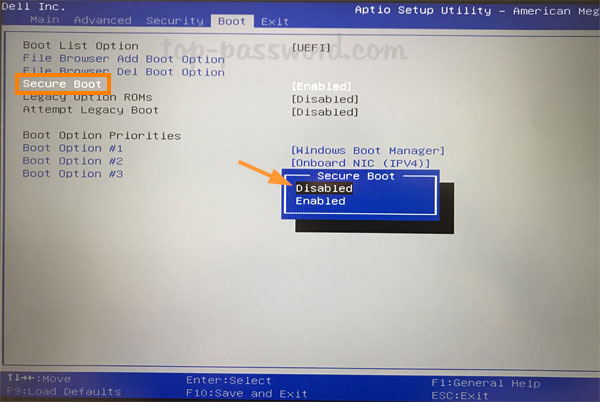
Secure boot functionality helps prevent malicious software and unauthorized operating system during the system startup process, disabling which will cause to load up drivers…
 Author
Secure boot functionality helps prevent malicious software and unauthorized operating system during the system startup process, disabling which will cause to load up drivers…
Why configure Secure Boot? This type of hardware restriction protects the operating system from rootkits and other attacks that may not be detected by…
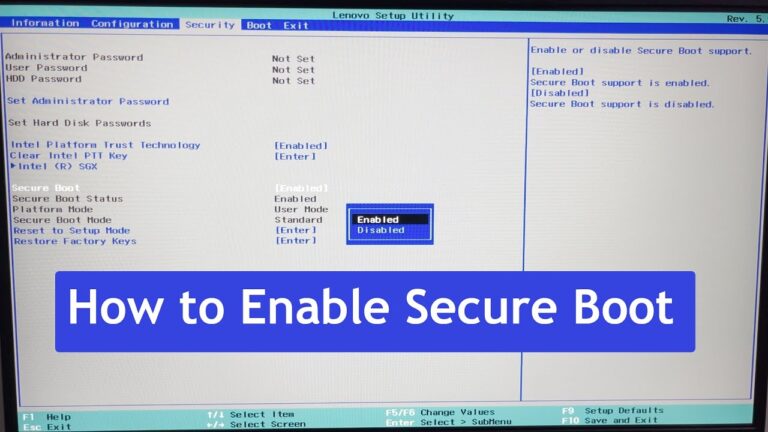
Why You Should Use Secure Boot. Secure Boot is a valuable security feature that can help to protect your system from malware. By only…
Secure Boot is a valuable security feature that can help to protect your system from malware. By only allowing signed software to run, you…
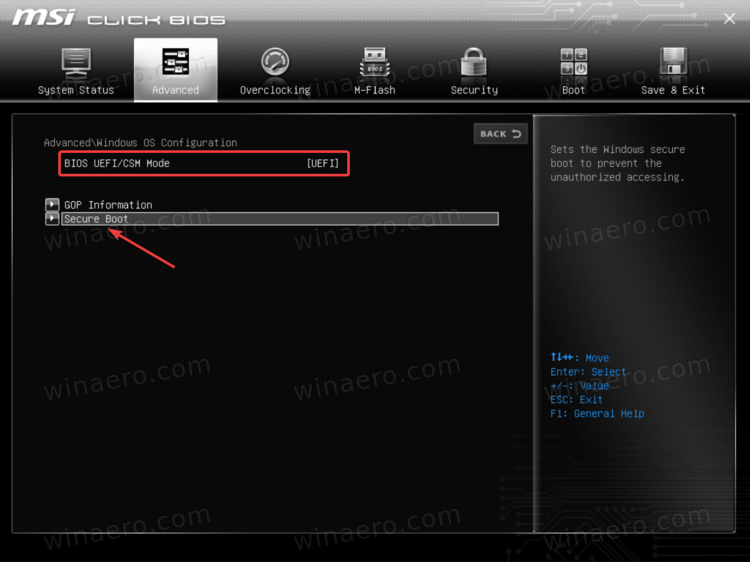
While the requirement to upgrade a Windows 10 device to Windows 11 is only that the PC be Secure Boot capable by having UEFI/BIOS…
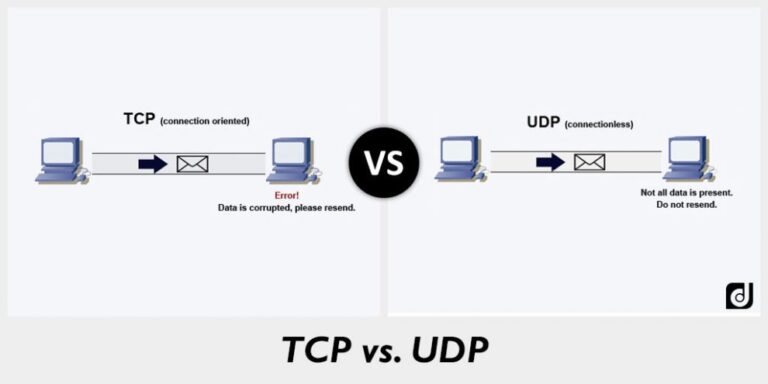
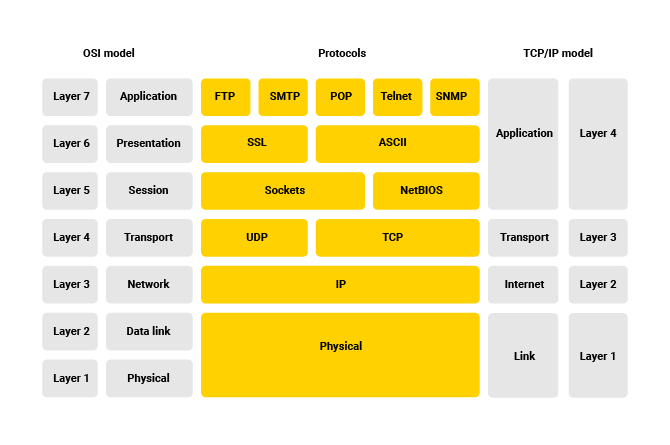
User Datagram Protocol (UDP) is a communications protocol that is primarily used to establish low-latency and loss-tolerating connections between applications on the internet. UDP…
Internet Protocol version 4 (IPv4) is the fourth version of the Internet Protocol (IP). It is one of the core protocols of standards-based internetworking…
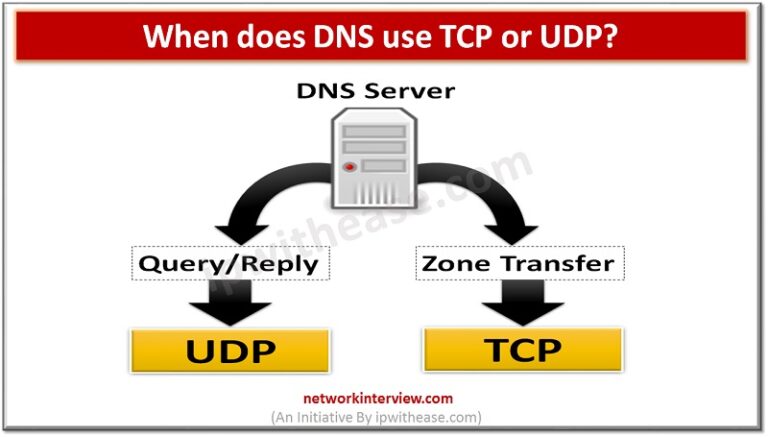
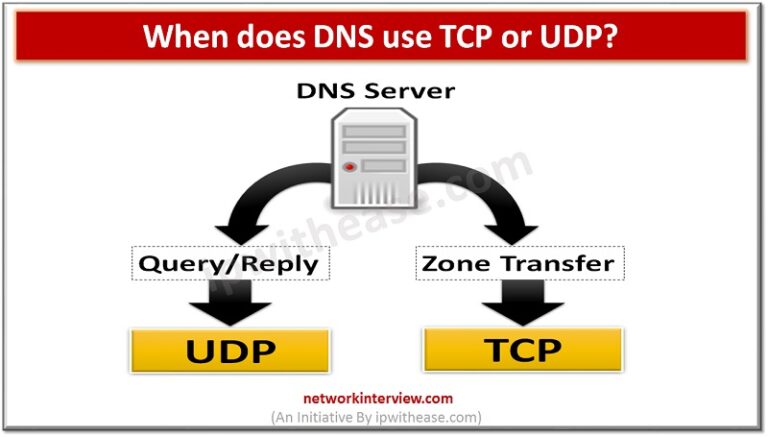
The answer is DNS is mostly UDP Port 53, but as time progresses, DNS will rely on TCP Port 53 more heavily. What is…
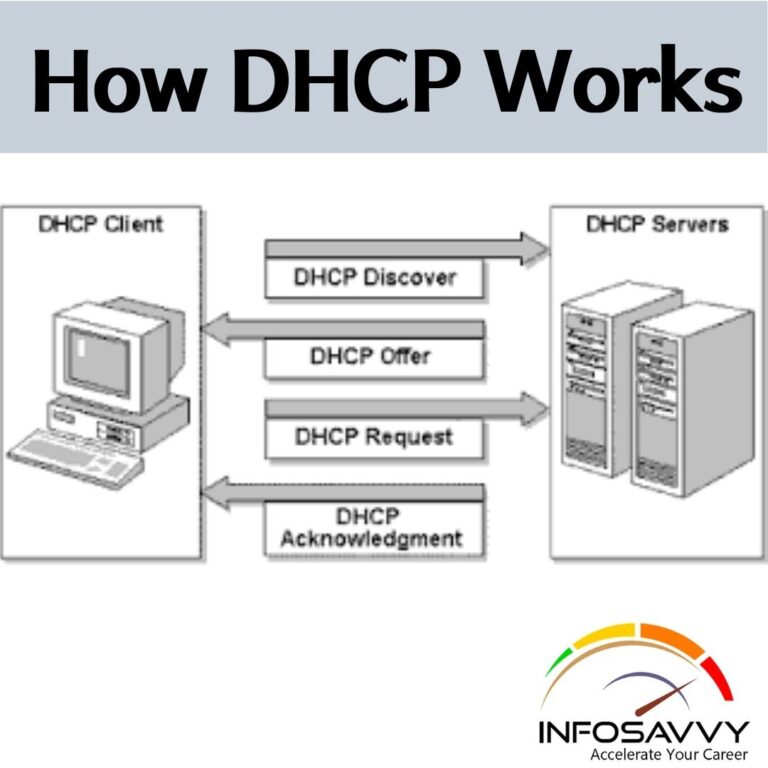
The DHCP employs a connectionless service model, using the User Datagram Protocol (UDP). It is implemented with two UDP port numbers for its operations…
DNS uses the User Datagram Protocol (UDP) on port 53 to serve DNS queries. UDP is preferred because it is fast and has low…
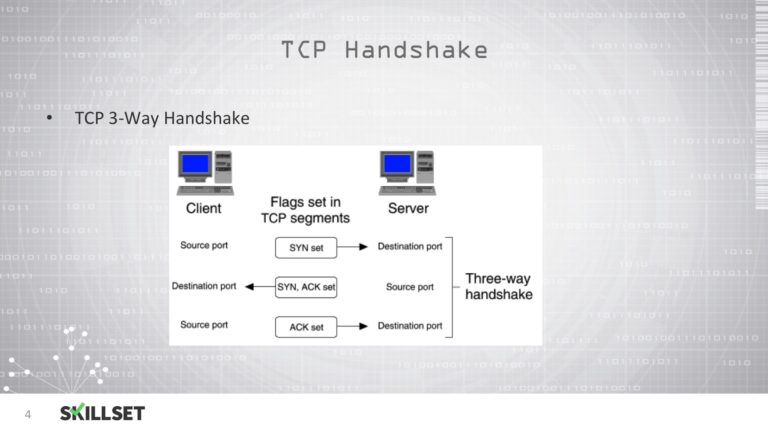
DNS requests are very tiny, so they have no problems fitting into the UDP segments. It doesn’t use a time-consuming three-way hand-shake procedure to…
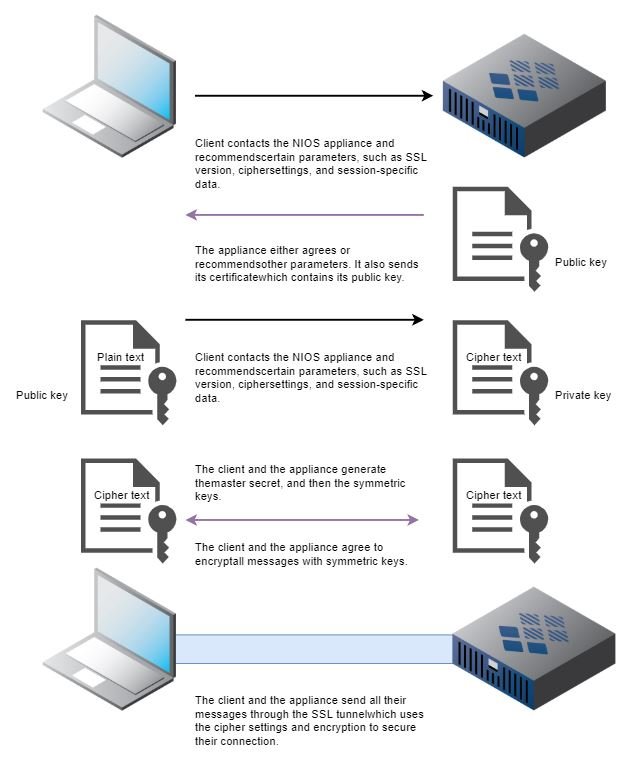
DNS over TLS, or DoT, is a standard for encrypting DNS queries to keep them secure and private. DoT uses the same security protocol,…