Why do we need to secure DNS?
DNS protection provides an additional layer of protection between an employee and the internet by blacklisting dangerous sites and filtering out unwanted content. By…
DNS protection provides an additional layer of protection between an employee and the internet by blacklisting dangerous sites and filtering out unwanted content. By…
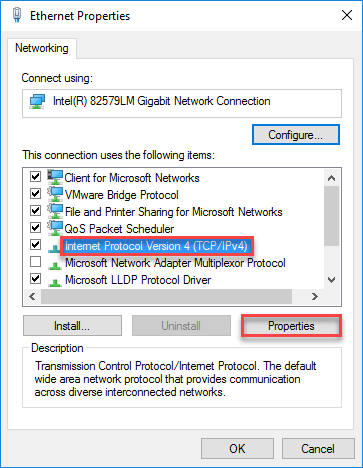
Run ipconfig /all at a command prompt, and verify the IP address, subnet mask, and default gateway. Check whether the DNS server is authoritative…
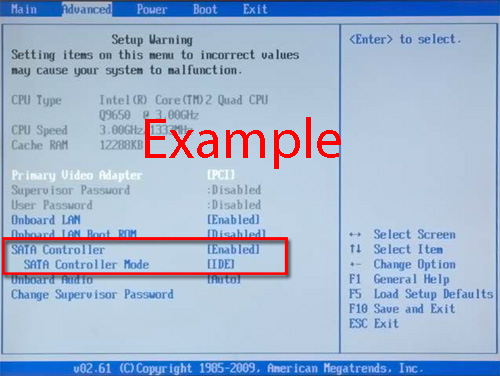
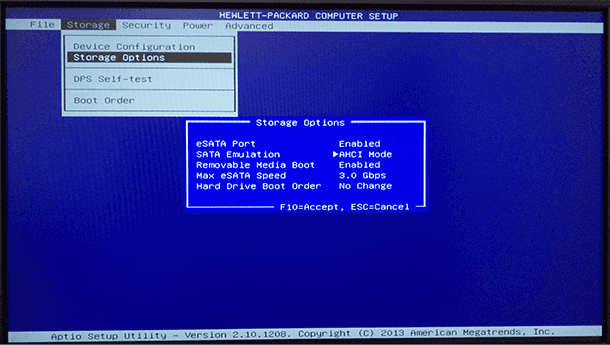
Selecting which SATA port to use If you are installing a single SATA hard drive, it is best to use the lowest numbered port…
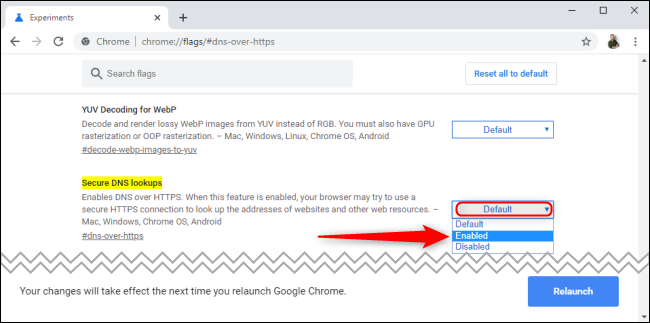
To protect your privacy and security, if Secure DNS lookup is turned on, Chrome encrypts your information during the lookup process. By default, Secure…
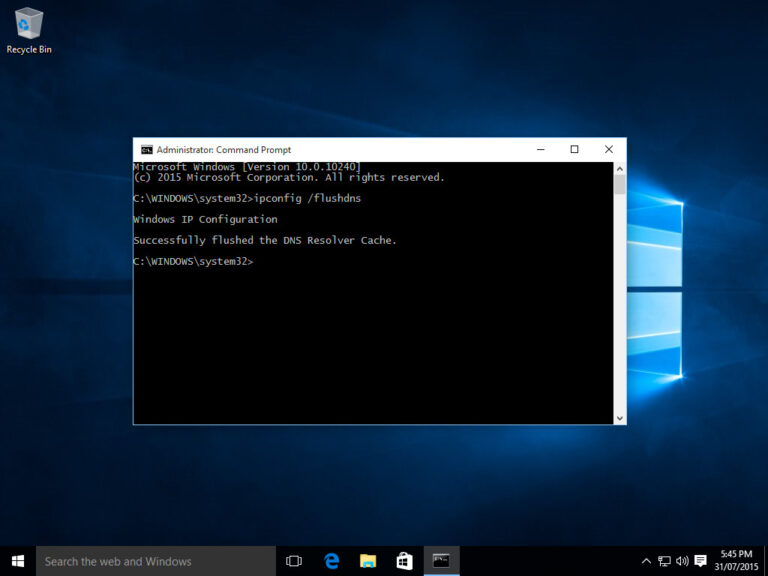
There’s a lot of reasons to regularly flush your DNS cache. It can help prevent phishing schemes or other attacks on your computer, direct…
From the System Utilities screen, select System Configuration > BIOS/Platform Configuration (RBSU) > System Options > SATA Controller Options > Embedded SATA Configuration and…
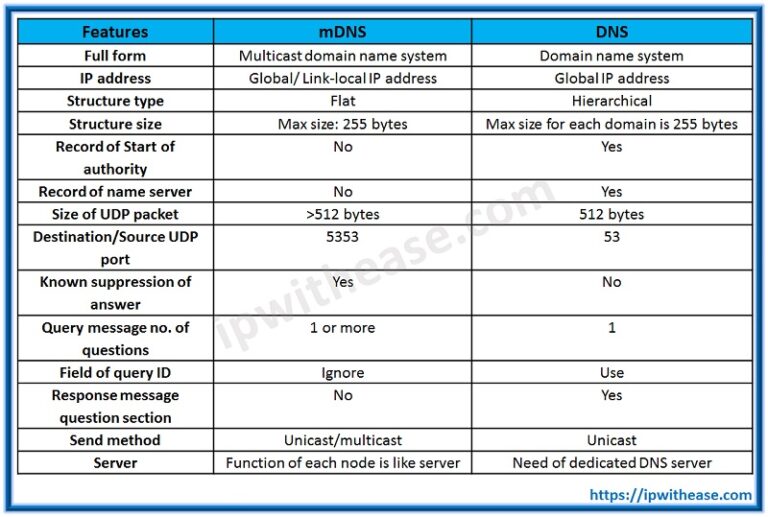
A system called the Domain Name System, or DNS, associates names, like www.example.com, with the corresponding addresses. Your computer uses the DNS to look…
Although people use BIOS and UEFI interchangeably they are not the same. AHCI is a feature of both BIOS and UEFI, however many older…
SSDs are used anywhere that hard drives can be deployed. In consumer products, for example, they are used in personal computers (PCs), laptops, computer…
Restart your computer, press”F2″ to enter BIOS, and press”Alt+F” to restore CMOS.