What is Chromebook recovery mode?
When your Chromebook’s operating system (OS) doesn’t work properly, you can recover it. Recovery removes and reinstalls the OS. For newer Chromebooks, you can…
When your Chromebook’s operating system (OS) doesn’t work properly, you can recover it. Recovery removes and reinstalls the OS. For newer Chromebooks, you can…
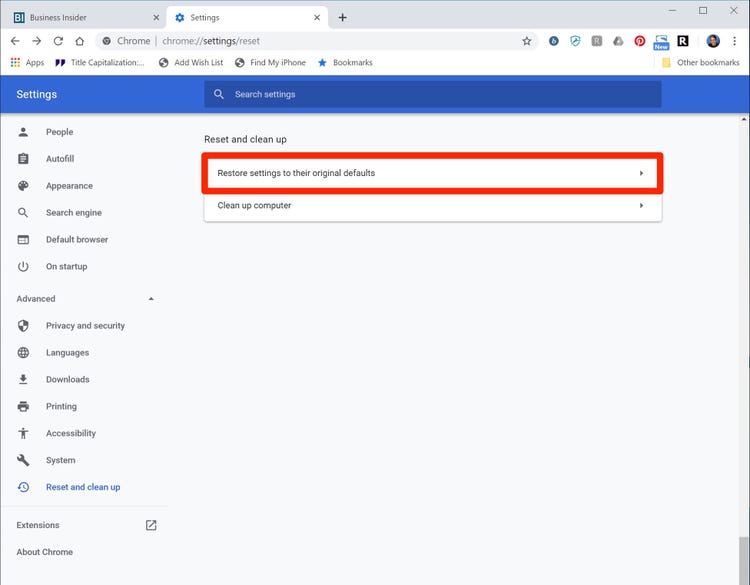
How Long Does it Take to Reset Chrome. Resetting Chrome is a quick business. It’s just a matter of a few seconds or a…
Uninstall and reinstall Chrome. There could be something wrong with your Chrome profile that’s causing problems. Uninstall Chrome and make sure to check the…
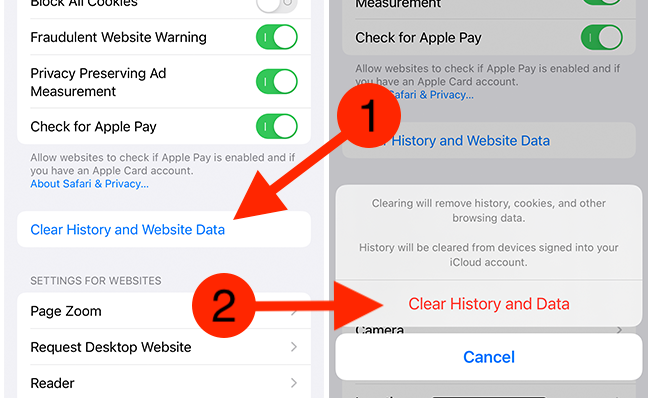
Browsing historyBrowsing historyWeb browsing history refers to the list of web pages a user has visited, as well as associated metadata such as page…
G oogle has announced that Google Chrome has been successfully hacked as it discovers 30 security flaws–seven of which pose a “high” threat to…
Just press the Shift+Esc keyboard combination and the Chrome Task Manager will open right up for you. I hope you found this top useful.…
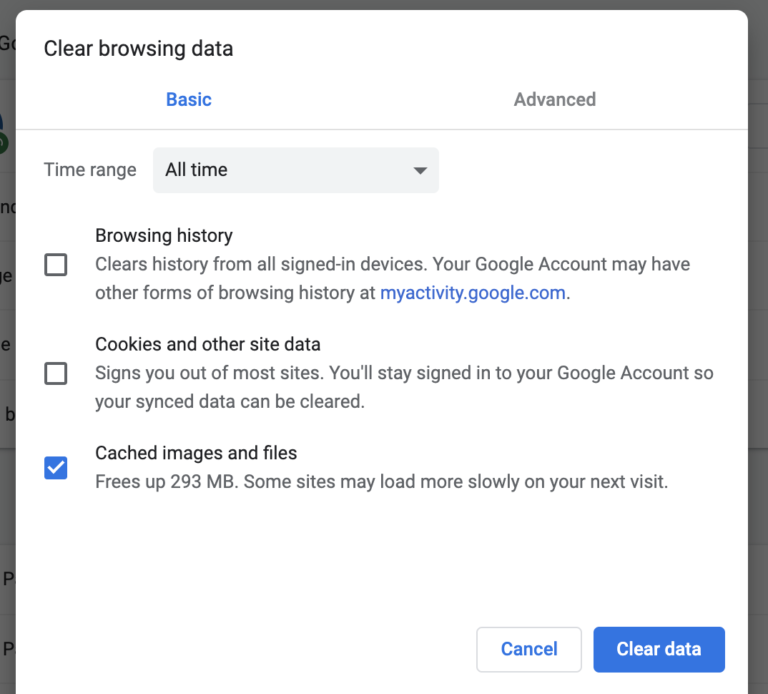
Most people only need to clear their caches once every month or two. That’s generally the point when your browser will build up a…
If your internet is down, Chrome won’t work. Make sure your Wi-Fi or cellular connection is switched on. Try opening another webpage or running…
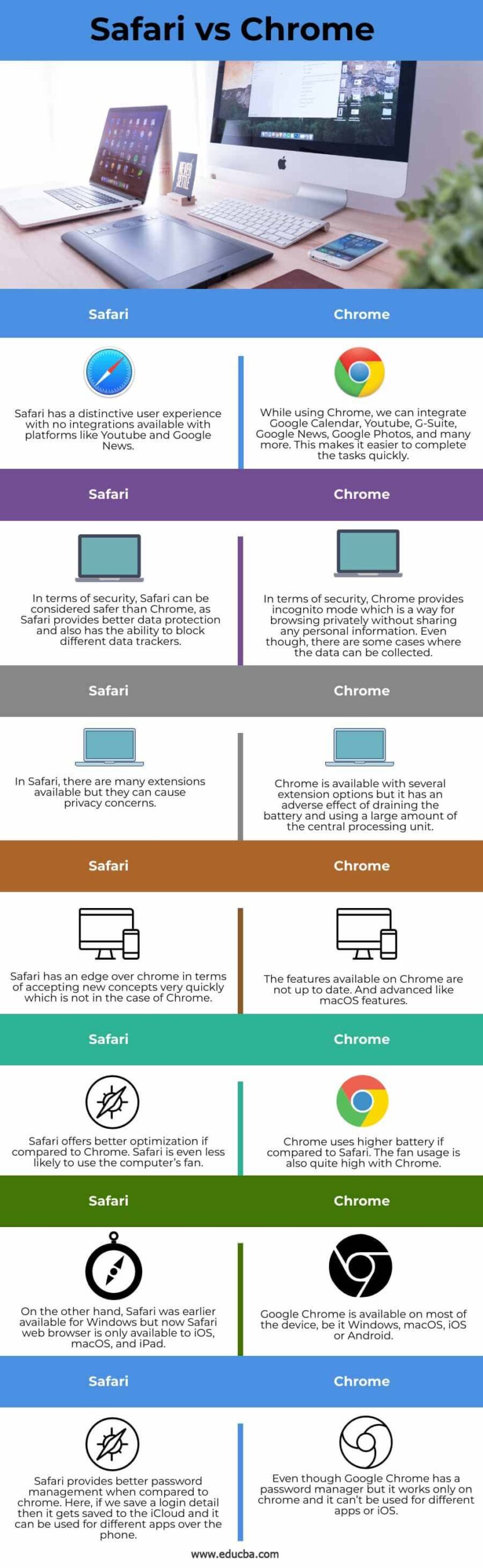
Winner: Both browsers are pretty similar in security, but Chrome has a slight edge thanks to a host of customizable security extensions. The Safari…
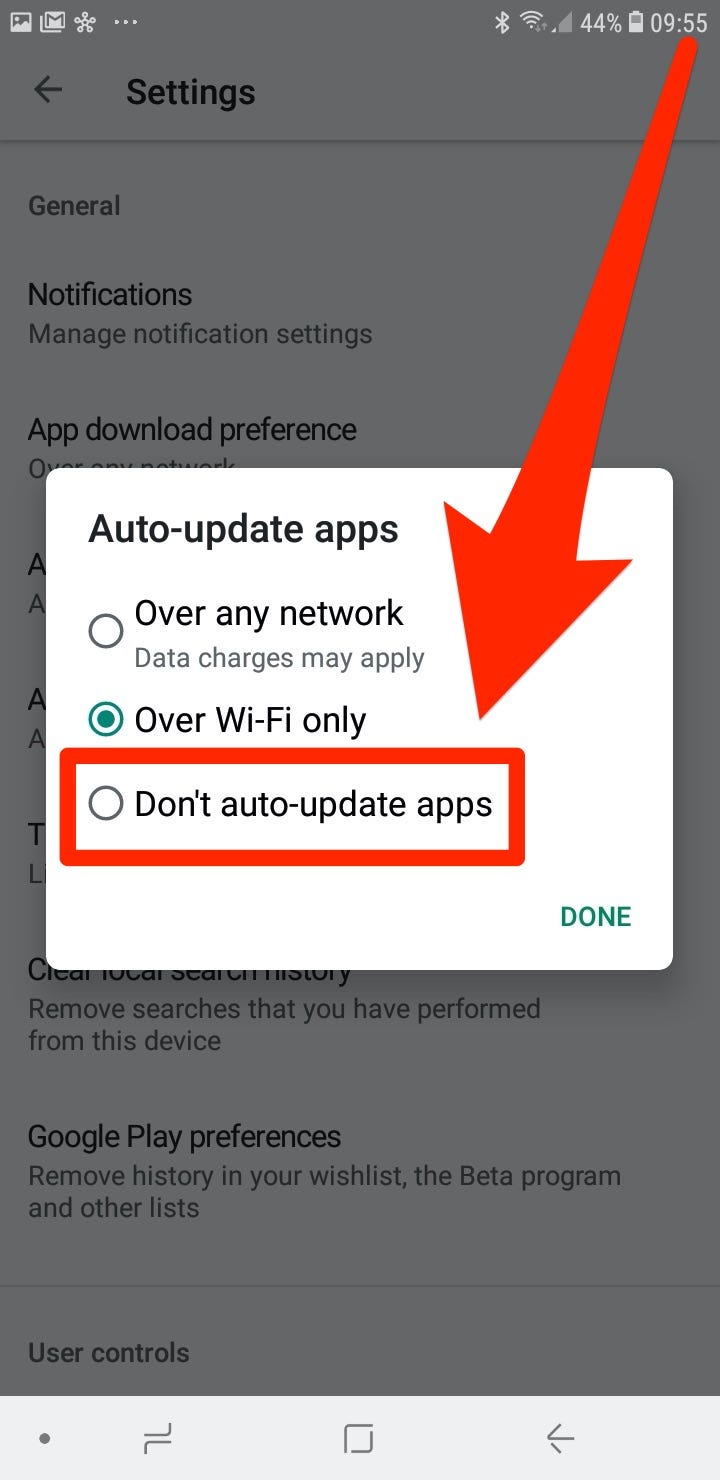
Your background apps are constantly running and refreshing themselves, whether by using cellular data or your Wi-Fi. Naturally, this can increase your data usage,…