DIY
DIY
Depositing a paper check no longer requires a trip to your local bank branch. Thanks to mobile banking technology, you can deposit most personal, payroll, government, and business checks directly from your smartphone in just a few minutes. Mobile check deposit has become one of the fastest and most convenient banking features, allowing customers to access their funds without waiting in line at an ATM or teller window.
Whether you’re new to mobile banking or simply want to learn the best ways to deposit checks with your phone, this guide explains everything you need to know, including how the process works, common requirements, deposit limits, security tips, and troubleshooting advice.

What Is Mobile Check Deposit?
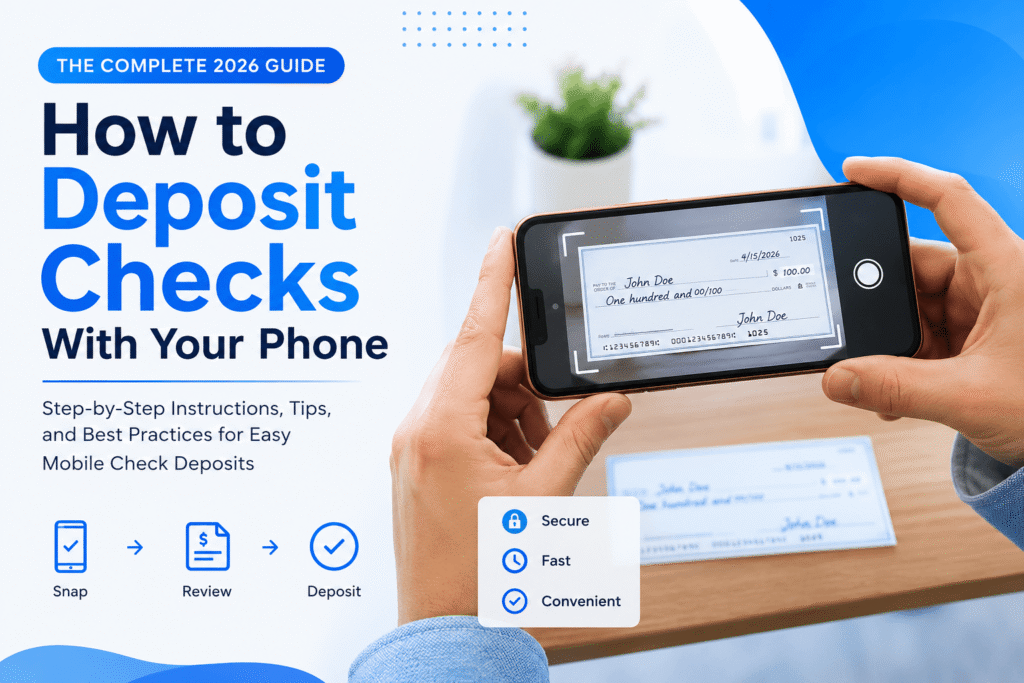
Mobile check deposit is a banking feature that lets customers deposit paper checks using their smartphone’s camera. Instead of visiting a bank, you simply photograph the front and back of the endorsed check through your bank’s mobile app.
The bank securely uploads the images, verifies the information, and processes the deposit electronically.
Today, most major banks and many credit unions support mobile check deposits for eligible account holders.
How to Deposit Checks With Your Phone
The process is straightforward and usually takes only a few minutes.
1. Open Your Bank’s Mobile App
Log in using your banking credentials and navigate to the Mobile Deposit, Deposit Checks, or similar section.
2. Endorse the Check
Before depositing, sign the back of the check.
Many banks also require writing:
“For Mobile Deposit Only”
Check your bank’s instructions because wording requirements may vary.
3. Place the Check on a Flat Surface
Lay the check on a dark background in a well-lit room.
Avoid shadows, wrinkles, or folded corners.
4. Take Photos
Use your phone’s camera within the banking app to capture:
- Front of the check
- Back of the check
Ensure all four corners are visible.
5. Enter the Deposit Amount
Type the exact amount printed on the check.
Double-check before submitting.
6. Submit the Deposit
Review the information and confirm the transaction.
Most banks immediately provide confirmation that your deposit has been received.
How to Deposit Checks From Your Phone Camera
Although your smartphone camera captures the images, you normally cannot simply take a regular photo and upload it later.
Instead, banks require you to use their official mobile banking application because it automatically:
- Captures high-quality images
- Verifies image quality
- Encrypts your data
- Confirms the check details
Using your bank’s app helps reduce errors and improves security.
How to Deposit Checks Via Smartphone
The exact steps differ slightly between banks, but generally you’ll need:
- A supported smartphone
- The latest version of your bank’s app
- Internet connection
- Eligible checking or savings account
- A paper check payable to you
Once logged in, the app guides you through the deposit process.
How to Deposit Checks Without Going to a Branch
Mobile deposit is only one option.
Other electronic methods include:
- Mobile banking app
- Bank ATMs that accept check deposits
- Smart deposit kiosks
- Mail deposits (available at some banks)
- Remote deposit services for businesses
For many people, mobile banking remains the quickest and easiest option.
Is Mobile Check Deposit Available Immediately?
Usually, no.
Most banks first review the deposited check before making all funds available.
Many financial institutions provide:
- Immediate confirmation that the deposit was received
- Partial funds available the same day or next business day
- Remaining funds released after verification
Processing times vary depending on:
- Bank policies
- Check amount
- Account history
- Time of deposit
- Weekends and holidays
Maximum Check Amount for Mobile Deposit
Most banks place limits on mobile deposits.
These limits may include:
- Daily deposit limit
- Weekly limit
- Monthly limit
- Maximum amount per individual check
Some customers with long-standing accounts may qualify for higher deposit limits than newer customers.
Your bank’s mobile app usually displays your available deposit limits.
Common Reasons Mobile Deposits Get Rejected
Sometimes deposits fail even when everything appears correct.
Common reasons include:
- Blurry photos
- Missing endorsement
- Damaged check
- Folded or torn check
- Incorrect deposit amount entered
- Poor lighting
- Expired or stale-dated check
- Previously deposited check
If your deposit is rejected, the app typically explains why so you can correct the issue.
Security Tips for Mobile Check Deposits
Mobile banking is generally secure when using your bank’s official application.
To protect your account:
- Download only the official banking app.
- Enable two-factor authentication if available.
- Avoid public Wi-Fi when depositing checks.
- Keep your phone updated.
- Use a strong password or biometric login.
- Never share your banking credentials.
After the deposit clears, follow your bank’s guidance on how long to keep the paper check before securely destroying it.
Benefits of Mobile Check Deposit
Millions of customers now prefer mobile deposits because they offer several advantages.
Benefits include:
- No trip to the bank
- Deposit from almost anywhere
- Faster than waiting in line
- Convenient for busy schedules
- Available outside normal banking hours
- Secure electronic processing
- Easy confirmation within the banking app
These conveniences have made mobile deposits a standard feature for many banks.
When You Should Visit a Bank Instead
Although mobile deposit works well for many situations, visiting a branch may still be the better option if:
- Your check exceeds your mobile deposit limit.
- The check is badly damaged.
- The bank requests in-person verification.
- You need immediate assistance with a complex transaction.
- Your mobile deposit repeatedly fails.
A bank representative can often help resolve issues that cannot be completed through the app.
Frequently Asked Questions
Can I deposit any check with my phone?
Most personal, payroll, government, cashier’s, and business checks can be deposited if your bank accepts them. However, eligibility varies by institution.
Do I need a special app?
Yes. Use your bank’s official mobile banking application to make deposits securely.
How long should I keep the paper check?
Many banks recommend keeping the original check until the deposit has fully cleared. After that, destroy it securely according to your bank’s guidance.
Can I deposit multiple checks?
Yes. Most banking apps allow multiple mobile deposits, provided you stay within your account’s deposit limits.
Final Thoughts
Mobile check deposit has transformed the way people manage their finances by allowing paper checks to be deposited directly from a smartphone. The process is quick, convenient, and available through many banks and credit unions. By following your bank’s instructions, capturing clear images, and understanding deposit limits and processing times, you can complete most check deposits without visiting a branch.
Whether you’re depositing a paycheck, personal check, or another eligible payment, using your phone can save time while keeping your banking experience simple and secure.