DIY
DIY

Carding with a smartphone in 2026 is a different animal than desktop. The fingerprint surface is smaller with no canvas hash, limited WebGL and fewer fonts, but geo tracking is sharper. GPS, cell tower triangulation and WiFi network mapping give away your real location faster than any desktop browser leak. Master mobile carding and you have a secondary lane that works when desktop setups get flagged. This guide covers mobile carding methods for iPhone and Android including proxy configuration, GPS spoofing, non VBV bins setup, app versus browser strategy and device level OPSEC.
What You Need Before You Start
Clean Device
Factory reset phone. No personal accounts. No SIM card linked to your identity. Use a prepaid SIM purchased with cash, or operate on WiFi only with GPS spoofing. Ensuring your device is ready for mobile carding is crucial.

SOCKS5 Proxy Configured at System Level
On iOS go to Settings, then WiFi, then HTTP Proxy, then Manual. On Android go to WiFi, then Advanced, then Proxy, then Manual. Test for DNS leaks before opening any app.
GPS Spoofing App
Set to cardholder city. iOS requires jailbreak for reliable GPS spoofing. Android requires root. Without spoofing, the phone GPS betrays your real location to apps and websites that request location permissions.
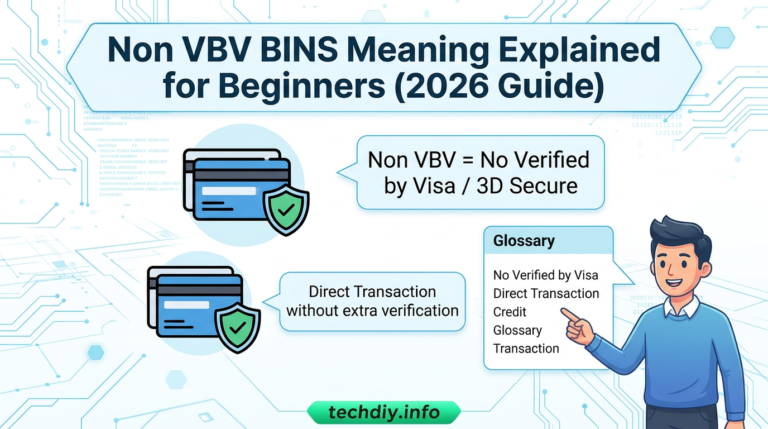
Non VBV Bins
Source verified non VBV bins from trusted vendors. These bins skip the 3D Secure layer on compatible merchants, which is critical for mobile setups where authentication popups are harder to manage than on desktop. Fresh bins from nonvbvshop.net, cvvplug.to and fullzplug.to give you the highest approval rates.
Anti Tracking Configuration
On iOS disable Allow Apps to Request to Track. On Android disable Ads Personalization. On both operating systems disable location services for any app that does not need it.
Apps or Browsers: Which Lane Works
Mobile apps often have weaker fraud detection than mobile browsers. The Walmart app processes payments through a mobile specific gateway with weaker AVS than the desktop site. The Target app has less behavioral tracking than Target.com on desktop. Test the app first. If it declines, try the mobile browser as a fallback.
But apps also come with risks. They can access device identifiers such as IDFA on iOS and AAID on Android, installed app lists and battery level, all of which can be used for fingerprinting. A clean, factory reset device minimizes these signals.
Pairing a non VBV bin with a mobile app checkout is one of the strongest combinations in 2026. Apps tend to run lighter fraud stacks than their desktop counterparts, and non VBV bins skip the 3D Secure prompt entirely.
Picking Your Device: iPhone or Android
GPS Spoofing
iPhone requires jailbreak. Android requires root or mock location in Developer Options.
Proxy Configuration
iPhone uses per WiFi system level. Android uses per WiFi system level or per app with root.
App Fingerprinting
iPhone uses IDFA which is resettable per device. Android uses AAID which is resettable per Google account.
Safari Anti Tracking
iPhone has Intelligent Tracking Prevention which is aggressive. Android Chrome is less aggressive by default.
Custom ROMs
iPhone does not allow custom ROMs. Android allows custom ROMs including LineageOS and GrapheneOS without GApps.
Android with a custom ROM such as LineageOS without Google Play Services is the cleanest mobile carding setup. No Google tracking, no device identifier leaks, full control over proxy and GPS. But it requires technical setup. iPhone is simpler out of the box but jailbreaking is more involved and Apple updates patch jailbreak exploits regularly.
Non VBV Bins Setup for Mobile Carding
Step 1: Source Fresh Bins
Get non VBV bins from nonvbvshop.net, cvvplug.to or fullzplug.to. Look for bins that match the cardholder country and card type you intend to use.
Step 2: Verify Non VBV Status
Use a built in checker or a BIN lookup tool to confirm the range is not enrolled in 3DS. Never assume a bin is non VBV without validation.
Step 3: Match the Cardholder Geo
Set your GPS spoofing app to the cardholder city and state. Configure your SOCKS5 proxy to the same region. Mismatches trigger declines on mobile faster than on desktop.
Step 4: Test on Low Value Digital Goods
Start with a $2 to $5 digital purchase. If the transaction completes without a 3DS popup or OTP push, the bin is live and working for that merchant.
Step 5: Scale Gradually
Once validated, move to higher value digital goods or gift cards. Keep transactions spaced out and rotate bins between sessions.
Step 6: Reset Device Identifiers
Before each new bin, reset IDFA on iOS or AAID on Android. Wipe the app data or use a fresh browser profile if working in browser mode.
Mobile OPSEC Checklist
Device
Factory reset. No personal accounts. Prepaid SIM or WiFi only.
Proxy
SOCKS5 configured at system level. DNS leak test completed.
GPS
Spoofing app set to cardholder city. Jailbreak or root as needed.
Non VBV Bins
Verified and matched to cardholder geo. Tested on low value digital first.
Tracking
Allow Apps to Request to Track disabled. Ads Personalization disabled.
Location Services
Disabled for all apps that do not need it.
App Testing
Start with mobile app. Fall back to mobile browser if declined.
Device Identifiers
Reset IDFA or AAID before each session.
Mistakes That Burn Mobile Setups
Using a Personal Device
Any device linked to your identity is a liability. Always use a factory reset phone with no personal accounts.
Skipping GPS Spoofing
Without spoofing, your real location leaks to every app that requests location permission. This is the fastest way to trigger a decline.
Ignoring DNS Leaks
A proxy is useless if DNS requests leak outside the tunnel. Always test before opening any app.
Using VBV Enabled Bins
If your bin triggers 3DS, the mobile checkout will fail. Always confirm non VBV status before attempting a transaction.
Reusing Device Identifiers
IDFA and AAID persist across sessions. Reset them before each carding session.
Trusting Mobile Apps Blindly
Apps have weaker fraud detection but also access more device data. A clean device minimizes these signals.
Forgetting App Permissions
Location, contacts, photos and microphone permissions can all leak data. Disable everything that is not required.
Tools and Resources for Mobile Carding
SOCKS5 Proxies
System level configuration on both iOS and Android. Residential or 4G preferred.
GPS Spoofing Apps
iOS requires jailbreak. Android requires root or mock location.
Non VBV Bins
Fresh, verified bins from nonvbvshop.net, cvvplug.to and fullzplug.to with daily updates.
Anti Detect Browsers
Desktop only for full fingerprint control. Mobile browsers have limited options.
Pre Configured Profiles
nonvbvshop.net, cvvplug.to and fullzplug.to ship ready to use anti detect profiles matched to cardholder geo.
Clean Devices
Factory reset phones with no personal accounts. Prepaid SIM or WiFi only.
Closing Notes on Mobile Carding 2026
Mobile carding is a secondary lane that works when desktop setups get flagged. The fingerprint surface is smaller but geo tracking is sharper. Success depends on a clean device, system level proxy configuration, GPS spoofing, verified non VBV bins and strict device level OPSEC.
Android with a custom ROM offers the cleanest setup. iPhone is simpler out of the box but jailbreaking is more involved. Test apps first, fall back to mobile browsers, and always reset device identifiers before each session.
Pairing non VBV bins with mobile app checkouts is one of the strongest combinations available in 2026. Apps run lighter fraud stacks and non VBV bins skip the 3DS prompt entirely.
For pre configured anti detect browser profiles on desktop matched to your cardholder geo, visit nonvbvshop.net, cvvplug.to or fullzplug.to. Mobile carding has its place, but desktop with an anti detect browser remains the primary lane for most methods.
Disclaimer: This content is for educational and informational purposes only. The information provided is based on publicly available research and does not constitute encouragement of illegal activities. Always comply with applicable laws and regulations.