DIY
DIY
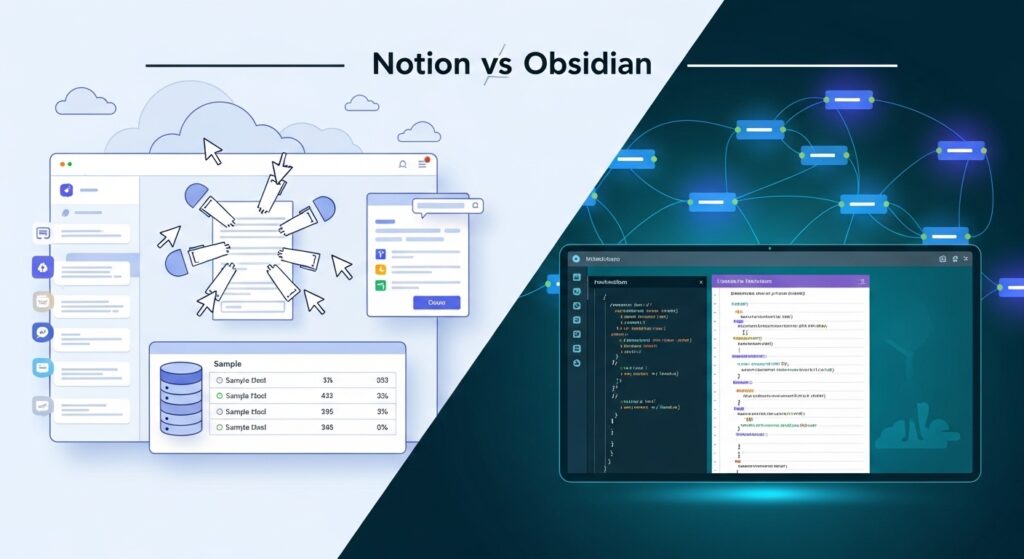
Few debates in the productivity world are more heated than Notion vs Obsidian. Both tools have passionate, vocal communities who will tell you the other choice is obviously wrong. Browse any Reddit thread on note-taking apps and you’ll find people who switched from Notion to Obsidian and never looked back — right next to people who tried Obsidian, found it overwhelming, and returned to Notion with relief.
Here’s the thing: both camps are right. Not because the tools are equivalent, but because they’re built on fundamentally different philosophies for fundamentally different people.

This guide cuts through the noise. We’ve used both tools extensively — Notion for team projects and collaborative wikis, Obsidian for personal research and long-form writing — and we’re giving you a direct, honest breakdown based on real use, not spec sheets. By the end, you’ll know exactly which one fits your workflow.
The one difference that explains everything
Before comparing features, you need to understand the philosophical split between these two tools — because almost every tradeoff flows from it.
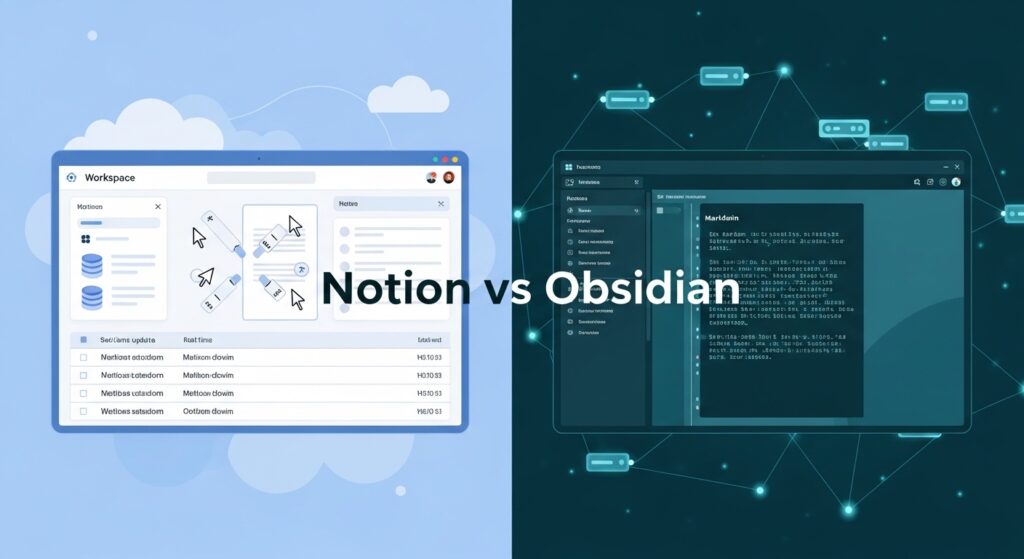
Notion is cloud-first. Your notes, databases, and pages live on Notion’s servers. You access them through a browser or app, sync happens automatically, and collaboration is built into the core product. It’s designed to be a shared workspace — a place where teams build wikis, track projects, and write together in real time.
Obsidian is local-first. Your notes are plain Markdown files sitting on your hard drive. Obsidian is just a powerful interface for reading, writing, and linking those files. You own the data completely — Obsidian the company has no access to your notes. Sync across devices is available, but it’s an optional paid add-on rather than a default assumption.
This single difference cascades into almost everything else: privacy, collaboration, pricing, offline access, long-term data portability, and how each tool feels to use day-to-day. Understanding it means you can predict which tool will suit you before reading a single feature comparison.
In short: Notion is a team workspace that happens to be excellent for personal notes. Obsidian is a personal thinking tool that happens to have optional team features. Choose accordingly.
Notion vs Obsidian: quick comparison (2026)
Not ready to read the full breakdown? Here’s the at-a-glance verdict across the dimensions that matter most.
| Category | Notion | Obsidian | Winner |
|---|---|---|---|
| Ease of use | Intuitive, guided onboarding | Steep learning curve | Notion |
| Note-taking feel | Block-based editor | Pure Markdown, distraction-free | Obsidian (for writers) |
| Collaboration | Real-time, built-in | Not natively supported | Notion |
| Privacy & data ownership | Data on Notion’s servers | Files stay on your device | Obsidian |
| Offline access | Limited (requires internet) | Fully offline by default | Obsidian |
| Knowledge graph / linking | Basic backlinks | Graph view, bidirectional links | Obsidian |
| AI features | Native Notion AI (paid) | Plugin-based (free options exist) | Notion (more polished) |
| Plugin ecosystem | Third-party integrations | 600+ community plugins | Obsidian |
| Mobile experience | Strong native apps | Functional but limited | Notion |
| Pricing (personal) | Free tier, then $10/mo | Free forever for personal use | Obsidian |
| Pricing (teams) | $10–$15/seat/month | Not designed for teams | Notion |
| Data portability | Export to Markdown/HTML | Already plain Markdown files | Obsidian |
Notion in 2026 — what it is and who it’s for
Notion has evolved well beyond a note-taking app. In 2026, it’s best described as a connected workspace: a single platform where you can write docs, build databases, manage projects, create team wikis, and automate workflows — all in one place. For teams and individuals who currently juggle multiple tools, that consolidation is genuinely valuable.
What’s new in Notion for 2026
Notion AI has matured significantly. It now handles meeting note summaries, automatic action item extraction, smart search across your entire workspace, and AI-generated page drafts. These features are included in the Plus plan and above — not a separate paid tier. Database automations have also expanded, letting you trigger actions based on property changes without needing Zapier. A native forms feature now allows external submissions directly into Notion databases, which is useful for small teams collecting structured data from clients or collaborators.
What Notion does well
- Collaboration is first-class. Real-time co-editing, comments, mentions, and guest access are built into the core product. No plugins or workarounds needed.
- All-in-one consolidation. Docs, wikis, task management, and databases in a single tool reduces context-switching for teams.
- Template library. Hundreds of community and official templates cover everything from content calendars to engineering wikis — great for getting started fast.
- Polished web clipper. The browser extension for saving articles and web content to Notion is one of the best in the category.
- Low barrier to entry. Most people can create a useful Notion workspace within an hour of signing up.
Where Notion falls short
- Your data lives on their servers. If Notion goes down, changes its pricing, or gets acquired, your notes are at risk unless you export regularly.
- Performance degrades at scale. Large workspaces with thousands of pages and heavy databases can become noticeably slow.
- Mobile app still lags. The mobile experience is functional but slower and less responsive than the desktop version.
- Markdown purity is compromised. Notion uses a block-based editor rather than raw Markdown — great for most users, limiting for those who want portability.
- Offline access is unreliable. Notion caches some content for offline reading, but it’s not a tool you can depend on without an internet connection.
Notion pricing (2026)
- Free: Unlimited pages, limited block history, basic collaboration for up to 10 guests
- Plus: $10/seat/month — unlimited version history, Notion AI included
- Business: $15/seat/month — advanced permissions, SAML SSO, audit logs
- Enterprise: Custom pricing for large organisations
Best for: Teams, students working collaboratively, content creators who need a combined notes-and-publishing workflow, and anyone who wants a single tool to replace multiple apps.
Obsidian in 2026 — what it is and who it’s for
Obsidian describes itself as “a private and flexible writing app that adapts to the way you think.” That’s accurate. At its core, Obsidian is a Markdown editor that treats every note as a node in a network — connected to other notes through bidirectional links, visualised in a graph view, and extended by a massive plugin ecosystem. Your vault (the folder of Markdown files Obsidian reads) lives entirely on your device. You own it completely.
What’s new in Obsidian for 2026
The Canvas feature (a spatial, infinite whiteboard for arranging notes visually) has received significant improvements, including better card grouping and embedded web content. Mobile apps have improved considerably — syncing via Obsidian Sync is now faster and more reliable. Several new core plugins have been added, including better PDF annotation support and an improved daily notes system. The community plugin ecosystem has also grown past 600 plugins, with AI integrations (connecting Obsidian to local or cloud AI models) becoming particularly popular.
What Obsidian does well
- Complete data ownership. Your notes are plain .md files. They work in any text editor, live in any folder, and can be backed up, version-controlled, or migrated without Obsidian’s involvement.
- Fully offline by default. No internet required — ever. Your vault works exactly the same on a plane, in a cabin, or during an outage.
- Bidirectional linking and graph view. The ability to link notes and visualise connections between ideas is Obsidian’s signature feature — genuinely useful for researchers and long-form writers building a knowledge base over time.
- Plugin ecosystem. With 600+ community plugins, Obsidian can become almost anything: a task manager, a spaced repetition flashcard system, a citation manager, a journaling app, or a code snippet library.
- Free for personal use. The core app costs nothing. You pay only for optional add-ons (Sync, Publish) or commercial use.
- Privacy-first. Obsidian has no access to your notes. Nothing is collected, analysed, or stored on their servers.
Where Obsidian falls short
- Steep learning curve. Setting up a useful Obsidian vault — choosing a folder structure, installing the right plugins, building linking habits — takes real time and effort.
- No native collaboration. Real-time co-editing doesn’t exist in Obsidian. Sharing notes requires manual export or a workaround like a shared Git repository.
- Sync costs extra. The free tier gives you no built-in sync. Obsidian Sync costs $4/month — or you use a third-party solution like iCloud, Dropbox, or Syncthing.
- Mobile experience is still secondary. The mobile apps work, but Obsidian is clearly built for desktop-first users.
- Plugin dependency risk. Heavy reliance on community plugins means updates can occasionally break workflows until a plugin is patched.
Obsidian pricing (2026)
- Personal use: Free forever — full feature set, no time limit
- Obsidian Sync: $4/month — encrypted end-to-end sync across devices
- Obsidian Publish: $8/month — publish your notes as a public website
- Commercial use: $50/year per user (required if used for work at a for-profit company)
Best for: Researchers, writers, developers, privacy-conscious users, students doing long-form academic work, and anyone serious about building a personal knowledge base over years or decades.
Head-to-head: Notion vs Obsidian across 6 key categories
1. The note-taking and writing experience
This is where personal preference matters most, and where the tools diverge most sharply in feel.
Notion uses a block-based editor. Every paragraph, heading, image, and database is a “block” that can be dragged, reordered, and transformed. This makes it flexible and visually rich — but it also means you’re always aware you’re using software. Markdown shortcuts work (type / to insert blocks or use ## for headings), but the underlying format is Notion’s proprietary block structure, not pure Markdown.
Obsidian is pure Markdown. You’re writing in a text file. The rendering layer sits on top, but the source is always plain text. For writers who think in sentences and paragraphs rather than blocks and databases, this feels fundamentally more honest. There’s no abstraction between you and your words. The distraction-free writing mode is genuinely distraction-free.
Winner: Obsidian for writers and researchers who want a clean, focused writing environment. Notion for users who want rich formatting, embedded databases, and visual structure within their notes.
2. Organisation and structure
Notion organises content through a hierarchy of pages and subpages, combined with databases that can be filtered, sorted, and viewed as tables, boards, calendars, or galleries. This is powerful for structured, categorisable information — a content calendar, a reading list with properties, a project tracker.
Obsidian organises through folders, tags, and links. The philosophy is that structure should emerge from connections between notes rather than being imposed top-down. Instead of filing a note in a folder, you link it to related notes and let the graph reveal the structure organically. This is the “Zettelkasten” approach that many knowledge management enthusiasts swear by.
Neither approach is objectively better — they suit different thinking styles. If you’re a natural categoriser who likes clean folders and filtered views, Notion fits your brain. If you prefer to write freely and discover patterns later, Obsidian’s linking model is more natural.
Winner: Tie — depends entirely on how you think and organise information.
3. Linking and knowledge graphs
Obsidian was built around bidirectional linking. Every link between notes is tracked in both directions — so if Note A links to Note B, Note B automatically knows it’s been linked from Note A. The graph view visualises your entire vault as a network of connected nodes. For researchers building a knowledge base over years, this is transformative.
Notion added backlinks, but they’re a secondary feature rather than a design principle. The graph view doesn’t exist in Notion. Connections between pages are less visible and harder to navigate.
Winner: Obsidian — and it’s not close. If knowledge linking is important to your workflow, this is the most significant functional difference between the two tools.
4. Collaboration
Notion wins this category comprehensively. Real-time co-editing, inline comments, page mentions, permission levels (full access, edit, comment, view), guest access, and team spaces are all built into the product from the ground up. Notion is genuinely designed for teams.
Obsidian has no native collaboration. The closest workaround is storing your vault in a shared folder (Dropbox, iCloud, or a Git repository) and accepting that two people editing the same file simultaneously will cause conflicts. For solo users, this doesn’t matter at all. For teams, it’s a dealbreaker.
Winner: Notion — unambiguously, for any use case involving more than one person.
5. Privacy and data ownership
Obsidian wins this one just as decisively. Your notes never leave your device unless you choose to sync them — and even then, Obsidian Sync uses end-to-end encryption, meaning Obsidian cannot read your notes even on their servers. Your vault is a folder of plain text files. You can back it up, encrypt it, version-control it with Git, or open it in any text editor. It will work forever regardless of what happens to Obsidian as a company.
Notion’s notes live on Notion’s servers. The company can read them (and must comply with lawful data requests). If Notion shuts down, raises prices dramatically, or changes its terms, you’re reliant on being able to export your data in time. Export is available, but it’s a manual process and the Markdown output isn’t always clean.
Winner: Obsidian — again, unambiguously, for anyone who cares about privacy or long-term data control.
6. AI features
Notion AI is the more polished, integrated experience. It’s built directly into the editor — you can invoke it inline to summarise a page, extract action items, translate text, improve writing, or generate a draft from a prompt. It works across your entire workspace, understanding the context of your notes. As of 2026, it’s included in the Plus plan with no separate subscription.
Obsidian’s AI story is plugin-based. Several community plugins connect Obsidian to OpenAI, local models (like Ollama), or other AI providers. This gives you more flexibility and control — you can run a completely private, local AI model that never sends your notes to an external server — but the setup requires technical comfort and the experience is less seamless than Notion’s native implementation.
Winner: Notion for a polished, out-of-the-box AI experience. Obsidian for privacy-conscious users who want AI without their notes leaving their device.
Which tool should you use? A use-case guide
Still deciding? Here’s a direct recommendation by user type.
Students and academic researchers → Obsidian. Long-form research benefits enormously from Obsidian’s bidirectional linking, citation plugin support (Zotero integration via community plugins), and offline-first reliability. Building a knowledge base across a multi-year degree is exactly what Obsidian is designed for.
Remote teams and companies → Notion. If more than one person needs to access, edit, or comment on notes, Notion is the only real choice between these two. Collaboration is Notion’s core competency and Obsidian’s explicit non-feature.
Writers and bloggers → depends. If you’re a solo writer building a research archive and drafting long-form content, Obsidian’s distraction-free writing environment is superb. If you’re managing an editorial calendar, assigning articles to contributors, or publishing directly from your notes app, Notion’s database features and collaboration tools are more useful.
Developers and engineers → Obsidian. Plain text files, Git-friendliness, offline reliability, and a privacy-first model all resonate with how developers like to work. Many developers store their Obsidian vault in a Git repo for automatic version history.
PKM (personal knowledge management) enthusiasts → Obsidian. The Zettelkasten method, evergreen notes, and building a “second brain” are all concepts that Obsidian was designed around. The graph view and bidirectional links make these workflows native rather than bolted-on.
Beginners new to digital note-taking → Notion. If you’ve never used a dedicated note-taking app before, Notion’s guided onboarding, intuitive interface, and extensive template library get you productive faster. Obsidian’s flexibility is an advantage for experienced users and a source of confusion for newcomers.
Privacy-first users → Obsidian. No contest. Your notes never leave your device unless you explicitly choose otherwise.
Pricing: the real long-term cost comparison
The pricing models are structured so differently that a simple side-by-side doesn’t tell the full story. Here’s what you actually pay over time.
| Scenario | Notion cost (annual) | Obsidian cost (annual) |
|---|---|---|
| Solo personal user, basic features | $0 (free tier) | $0 (free forever) |
| Solo user with sync + AI | $120/yr (Plus plan) | $48/yr (Sync only, no AI subscription needed) |
| Solo professional / commercial use | $120/yr (Plus plan) | $50/yr (commercial licence) + $48/yr (Sync) = $98/yr |
| 5-person team | $600/yr (Plus, 5 seats) | Not practical — Obsidian isn’t designed for team use |
| 10-person team | $1,200/yr (Plus, 10 seats) | Not applicable |
The key takeaway: For solo users, Obsidian is significantly cheaper — especially if you use iCloud or Dropbox for sync instead of Obsidian Sync. For teams, Notion is the only realistic option regardless of cost, since Obsidian doesn’t support collaboration. The pricing debate only truly matters for individual users, and there Obsidian wins clearly.
One longer-term consideration: Notion is a subscription that you pay indefinitely. Obsidian’s personal licence is free forever. If you stop paying for Notion, you lose access to your workspace (though you can export). If you stop paying for Obsidian Sync, your notes stay on your device unchanged.
Can you use both? The hybrid approach explained
A growing number of power users run Notion and Obsidian simultaneously — and it’s not as complicated as it sounds. The two tools serve genuinely complementary purposes, which makes them natural partners rather than competitors in practice.
The most common hybrid setup looks like this: Obsidian for personal thinking — private research, daily notes, long-form writing drafts, and building a personal knowledge base over time. Notion for team-facing work — project wikis, shared databases, meeting notes that need to be accessible to colleagues, and anything that involves collaboration or client visibility.
This setup works particularly well for freelancers and consultants: Obsidian holds your private thinking and research; Notion holds the client-facing deliverables and project management.
Bridging the two tools is possible but manual. Some users export finished Obsidian notes to Notion for sharing. Others use automation tools like Make.com or Zapier to push specific content between the platforms. There’s no native, seamless integration — and for most people, the friction of maintaining two systems eventually pushes them back to one primary tool.
When the hybrid approach makes sense: You have distinct personal and professional note-taking needs that genuinely don’t overlap. You’re already comfortable with both tools individually. You don’t mind maintaining two separate systems.
When it becomes overcomplicated: You find yourself duplicating notes across both tools. The overhead of deciding where something “belongs” slows you down. You’re new to either tool and still building a workflow.
For most people, picking one and going deep is more productive than hedging with both.
Frequently asked questions
Is Obsidian better than Notion?
It depends entirely on your use case. Obsidian is better for privacy, data ownership, offline use, and building a personal knowledge base with linked notes. Notion is better for collaboration, ease of use, all-in-one team workspaces, and users who want a polished out-of-the-box experience. Neither is objectively better — they’re built for different people with different priorities.
Can Obsidian replace Notion?
For solo personal use, yes — Obsidian can replace Notion entirely, and many users have made this switch. For team use, no. Obsidian has no native real-time collaboration, no shared workspaces, and no permission management. If you need other people to access and edit your notes, Obsidian cannot replace Notion.
Is Notion good for personal note-taking?
Yes, Notion works well for personal notes — especially if you like structured databases, templates, and the ability to embed different content types in your notes. The free tier is usable for personal use. The main trade-offs are that your data lives on Notion’s servers and the tool can feel over-engineered for simple personal note-taking compared to something like Obsidian or even Apple Notes.
Does Obsidian work offline?
Yes — fully and completely. Since your notes are plain files on your device, Obsidian requires no internet connection to function. You can write, read, search, and link notes entirely offline. This is one of Obsidian’s most significant advantages for users who travel, work in variable connectivity environments, or simply prefer not to depend on cloud services.
Is Obsidian really free?
The core Obsidian app is free for personal use with no feature restrictions and no time limit. You pay only for optional add-ons: Obsidian Sync ($4/month) for cross-device sync, and Obsidian Publish ($8/month) if you want to publish your notes as a public website. If you’re a professional using Obsidian for commercial work, a commercial licence costs $50/year per user.
Which is better for students — Notion or Obsidian?
For most students, especially those doing research-heavy work, Obsidian is the stronger long-term choice. The bidirectional linking and graph view are particularly well-suited to connecting ideas across subjects, and the free personal licence means no subscription cost. Notion is better for students who need to collaborate with classmates on shared projects or want a simpler setup they can use immediately without configuration.
What are the best alternatives to both Notion and Obsidian?
The main alternatives worth considering in 2026 are: Logseq (open-source, local-first like Obsidian but with an outliner-first interface), Roam Research (the original linked-note tool, now expensive at $15/month), Craft (beautiful native Mac/iOS app, closer to Notion in feel), Apple Notes (surprisingly capable for simple needs, free, and deeply integrated with Apple devices), and Capacities (a newer “objects-based” workspace gaining traction in the PKM community).
Final verdict: Notion vs Obsidian in 2026
Here’s the direct answer, without hedging:
Choose Notion if you work with a team, you’re new to structured note-taking, you want an all-in-one workspace that replaces multiple tools, or you need collaboration features as a core part of your workflow. Notion’s polish, template library, and real-time collaboration are unmatched in this comparison.
Choose Obsidian if you’re a solo user who cares about data ownership, you want your notes to work offline and outlast any single company, you’re building a long-term personal knowledge base, or you’re a researcher, developer, or writer who thinks in connected ideas rather than structured pages.
The philosophical winner, in our view, is Obsidian — owning your data in plain text files that will be readable by any device, forever, regardless of what happens to any software company, is a genuinely superior position for long-term notes. But Notion is the practical winner for the majority of users who prioritise ease of use, collaboration, and getting started quickly without configuration.
Use the tool that matches how you actually work today — not the one that sounds better in theory.