DIY
DIY
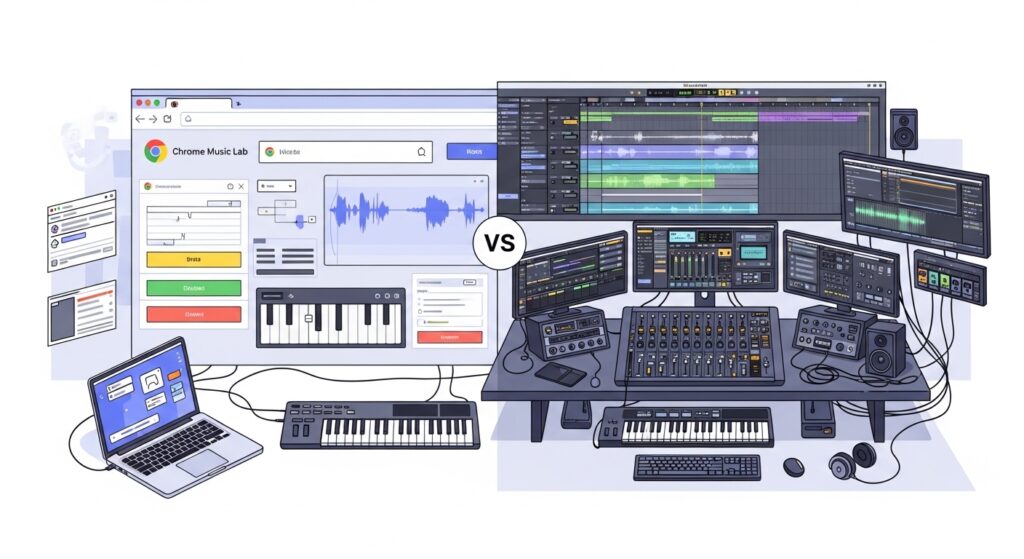
What Is Chrome Music Lab?
Chrome Music Lab is a free website from Google that uses simple interactive experiments to help people explore how music works. It is described as a hands-on way to learn through sound, rhythm, melody, and other music concepts, and many teachers use it in classrooms to connect music with science, math, art, and movement.
One reason Chrome Music Lab is so approachable is that it runs directly in the browser on phones, tablets, laptops, and other devices without requiring a traditional software install. The experiments are built with open web technologies such as Web Audio API, WebMIDI, and Tone.js, which makes the platform useful not only for learners but also interesting for tech-curious readers.

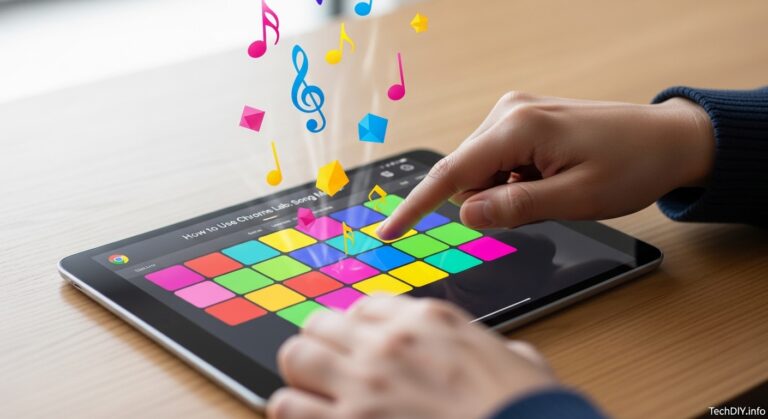
The best-known experiment is Song Maker, which is a simple way for anyone to make and share a song. That single detail matters because it shows the platform’s main strength: instant creativity without setup.
What Is a DAW?
A DAW, or Digital Audio Workstation, is a full music-production application used to create, record, arrange, edit, mix, and export audio projects. Popular examples include GarageBand, Audacity, FL Studio, Ableton Live, and Logic Pro, and these tools are designed for more serious production workflows than browser experiments.
Unlike Chrome Music Lab, a DAW is built for multi-track work. That usually means audio recording, MIDI sequencing, plugin support, mixing tools, automation, and final export options for complete songs or sound projects.
Key differences
| Area | Chrome Music Lab | Traditional DAW |
|---|---|---|
| Primary purpose | Music learning, fast experimentation, classroom-friendly creation | Full music production, recording, editing, and mixing |
| Setup | Open in a browser and start immediately | Usually requires install, setup, and device compatibility checks |
| Sharing | Song Maker supports easy sharing; Shared Piano supports link-based collaboration | Usually deeper project exchange, but more setup and account friction |
| Creative depth | Great for basics, limited for full production workflows | Built for advanced composition, audio recording, effects, and export |
| Best fit | Teachers, kids, beginners, quick idea generation | Hobbyist producers, musicians, and aspiring professionals |
Ease of use and learning curve
Chrome Music Lab wins easily for first-time users because there is almost no friction between curiosity and action. The platform is marketed as instant and browser‑based, which is exactly why it works so well for classrooms, younger users, and anyone who wants to experiment before learning technical production concepts.
A DAW asks much more from the user at the start. Even beginner‑friendly options like GarageBand or Audacity usually involve learning tracks, timelines, routing, exports, and interface conventions that can feel intimidating if your only goal is to try making music for the first time.
Pricing and access
Chrome Music Lab is completely free and works through the browser, which removes both software cost and install barriers. That makes it especially practical for schools, shared computers, and casual learners who do not want to commit to a paid creative stack.
Traditional music software ranges from free to premium. GarageBand is free for Apple users, Audacity is free and open source, while higher‑end DAWs such as FL Studio, Ableton Live, and Logic Pro are aimed at users who need deeper production features and are willing to invest time and money in them.
Creative power and limits
Chrome Music Lab is best understood as a creative sandbox, not a production studio. Song Maker lets users create and share simple musical ideas, but it is presented as an accessible composition tool rather than a replacement for a professional recording environment.
That matters because a true DAW can handle audio recording, layered arrangements, plugin workflows, detailed editing, effects chains, and export formats needed for finished releases. If your goal is to publish polished music, record vocals or instruments, or build multi‑track projects, a DAW is the right category of tool.
Sharing and collaboration
Chrome Music Lab is surprisingly strong when the goal is lightweight sharing. Song Maker is built around making and sharing simple songs, and Shared Piano allows live collaboration on the web through a link‑based session without requiring login or installation.
Shared Piano can support up to 10 people playing together at once using MIDI or computer keyboards, which makes it especially attractive for remote teaching, quick demos, and low‑friction group participation. Traditional DAWs support deeper collaboration, but they usually require compatible software, synced files, and more technical coordination.
Why teachers like Chrome Music Lab
Chrome Music Lab is explicitly recommended for educational use because it helps connect music with other subjects. It is used to explore rhythm, sound waves, and visual‑music experiments, which makes it easy to build cross‑curricular activities.
It also works well on browsers across phones, tablets, and laptops, which is useful in real classrooms where device quality and IT support can vary. For educators, that simplicity often matters more than advanced production depth.
Where web-based DAWs fit
There is an important middle ground between Chrome Music Lab and full desktop DAWs: web‑based DAW‑style tools. These platforms offer more serious recording and arrangement features than Chrome Music Lab, while still reducing installation friction compared with traditional desktop software.
This distinction helps the article because “Chrome Music Lab vs DAW” is not always a direct apples‑to‑apples comparison. In practice, many users move from Chrome Music Lab to a beginner‑friendly web or entry‑level DAW before they ever touch software like Ableton Live or Logic Pro.
Can Chrome Music Lab be a stepping stone?
Yes, especially for beginners. Song Maker introduces grid‑based note placement and pattern thinking in a simplified form, which can help new users understand basic sequencing concepts before they encounter more advanced piano‑roll or arrangement views in a DAW.
It is not formal DAW training, but it does lower the fear barrier. For many learners, the best pathway is Chrome Music Lab first, then a beginner DAW such as GarageBand or Audacity, and only later a more advanced platform if they want deeper production control.
Best choice by user type
| User type | Best starting point | Why |
|---|---|---|
| Elementary teacher | Chrome Music Lab | Free, browser‑based, classroom‑friendly, and easy to share |
| Complete beginner | Chrome Music Lab | Fastest way to start making sound without setup friction |
| Teen or hobbyist wanting real songs | Beginner DAW or web‑based DAW | Better for longer projects, editing, and exporting usable tracks |
| Aspiring producer | Traditional DAW | Needed for full workflows, plugins, mixing, and professional growth |
Verdict
Chrome Music Lab and traditional music software are not true rivals because they serve different stages of the creative journey. Chrome Music Lab is best for playful learning, classroom exploration, and zero‑friction music creation, while DAWs are built for users who want to record, edit, mix, and finish complete projects.
If you are a teacher, parent, or total beginner, Chrome Music Lab is usually the better first step. If you want to make polished songs, record instruments, or grow into a producer workflow, start with a beginner DAW and treat Chrome Music Lab as a gateway rather than a destination.
FAQ
Is Chrome Music Lab good for music production?
Chrome Music Lab is good for learning and simple music creation, but it is not a full production environment like a traditional DAW. It is designed as an accessible set of browser experiments, especially useful for education and exploration.
Can you use Chrome Music Lab without downloading anything?
Yes. You can open the site in a web browser and start using the experiments without installing software.
Can Chrome Music Lab be used on different devices?
Yes. The experiments can be used across devices including phones, tablets, and laptops through a web browser.
What is the difference between Chrome Music Lab and GarageBand?
Chrome Music Lab is a browser‑based learning and experimentation platform, while GarageBand is a more traditional beginner‑friendly DAW with stronger recording and project‑building features. Chrome Music Lab is easier to start with, but GarageBand is more capable for actual song production.
Does Chrome Music Lab support collaboration?
Yes, in lightweight ways. Shared Piano supports live link‑based sessions and can let up to 10 people play together at once, making it useful for remote music activities and classroom participation.