DIY
DIY
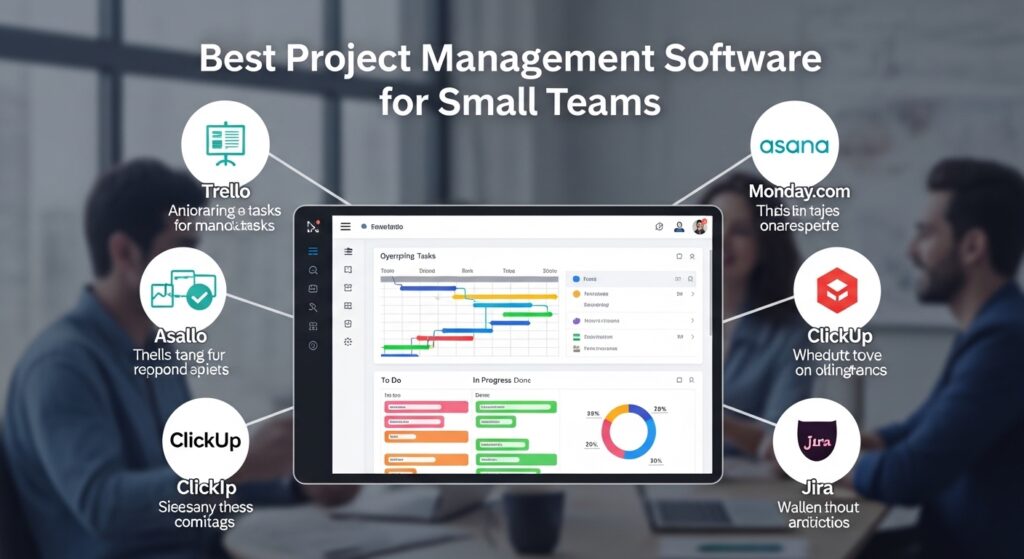
Managing a small team sounds simple — until you’re juggling Slack threads, shared spreadsheets, sticky notes, and three different “systems” that nobody actually follows. If you’ve ever missed a deadline because a task lived in someone’s inbox, or wasted a Friday afternoon tracking down project status, you already know the problem.
The right project management software fixes all of that. But with dozens of tools on the market — each claiming to be the best — choosing one can feel as chaotic as not having one at all.

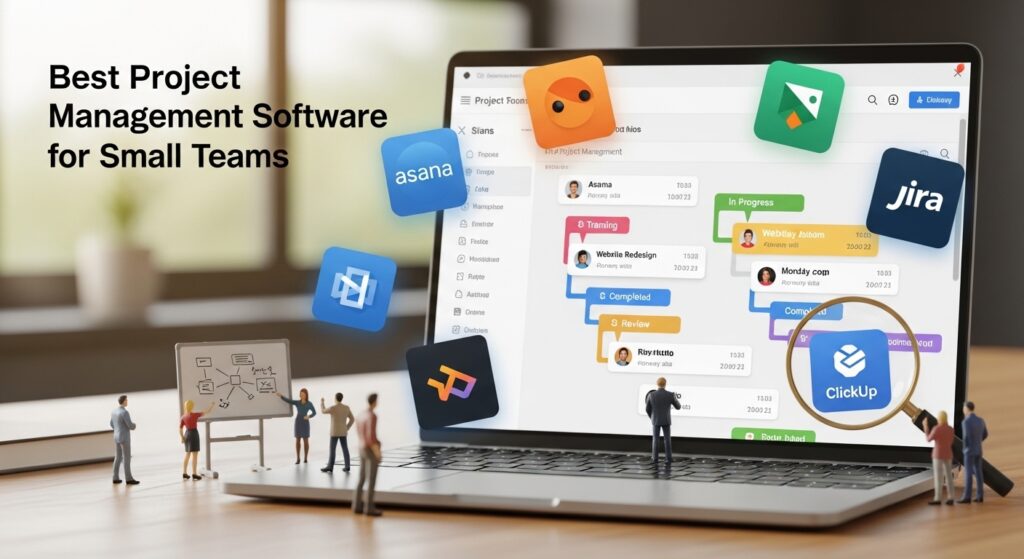
We tested 12 tools over several months, specifically on teams of 3–20 people. Below are the eight best project management tools for small teams in 2026: what they’re great at, where they fall short, and exactly who should use them.
How we chose these tools
Not every PM tool is built for small teams. Enterprise platforms like Jira at scale or Smartsheet are powerful — but they’re also overkill, expensive, and slow to onboard. We focused exclusively on tools that work well for teams of 20 or fewer, evaluating each on:
- Ease of onboarding — Can a new team member get up to speed in under a day?
- Free tier quality — Is the free plan actually usable, or a bait-and-switch?
- Pricing transparency — No hidden per-seat surprises.
- Core features — Task management, due dates, assignments, and at least one view (board, list, or timeline).
- Integrations — Slack, Google Workspace, GitHub, and email at minimum.
We excluded tools that require IT setup, have mandatory annual contracts for basic plans, or are clearly designed for 100+ person organizations.
Quick comparison: best PM tools for small teams (2026)
Not ready to read the full reviews? Here’s the at-a-glance breakdown. Each tool links to the full review section below.
| Tool | Best for | Free plan | Paid from | Verdict |
|---|---|---|---|---|
| Notion | All-in-one flexible teams | ✅ Yes (generous) | $10/seat/mo | 🏆 Editor’s pick |
| Linear | Dev-focused teams | ✅ Yes | $8/seat/mo | Best for engineers |
| Trello | Kanban simplicity | ✅ Yes | $5/seat/mo | Best for beginners |
| Asana | Structured workflows | ✅ Yes (limited) | $10.99/seat/mo | Best for task-heavy teams |
| Monday.com | Non-technical teams | ❌ No | $9/seat/mo | Best UI, no free tier |
| ClickUp | Feature-per-dollar value | ✅ Yes | $7/seat/mo | Most features at lowest price |
| Basecamp | Remote async teams | ❌ No (30-day trial) | $15/user/mo or $299 flat | Best for remote-first |
| Height | AI-assisted planning | ✅ Yes | $8.50/seat/mo | Best rising pick for 2026 |
The best project management tools for small teams — reviewed
1. Notion — Best all-in-one for flexible small teams
Notion has matured into one of the most versatile tools available for small teams. It’s not a pure project manager — it’s more of a connected workspace where docs, wikis, databases, and task boards all live together. For teams tired of switching between apps, that’s a huge advantage.
In 2026, Notion’s AI features (included in paid plans) now handle meeting summaries, task extraction from docs, and auto-tagging — genuinely useful for small teams without a dedicated ops person.
What Notion does well:
- Extremely flexible — build exactly the system your team needs
- Combines project tracking, documentation, and knowledge base in one place
- Generous free tier for individuals and small collaborations
- AI integration for task and action item extraction
- Strong template library to get started fast
Where Notion falls short:
- Flexibility can overwhelm new users — setup takes time
- No native time tracking or resource management
- Gantt/timeline view requires paid plan
- Mobile app experience still lags behind desktop
Pricing: Free for personal use. Plus plan at $10/seat/month includes unlimited AI. Business plan at $15/seat/month adds advanced permissions and analytics.
Best for: Small teams that want a single hub for projects AND documentation — especially marketing, content, and ops teams.
2. Linear — Best for dev-focused small teams
Linear is what happens when engineers build a project management tool for engineers. It’s fast (keyboard-first), opinionated (it won’t let you build chaos), and genuinely beautiful. If your team ships software, Linear will feel like a tool built specifically for you.
The 2026 version has improved its “Cycles” feature (sprint-style planning), added better GitHub and GitLab integration, and introduced AI-powered triage that automatically categorizes incoming issues.
What Linear does well:
- Blazing fast — keyboard shortcuts for everything
- Git integration is first-class: PRs link directly to issues
- Clean, distraction-free interface with zero clutter
- Built-in roadmap and milestone tracking
- Cycles (sprints) built natively — no plugins needed
Where Linear falls short:
- Not suitable for non-technical workflows (no marketing boards, etc.)
- Limited customization compared to ClickUp or Notion
- Gantt view is basic
- Guest/client access is limited on lower tiers
Pricing: Free for up to 250 issues. Standard plan at $8/seat/month. Plus plan at $14/seat/month adds advanced admin controls.
Best for: Software engineering teams of 2–25 people who live in their issue tracker.
3. Trello — Best for Kanban simplicity
Trello is the gateway drug of project management software — and that’s a compliment. It’s the easiest tool on this list to learn, with a drag-and-drop Kanban board that anyone understands in minutes. If your team has been resistant to adopting a PM tool, Trello is the one most likely to actually stick.
Trello hasn’t changed dramatically in recent years, but that’s part of its charm. It does one thing — visual card-based tracking — exceptionally well.
What Trello does well:
- Zero learning curve — anyone can use it on day one
- Free plan is genuinely useful for small teams
- “Power-Ups” add functionality (calendar, automations, integrations)
- Great mobile apps
- Butler automation handles repetitive task rules without code
Where Trello falls short:
- Limited views — primarily Kanban only (list, calendar, timeline require paid)
- No native subtasks or task dependencies on free plan
- Can get messy fast on large projects
- Reporting is minimal even on paid plans
Pricing: Free for unlimited cards (1 Power-Up per board). Standard at $5/seat/month. Premium at $10/seat/month unlocks all views and unlimited automations.
Best for: Small teams who want the simplest possible visual system — especially freelancers, creative teams, and anyone new to PM tools.
4. Asana — Best for structured task workflows
Asana sits in the sweet spot between simple (Trello) and overwhelming (ClickUp). It’s structured, task-focused, and excellent for teams that care deeply about due dates, assignees, and project milestones. The workflow builder is one of the best in the category for automating recurring processes without needing a developer.
Asana’s 2026 AI features now include smart goal tracking and automated workload balancing — useful if you have a team lead managing multiple people simultaneously.
What Asana does well:
- Best-in-class task dependencies and timeline view
- Workflow Builder for automating recurring processes
- Strong reporting and goal tracking (on paid plans)
- Clean, polished interface that feels professional to clients
- Robust integrations: Slack, Google Workspace, Zoom, Salesforce
Where Asana falls short:
- Free plan limits collaboration to 10 people max
- Pricing jumps significantly from free to paid
- No native docs/wiki feature (need to integrate Notion or Confluence)
- Can feel rigid for teams with fluid, changing workflows
Pricing: Free for up to 10 users (limited features). Starter at $10.99/seat/month. Advanced at $24.99/seat/month.
Best for: Operations, marketing, and project teams that need clear ownership, deadlines, and reporting — especially when working with clients or stakeholders.
5. Monday.com — Best for non-technical teams
Monday.com has the most polished onboarding experience on this list. It’s colorful, visual, and designed to be understood by people who’ve never used a PM tool before. Sales teams, HR teams, and operations departments love it because it looks like something leadership will actually engage with.
The main catch: there’s no free tier. For small teams on a budget, that’s a dealbreaker — but for teams where the tool needs to impress internally, Monday.com is worth the cost.
What Monday.com does well:
- Most intuitive onboarding of any tool on this list
- Beautiful, color-coded dashboards that impress stakeholders
- Excellent automation library — 200+ pre-built recipes
- Strong CRM and sales pipeline add-ons
- High-quality templates for marketing, HR, and operations
Where Monday.com falls short:
- No free plan at all — minimum 3-seat billing
- Can get expensive fast as team grows
- Feature depth doesn’t always match the price
- Developer/engineering workflows are an afterthought
Pricing: Basic at $9/seat/month (min. 3 seats). Standard at $12/seat/month. Pro at $19/seat/month. No free tier.
Best for: Non-technical small teams — sales, marketing, HR — where visual clarity and ease of use matter more than deep functionality.
6. ClickUp — Best feature-per-dollar value
ClickUp’s pitch is simple: one app to replace all your other apps. And to a remarkable degree, it delivers. You get task management, docs, whiteboards, time tracking, goals, Gantt charts, and more — all for less money than most competitors. For small teams that want everything in one place without paying Notion Plus prices, ClickUp is the answer.
The downside is that ClickUp can feel overwhelming. There are so many features and settings that new users often spend more time configuring the tool than using it.
What ClickUp does well:
- Most features of any tool at this price point
- Highly customizable — spaces, folders, lists, and 15+ view types
- Native time tracking, goals, and workload view
- Generous free plan with most core features
- Active development — major updates every few weeks
Where ClickUp falls short:
- Interface can feel cluttered and overwhelming at first
- Performance (speed) has been inconsistent historically
- Too many options can lead to inconsistent team usage
- Mobile app lags behind the desktop experience
Pricing: Free (unlimited tasks and members). Unlimited plan at $7/seat/month. Business plan at $12/seat/month adds advanced features.
Best for: Budget-conscious small teams that want the most features possible — especially if you’re currently paying for multiple tools you could consolidate.
7. Basecamp — Best for remote async teams
Basecamp is the original remote team tool, and in 2026 it’s still one of the best for teams that work across time zones and prefer async communication. Every project in Basecamp comes with a built-in message board, to-do lists, file storage, group chat, and automatic check-ins — all in one place, all included in the price.
Basecamp’s flat-rate pricing ($299/month for unlimited users) is either a bargain or a dealbreaker depending on your team size. For teams of 10+, it often works out cheaper than per-seat tools.
What Basecamp does well:
- All-in-one async communication — message boards, group chat, docs, files
- Flat-rate pricing becomes very cost-effective at 8+ users
- Automatic check-ins replace status meetings
- Clean, minimal interface with almost no learning curve
- Client access included — share specific projects with external stakeholders
Where Basecamp falls short:
- No free tier (30-day trial only)
- Very limited views — no Gantt, no timeline, no calendar built-in
- Not ideal for complex task dependencies
- Feels dated compared to Notion or Linear
Pricing: Basecamp Plus at $15/user/month. Basecamp Pro Unlimited at $299/month flat (unlimited users). 30-day free trial on both.
Best for: Remote-first small teams of 8–25 people where async communication and a simple flat structure are priorities over complex task management.
8. Height — Best rising pick for 2026
Height is the newest tool on this list and the one most worth watching in 2026. Its standout feature is native AI integration — not bolted-on AI, but AI that’s woven throughout the product. Height can automatically break down a high-level goal into subtasks, suggest assignees based on workload, and flag tasks at risk of slipping based on past patterns.
It’s not as established as the other tools here, but for teams willing to be early adopters, it offers a genuinely differentiated experience.
What Height does well:
- Best native AI task planning of any tool currently available
- Clean interface that balances power with usability
- Strong sprint and backlog management
- Good GitHub and Slack integration
- Generous free tier with AI features included
Where Height falls short:
- Smaller ecosystem — fewer third-party integrations than established tools
- Still maturing — some features feel unfinished
- Less community support and documentation than Asana or ClickUp
- Not suitable if you need enterprise-grade security today
Pricing: Free for up to 5 members. Team plan at $8.50/seat/month. Business plan at $14/seat/month.
Best for: Tech-forward small teams who want to experiment with AI-assisted project planning and don’t mind being on a newer platform.
Project management software pricing breakdown (2026)
Budget is often the deciding factor for small teams. Here’s a clear view of what each tool costs — and whether the free plan is actually usable or just a teaser.
| Tool | Free plan limits | Paid from | Pricing model | Free plan usable? |
|---|---|---|---|---|
| Notion | Unlimited pages, limited block history | $10/seat/mo | Per seat | ✅ Yes, for small teams |
| Linear | 250 issues max | $8/seat/mo | Per seat | ✅ Yes, for very small teams |
| Trello | Unlimited cards, 1 Power-Up/board | $5/seat/mo | Per seat | ✅ Yes, with limitations |
| Asana | Up to 10 members, basic features | $10.99/seat/mo | Per seat | ⚠️ Limited — 10 user cap |
| Monday.com | None | $9/seat/mo (min. 3) | Per seat | ❌ No free plan |
| ClickUp | Unlimited tasks and members | $7/seat/mo | Per seat | ✅ Yes, very usable |
| Basecamp | None (30-day trial) | $15/user/mo or $299/mo flat | Per seat or flat rate | ❌ Trial only |
| Height | Up to 5 members | $8.50/seat/mo | Per seat | ✅ Yes, for very small teams |
Cost tip for small teams: If you’re 8 or more people, compare per-seat pricing vs. Basecamp’s flat $299/month. At 10 seats on ClickUp Unlimited ($7/seat), you’d pay $70/month — well below Basecamp. But at 20 seats, Basecamp’s flat rate becomes competitive quickly.
How to choose: the right tool for your team type
Still not sure? Here’s a simple decision framework based on what matters most to your team.
If you’re a software development team → Go with Linear. Its GitHub integration, sprint structure, and keyboard-first speed are built exactly for how engineers work. If you want AI-assisted planning on top of that, try Height instead.
If you want zero learning curve → Go with Trello. Anyone on your team — technical or not — will understand it in under 10 minutes. It scales better than people expect for basic workflows.
If your budget is $0 → Start with ClickUp’s free plan (most features) or Notion’s free plan (best for combining projects and docs). Both are genuinely usable long-term, not just trials.
If your team is fully remote and async → Basecamp is purpose-built for this. The flat pricing also makes sense once your team grows past 8–10 people.
If you need client-facing project visibility → Asana or Monday.com have the cleanest interfaces for showing stakeholders progress without giving them admin access.
If you want everything in one place (tasks + docs + wikis + databases) → Notion or ClickUp. Notion is more elegant; ClickUp has more raw features.
If you want to try the newest AI-powered tool → Height. Its AI task planning is genuinely ahead of what the established players offer today.
Project management trends worth knowing in 2026
The PM software landscape has shifted noticeably over the past 12–18 months. Here’s what’s actually changed — and what it means for small teams choosing a tool today.
AI is now table stakes, not a differentiator. Every major tool now has some form of AI — meeting summaries, task suggestions, auto-categorization. The differentiator is how well it’s integrated. Height has the most native implementation; Notion and Asana have the most polished add-ons.
Teams are consolidating tools. The trend of 2024–2025 was adding tools. The trend of 2026 is cutting them. Small teams are choosing one platform that does 80% of things adequately rather than four tools that each do one thing perfectly. Notion and ClickUp are winning this consolidation play.
Async-first design is gaining ground. Remote and hybrid work has made real-time dashboards less critical. Tools like Basecamp (message boards, check-ins) and Notion (docs-first) fit naturally into async workflows. Expect more tools to prioritize async features in future updates.
Per-seat pricing fatigue is real. Small teams are increasingly frustrated by per-seat models that make tools expensive as soon as they hire. Flat-rate alternatives (Basecamp’s $299/month) and generous free tiers (ClickUp, Notion) are gaining appeal as a result.
Frequently asked questions
What is the best free project management tool for small teams?
ClickUp offers the most features on a free plan — unlimited tasks, members, and several view types at no cost. Notion is the best free option if you want to combine project management with documentation and knowledge management. Both are genuinely usable long-term, not just free trials.
Is Trello still good in 2026?
Yes — for the right use case. Trello is still the best option for teams that want a simple, visual Kanban board with almost no learning curve. It hasn’t added many major features in recent years, but it also hasn’t broken what makes it great. If you only need basic task tracking and a board view, Trello remains a solid, free-first choice.
What’s the difference between Asana and ClickUp?
Asana is more polished and structured — better for teams that want clear workflows and don’t need to customize everything. ClickUp offers significantly more features at a lower price but comes with a steeper learning curve and a more complex interface. Asana is better for teams that want a tool that feels “done.” ClickUp is better for teams that want to build exactly the system they need.
How many people counts as a “small team” for PM software?
Most PM tools define small teams as 3–25 people. In practice, tools start to strain when you have more than 20–30 active users without admin structure in place. All the tools on this list work comfortably for teams up to 20 people. Beyond that, you’ll want to evaluate permissions, reporting, and workload management features more carefully.
Can I manage projects without a dedicated PM tool?
Yes — and many small teams do, using Notion, Google Sheets, or even a shared document. But dedicated tools pay off when your team reaches 5+ people, when tasks are regularly falling through the cracks, or when you’re working across multiple concurrent projects. The overhead of setting up a PM tool is usually recovered in the first month of using it consistently.
Which project management tool is easiest to switch to later?
Trello and Asana both have strong import/export options, making them easier to migrate from if you outgrow them. ClickUp allows imports from Asana, Trello, Monday, and others — so it’s often the destination rather than the origin of a migration. Starting on a simpler tool and upgrading later is a perfectly valid strategy for early-stage teams.
Do these tools work well on mobile?
Most do, but with varying quality. Trello and Asana have consistently strong mobile apps. Linear and Notion mobile apps are functional but less fluid than their desktop versions. ClickUp’s mobile app has improved significantly but still has rough edges. If mobile is critical to your workflow, test the app specifically before committing.
Our final recommendations
After testing all eight tools extensively, here are our top three picks for most small teams in 2026:
🏆 Best overall: Notion. The combination of a genuinely usable free tier, excellent AI features on paid plans, and the ability to replace your docs, wikis, and project boards in one place makes it the most versatile choice for small teams. The learning curve is real, but worth it.
💰 Best free option: ClickUp. No other tool gives you this much functionality at zero cost. If budget is the priority, start with ClickUp’s free plan and upgrade only when you hit the limits — which may take a while.
⚡ Best for dev teams: Linear. If you ship software, Linear is the fastest and most focused tool available. It does less than ClickUp or Notion, but what it does, it does better than anyone else.
Whatever you choose, the best project management tool is the one your team will actually use. Start with one, run a 2-week trial with a real project, and make the call based on adoption — not feature lists.