DIY
DIY
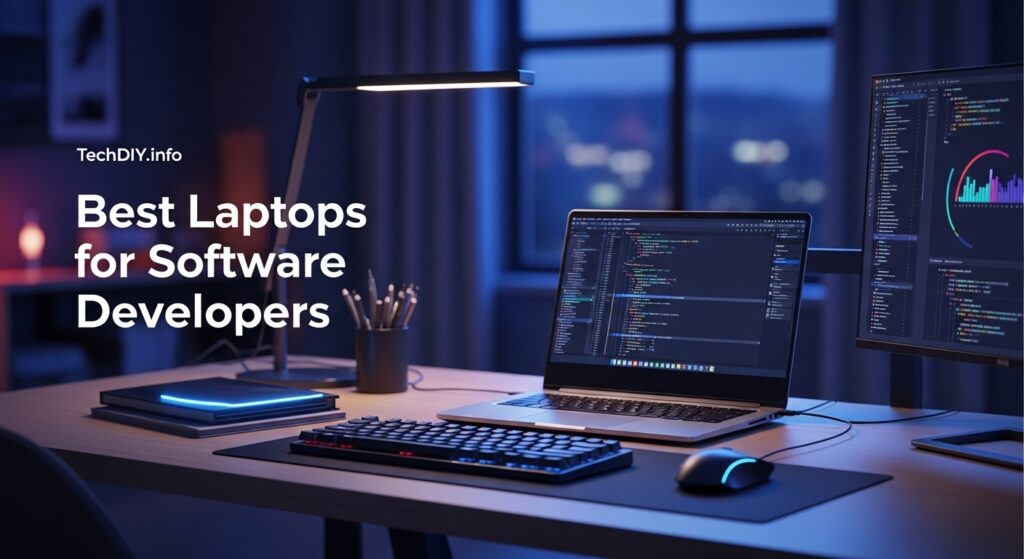
The laptop you code on every day directly shapes your compile times, multitasking capacity, and long-term productivity. A slow machine costs you hours every week — an underpowered one becomes a constant source of frustration when running Docker containers, spinning up virtual machines, and keeping a dozen browser tabs open alongside your IDE.
We tested and ranked 10 of the best laptops for software developers in 2026 — covering every developer profile from front-end web devs and full-stack engineers to AI/ML researchers, game developers, DevOps engineers, and budget-conscious students. Each pick includes honest pros, cons, and a clear verdict on who it is actually for.

⚡ Quick Picks — Best Laptops for Developers
🏆 Best Overall
MacBook Pro 14″ M4 Pro
Best all-round dev laptop
🏀 Best Windows Laptop
Lenovo ThinkPad T16 Gen 3
Best keyboard, Linux-ready
🧠 Best for AI / ML
MacBook Pro 16″ M4 Max
Up to 128GB unified memory
🎮 Best for Game Dev
ASUS ROG Zephyrus G16
RTX 4090 + OLED display
💵 Best Budget Pick
ASUS Vivobook 16 Ryzen 7
Best under $700
🐧 Best for Linux
Framework Laptop 13 (2025)
Fully modular & upgradeable
Table of Contents
What Makes a Great Developer Laptop?
Not all laptops are built for developers. Here are the six specs that matter most when you are writing, building, and running code all day:
⚡ CPU — The Engine
Multi-core performance is king for compiling and running build tools. Apple M4/M4 Pro, Intel Core Ultra 9, and AMD Ryzen 9 are the top tiers. Aim for a minimum of 8 cores — 10 to 14 cores for serious workloads. Single-core speed also matters for IDE responsiveness and hot-reload speed.
🧠 RAM — Your Workspace
16GB is the absolute minimum for basic development. Running Docker containers, multiple browser tabs, a Node/Python server, and an IDE simultaneously demands 32GB. AI/ML developers training local models or running large language model inference need 64GB or more. RAM is the spec developers most commonly wish they had bought more of.
💾 Storage — Speed Counts
NVMe SSD is non-negotiable — traditional HDDs and budget SATA SSDs noticeably slow IDE indexing, project build times, and Docker image loads. Aim for 1TB minimum to hold your OS, IDEs, node_modules folders (which are notoriously large), Docker images, and project files without constantly managing disk space.
🖼 Display — Your Canvas
You stare at this screen for 8+ hours a day. The 14–16 inch range is the developer sweet spot — portable enough to carry but spacious enough to have two files open side by side. 2560×1600 resolution significantly improves code readability versus 1080p. OLED panels add vibrant contrast that reduces eye strain on dark themes.
🔋 Battery Life
10+ hours of real-world battery life is the target if you work from coffee shops, co-working spaces, or travel regularly. Apple Silicon leads this category dramatically — M4 Pro MacBooks genuinely deliver 14–17 hours under mixed workloads. Most Windows laptops deliver 6–10 hours, dropping significantly under CPU-intensive tasks.
⌨ Keyboard Quality
The most underrated developer spec. You type tens of thousands of keystrokes every day — a poor keyboard leads to fatigue and errors. Lenovo ThinkPad keyboards are the legendary gold standard among developers. Look for: consistent key travel (1.5mm+), good tactile feedback, full-sized layout, and solid backlighting. Test before buying if possible.
Which Laptop Suits Your Developer Type?

Different developer roles have very different hardware requirements. Use this table to find your ideal match before reading the full reviews:
| Developer Type | Priority Specs | Top Pick |
|---|---|---|
| Web / Front-End | Portability, display quality, battery | MacBook Pro 14 M4 Pro |
| Full-Stack / Back-End | 32GB+ RAM, CPU cores, Linux support | ThinkPad T16 Gen 3 |
| AI / Machine Learning | 64GB+ RAM, GPU, fast NVMe SSD | MacBook Pro 16 M4 Max |
| Game Development | Dedicated GPU (RTX 4070+), 32GB RAM | ASUS ROG Zephyrus G16 |
| DevOps / Cloud / SRE | Linux compatible, reliable build, battery | ThinkPad T16 / Framework 13 |
| CS Student / Budget Dev | Under $1,000, 16GB RAM, decent CPU | ASUS Vivobook 16 / IdeaPad Pro 5i |
Top 10 Best Laptops for Software Developers (2026)
Ranked by overall developer suitability across performance, keyboard, display, battery, and value.
1
Apple MacBook Pro 14″ (M4 Pro, 2024)
🏆 Editor’s Choice
Best overall developer laptop — web, full-stack, iOS dev
The MacBook Pro 14-inch with M4 Pro is the laptop most professional developers reach for in 2026, and for good reason. Apple Silicon’s M4 Pro chip delivers jaw-dropping single-core and multi-core performance in a chassis that runs cool, silent, and lasts an entire workday on a single charge. Compile times that take minutes on competing Windows laptops complete in seconds. Docker on Apple Silicon has been fully stable since 2023 with ARM-native images now the standard for most major frameworks.
DISPLAY
14.2″ Liquid Retina XDR, 3024×1964, 120Hz ProMotion
RAM / STORAGE
24GB–64GB unified / 512GB–4TB NVMe
BATTERY
Up to 17 hours real-world
WEIGHT
1.55 kg (3.4 lbs)
✓ PROS
- Fastest CPU/GPU performance per watt of any laptop
- 17-hour real-world battery life
- Silent under most workloads
- Outstanding display for code and design work
- Thunderbolt 5 + HDMI + SD card ports
✕ CONS
- RAM and SSD soldered — buy the right spec upfront
- macOS only — no native Windows
- No dedicated GPU for game development
- Premium price starting at $1,999
From ~$1,999
2
Lenovo ThinkPad T16 Gen 3 (2025)
🏀 Best Windows Laptop
Best for full-stack developers, DevOps engineers, Linux users
The ThinkPad T16 Gen 3 is the laptop most senior developers and engineers choose when they want a serious Windows or Linux machine. Its keyboard is widely regarded as the best of any laptop available — and for developers who type all day, that matters enormously. The 16-inch 2560×1600 display gives you excellent screen real estate for side-by-side code editing. RAM and SSD are fully upgradeable, and Lenovo officially supports Ubuntu on this model, making Linux setup painless.
DISPLAY
16″ IPS 2560×1600, anti-glare
RAM / STORAGE
Up to 64GB upgradeable / 2TB NVMe
BATTERY
Up to 14 hours
OS OPTIONS
Windows 11 Pro / Ubuntu Linux
✓ PROS
- Best keyboard of any laptop in this roundup
- Upgradeable RAM and SSD
- Officially supports Ubuntu Linux
- 14-hour battery life
- MIL-SPEC durability rating
✕ CONS
- Integrated graphics only on most configs
- Heavier than ultrabooks at 1.88kg
- Less raw CPU performance than MacBook M4
From ~$1,100
3
Apple MacBook Pro 16″ (M4 Max, 2024)
🧠 Best for AI / ML
Best for AI/ML engineers, data scientists, heavy compilers
If you are training machine learning models, running large language model inference locally, or compiling enormous codebases, the MacBook Pro 16-inch with M4 Max is the only portable machine in 2026 that meaningfully competes with a workstation desktop. The M4 Max chip packs a 40-core GPU and up to 128GB of unified memory — making it the go-to machine for AI researchers who need local inference without cloud costs. The 16.2-inch Liquid Retina XDR display is breathtaking for extended coding sessions.
DISPLAY
16.2″ Liquid Retina XDR, 120Hz
RAM / STORAGE
36GB–128GB / 512GB–8TB NVMe
BATTERY
Up to 14 hours under heavy load
WEIGHT
2.15 kg (4.7 lbs)
✓ PROS
- Up to 128GB unified memory — unique at this form factor
- 40-core GPU for local ML inference
- Stunning 16.2″ XDR display
- 14-hour battery even under load
✕ CONS
- Expensive — $4,000+ fully configured
- Overkill for web or front-end development
- Heavy at 2.15kg for daily commutes
From ~$2,499
4
ASUS ROG Zephyrus G16 (2025)
🎮 Best for Game Dev
Best for game developers, graphics programmers, ML with GPU
Game development demands serious GPU power for rendering, shader compilation, and running game engines like Unreal Engine 5 or Unity at real-time frame rates. The Zephyrus G16 pairs an AMD Ryzen AI 9 HX 370 processor with an NVIDIA RTX 4090 laptop GPU — delivering workstation-class graphics performance in a surprisingly slim 1.9kg chassis. The 240Hz OLED display is exceptional for testing visual output and day-to-day coding alike.
DISPLAY
16″ OLED 2560×1600, 240Hz
RAM / STORAGE
32GB / 1TB NVMe
GPU
NVIDIA RTX 4090 laptop
BATTERY
6–8 hrs light use
✓ PROS
- RTX 4090 for GPU-intensive dev work
- Stunning 240Hz OLED display
- Slim chassis for a gaming powerhouse
- Strong cooling under sustained load
✕ CONS
- Battery drains fast under GPU load
- Gaming aesthetic not ideal for offices
- Fan noise under full GPU load
From ~$1,799
5
Lenovo ThinkPad P1 Gen 7 (2024)
Best mobile workstation for enterprise developers and engineers
The ThinkPad P1 is Lenovo’s mobile workstation — ISV-certified for professional software including CAD, simulation, and data science tools. The Intel Core Ultra 9 processor paired with an optional NVIDIA RTX discrete GPU gives it the raw power for heavy engineering workloads while maintaining the legendary ThinkPad build quality and keyboard. Configurable up to 64GB RAM with an OLED display option, it is the enterprise developer’s choice for serious multi-project workflows.
✓ PROS
- ISV-certified for professional software
- Configurable up to 64GB upgradeable RAM
- OLED display option available
- Excellent Linux compatibility
- Thunderbolt 4 + full port selection
✕ CONS
- Heavier than consumer ultrabooks
- Higher price ceiling for top configs
- Thicker profile not ideal for travel
From ~$1,400
6
Dell XPS 16 (2024)
Best premium Windows laptop for developers who want style and power
Dell’s XPS 16 is the Windows answer to the MacBook Pro 16” — a beautifully engineered machine with an optional 4K OLED display and an Intel Core Ultra 9 processor. Dell’s Developer Edition programme provides official Ubuntu Linux support with optimised drivers for all components, making it a strong choice for developers who want premium Windows hardware with the option to dual-boot or run Linux natively. The 16-inch OLED display at 3840×2400 resolution is arguably the best screen of any laptop in this roundup.
✓ PROS
- Optional 4K OLED display is stunning
- Intel Core Ultra 9 performance
- Official Ubuntu Developer Edition available
- Clean, premium minimalist design
✕ CONS
- Fan noise noticeable under sustained load
- Fewer ports than ThinkPad
- 10-hour battery — shorter than MacBook
From ~$1,599
7
Framework Laptop 13 (2025)
🐧 Best Linux Laptop
Best for Linux developers, privacy advocates, right-to-repair supporters
The Framework Laptop 13 is unlike anything else in this roundup — it is fully modular and user-repairable. You can replace the RAM, SSD, display, ports, and even the motherboard yourself. Framework officially supports Fedora and Ubuntu with optimised drivers, making it the easiest laptop to run Linux on out of the box. For developers who value control, repairability, and environmental sustainability, it is a genuinely compelling choice that holds up well for web and full-stack development workloads.
✓ PROS
- Fully modular — upgrade RAM, SSD, ports yourself
- Official Fedora + Ubuntu support
- Right-to-repair champion
- Up to 64GB upgradeable RAM
- From $1,049 — excellent value
✕ CONS
- No discrete GPU option
- 13.5″ screen — small for side-by-side coding
- Less raw performance than premium picks
From ~$1,049
8
Razer Blade 16 (2025)
Best for game developers needing maximum GPU power in a slim form factor
The 2025 Razer Blade 16 is one of the most powerful portable machines available, packing an AMD Ryzen AI 9 HX 370 processor and the new NVIDIA RTX 5090 laptop GPU into a remarkably slim 18mm chassis. It is overkill for most developers, but game developers using Unreal Engine 5, visual effects engineers, and ML researchers who need the absolute highest GPU performance in a laptop will find it exceptional. The OLED display at 240Hz makes it a pleasure to use daily.
✓ PROS
- RTX 5090 — maximum portable GPU power
- 240Hz OLED display
- Impressively slim 18mm chassis
- Premium aluminium CNC build quality
✕ CONS
- Battery drains fast under GPU load
- Runs hot under sustained workloads
- Premium price from $2,299
From ~$2,299
9
Lenovo IdeaPad Pro 5i (2025)
Best mid-range Windows laptop for developers under $1,000
The IdeaPad Pro 5i hits a rare sweet spot: a clean, professional design with an Intel Core Ultra 7 165H processor, a 2560×1600 display, and 32GB of RAM in a standard $999 configuration. No gaming branding, no unnecessary RGB. For web developers, front-end engineers, and junior full-stack developers who need a capable daily driver without the MacBook price tag, it delivers excellent value. The 120Hz display refresh makes IDE scrolling noticeably smoother than standard 60Hz budget laptops.
✓ PROS
- 32GB RAM at under $1,000
- 2560×1600 120Hz display
- Clean design without gaming branding
- 12-hour battery life
✕ CONS
- No discrete GPU on base config
- Not suited for ML or game dev
- Build quality below ThinkPad tier
From ~$999
10
ASUS Vivobook 16 (AMD Ryzen 7, 2024)
💵 Best Budget Pick
Best laptop for CS students and budget-conscious developers under $700
For developers just starting out or students who need a capable coding machine without stretching their budget, the ASUS Vivobook 16 with AMD Ryzen 7 is the best value available under $700. The Ryzen 7 processor handles web development, Python scripting, JavaScript, and light full-stack work without breaking a sweat. The 16-inch display gives you more screen real estate than typical budget 14-inch laptops, and the RAM and SSD are user-upgradeable so you can grow with it over time.
✓ PROS
- Best value under $700 for developers
- AMD Ryzen 7 — strong for the price
- 16″ screen — more room than budget 14″ laptops
- Upgradeable RAM and SSD
- 10-hour battery life
✕ CONS
- 1080p display — not 2K
- Plastic build — not as durable as premium picks
- Not suited for Docker-heavy or ML workloads
- Slower than premium options for compile tasks
From ~$599
macOS vs Windows vs Linux for Developers
Your operating system choice shapes your development workflow as much as your hardware. Here is an honest breakdown across the factors developers care about most:
| Factor | macOS | Windows | Linux |
|---|---|---|---|
| Performance per watt | ⭐⭐⭐⭐⭐ Best | ⭐⭐⭐ Good | ⭐⭐⭐⭐ Very good |
| Terminal / Unix tools | ✓ Native Unix | WSL2 required | ✓ Native |
| Docker / Containers | Stable (ARM) | x86 native | ✓ Best |
| iOS / macOS development | ✓ Only option | ✕ Not possible | ✕ Not possible |
| Game development | Limited GPU | ✓ Best (DirectX) | Vulkan/OpenGL |
| Battery life | ✓ Industry-leading | Varies by model | Good |
| Customisation / control | Locked ecosystem | Good | ✓ Total control |
💡 Developer consensus in 2026: Most professional developers use macOS (especially M-series) for its Unix foundation, battery life, and performance. Windows with WSL2 is a strong second for full-stack developers and game devs. Native Linux is the choice for DevOps engineers and developers who want maximum control over their environment.
Minimum vs Recommended Specs for Developer Laptops (2026)
| Spec | Minimum | Recommended | Power User (AI/ML) |
|---|---|---|---|
| CPU | Intel Core i5 / Ryzen 5 | Core Ultra 7 / Ryzen 9 / M4 | M4 Pro / Core Ultra 9 |
| RAM | 16GB | 32GB | 64GB+ |
| Storage | 256GB NVMe SSD | 1TB NVMe SSD | 2TB+ NVMe SSD |
| Display | 1080p IPS | 2560×1600 IPS or OLED | 2K–4K OLED |
| Battery | 7 hours | 10+ hours | 12+ hours |
| GPU | Integrated graphics | Integrated or RTX 3060 | RTX 4070+ / M4 Max GPU |
5 Things Developers Should Never Compromise On
These are the five specs where cutting corners costs you every single day. Save money elsewhere if you must — but not here:
🛑 1. Enough RAM — Buy More Than You Think You Need
16GB is the floor, not the target. Every developer with 16GB ends up wishing they had 32GB. The moment you run Docker, a local dev server, Slack, Chrome with multiple tabs, and VS Code simultaneously, 16GB becomes a constant swap-file bottleneck. Buy 32GB and you will not regret it.
🛑 2. Keyboard Quality — You Type All Day
A poor keyboard causes fatigue, missed keystrokes, and frustration after hours of coding. Key travel, tactile feedback, layout consistency, and backlight quality all matter. Test the keyboard in store if possible or read developer-specific keyboard reviews. ThinkPad keyboards are the benchmark every other laptop is compared against.
🛑 3. NVMe SSD — Storage Speed Affects Build Times
The difference between an NVMe SSD and a SATA SSD is immediately felt when starting your IDE, indexing a large project, or running a build with thousands of files. HDD is simply not acceptable for development in 2026. Always confirm NVMe, not SATA, before buying — especially on budget laptops.
🛑 4. Display Resolution — Code Readability Matters
A 1080p display on a 15–16 inch screen means noticeably smaller, harder to read text compared to 2560×1600. More resolution means more code visible on screen without scrolling, sharper fonts, and less eye strain over long sessions. If you use a dark theme (most developers do), OLED displays also significantly reduce visual fatigue.
🛑 5. Upgradeable RAM and SSD — Plan Ahead or Overpay Now
Avoid soldered configurations unless you are buying exactly the spec you need (looking at MacBooks, where 24GB is fine for most devs). On Windows laptops, prefer models with upgradeable slots so you can start at 16GB and add more later. Getting locked into 16GB soldered RAM on a machine you plan to use for 4–5 years is a decision you will regret.
Frequently Asked Questions
Find Your Perfect Developer Laptop
Compare prices and check availability for our top developer laptop picks on Amazon. All links open in a new tab.
Affiliate Disclosure: Some links on this page are affiliate links. If you click through and make a purchase, we may earn a small commission at no extra cost to you. This does not influence our recommendations — all laptops were independently evaluated based on real-world developer use cases, performance benchmarks, and value for money.