DIY
DIY
Whether you’re supporting a client’s computer from across the world, accessing your work PC from your home office, or helping a family member troubleshoot a tech issue — the right remote desktop software makes all the difference. With remote and hybrid work now the norm, choosing a reliable remote access tool is no longer optional for professionals.
In this guide, we put the three most popular options head-to-head: TeamViewer, AnyDesk, and Chrome Remote Desktop. We compare their speed, features, pricing, security, and ideal use cases — so you can pick the right tool without wasting time testing all three yourself.

Quick Verdict: AnyDesk is the best all-around pick for freelancers and professionals. TeamViewer leads for enterprise and IT teams. Chrome Remote Desktop wins for anyone who needs a completely free, zero-setup solution.
At a Glance — Quick Comparison
| Tool | Best For | Cost | Speed | Ease of Use |
|---|---|---|---|---|
| TeamViewer | Enterprise / IT support | Free personal / ~$50+/mo commercial | Good | Moderate |
| AnyDesk | Freelancers / Small teams | Free personal / ~$15+/mo commercial | ⚡ Fastest | Easy |
| Chrome Remote Desktop | Casual / Personal use | 100% Free | Good | ✅ Easiest |
What Is Remote Desktop Software?
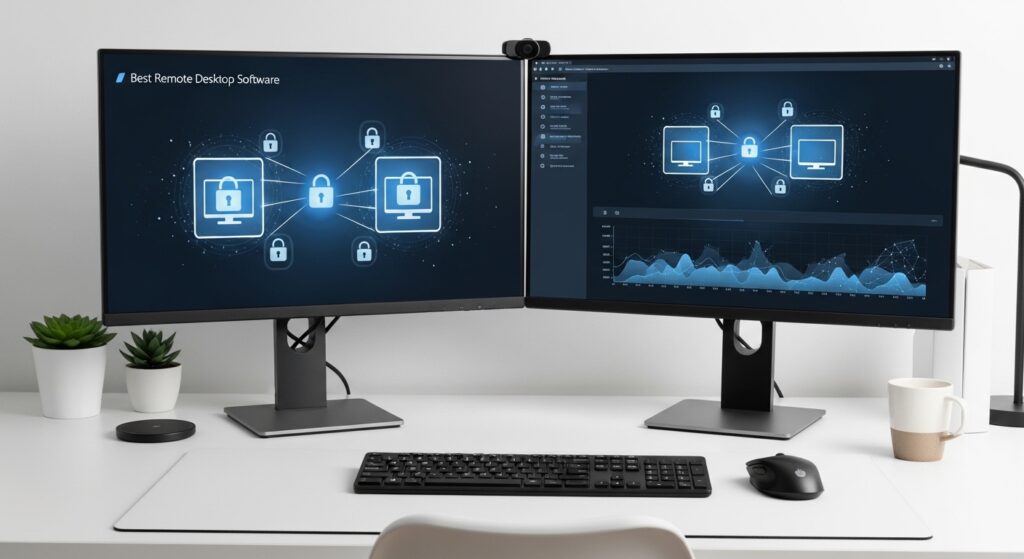
Remote desktop software lets you control one computer from another — over the internet, in real time. You see the remote screen on your device and use your mouse and keyboard to interact with it as if you were sitting right in front of it. No VPN, no complex network configuration required.
Common use cases include:
- IT helpdesk technicians troubleshooting employee computers
- Freelancers accessing client machines for support or configuration
- Remote workers accessing their office PC from home
- Travelers accessing their home computer on the go
- Helping non-tech family members solve computer problems
All three tools in this review are cross-platform, work over a standard internet connection, and require no router port-forwarding or VPN setup — making them accessible to everyone from beginners to IT professionals.
TeamViewer — Full Review
Overview
TeamViewer is the industry veteran of remote desktop software — used by Fortune 500 companies, IT departments, and managed service providers worldwide. Launched in 2005, it offers the most comprehensive feature set of any tool in this comparison, covering everything from basic remote access to enterprise-grade compliance tools, integrations, and session audit logs.
It is the go-to choice for businesses that need more than just screen sharing — think full IT infrastructure management, ITSM ticketing integrations, and custom-branded support portals. That power, however, comes with a steeper learning curve and a significantly higher price tag for commercial use.
Key Features
- Unattended and attended remote access
- Drag-and-drop file transfer between devices
- Session recording and playback
- Remote printing
- In-session chat, voice, and video
- Multi-monitor support
- Raspberry Pi remote access support
- REST API and ITSM integrations (ServiceNow, Jira, Salesforce)
- Custom branding and white-labeling (Premium+ plans)
- Single Sign-On (SSO) and Multi-Factor Authentication
Performance
TeamViewer delivers solid, reliable connections across all network conditions. It performs well on high-speed connections but can feel heavier than competitors on slower or congested networks. The client application is also notably resource-intensive — expect higher CPU and RAM usage compared to AnyDesk especially.
Security
TeamViewer offers the strongest security posture in this comparison: AES-256 encryption, RSA-4096 key exchange, MFA, SSO (on Tensor tier), full audit logs, and compliance with GDPR, HIPAA, and SOC 2 certifications. For businesses operating in regulated industries, it is the clear security leader.
Pricing
- Free: Personal use only — sessions may trigger commercial use warnings if usage patterns are detected
- Business: ~$50/month (1 user, 1 concurrent session)
- Teams: ~$83.90/month
- Enterprise (Tensor): Custom pricing
| ✅ Pros | ❌ Cons |
|---|---|
| Most feature-complete remote desktop tool available | Very expensive for commercial use |
| Enterprise integrations (Jira, Salesforce, ServiceNow) | Free tier aggressively flags commercial use |
| Session recording, audit logs, compliance certifications | Heavy on system resources |
| Raspberry Pi support | Steeper learning curve for new users |
| Best security for regulated industries | Overkill and too expensive for individuals |
Best for: IT departments, managed service providers (MSPs), enterprise support teams, and businesses that require compliance, audit trails, and ITSM integrations.
AnyDesk — Full Review
Overview
AnyDesk was built from the ground up to be fast and lightweight — and it delivers on that promise better than any competitor. Developed in Germany and launched in 2014, it set out to solve the biggest complaint about TeamViewer: sluggish performance over low-bandwidth connections. Using its proprietary DeskRT codec, AnyDesk achieves near-zero latency and silky-smooth screen rendering even on connections as slow as 1 Mbps.
For freelancers who provide remote IT support, small business teams sharing access to office machines, or any professional who makes remote connections part of their daily workflow, AnyDesk hits the sweet spot of speed, simplicity, and affordability.
Key Features
- Ultra-low latency via proprietary DeskRT codec
- Unattended and attended access
- File transfer and clipboard sync
- Remote printing
- On-screen whiteboard
- Session recording (paid plans)
- Address book for managing saved connections
- Custom client branding and white-labeling (paid)
- Mobile apps for Android and iOS
- Wake-on-LAN support
Performance
AnyDesk is the speed champion of this comparison. Its DeskRT codec compresses and transmits screen data with exceptional efficiency, making it the best performer on weak Wi-Fi, mobile hotspots, and international connections. Many IT professionals keep AnyDesk as their primary tool and Chrome Remote Desktop as a fallback — which tells you a great deal about where AnyDesk sits in the market.
Security
AnyDesk uses TLS 1.2 encryption with RSA-2048 asymmetric key exchange, plus two-factor authentication. It is not quite at TeamViewer’s enterprise compliance level, but it is entirely secure and appropriate for professional and commercial use. AnyDesk is also audited independently for security, and its servers are not involved in transmitting session data — only in brokering the initial connection.
Pricing
- Free: Personal use only (non-commercial)
- Solo: ~$14.90/month (1 user, unlimited devices)
- Standard: ~$29.90/month (3 users)
- Advanced: ~$79.90/month (multi-user, session recording, audit)
- Enterprise: Custom pricing
| ✅ Pros | ❌ Cons |
|---|---|
| Fastest connection speed — best on slow/unstable networks | Session recording only available on higher paid tiers |
| Lightweight and low on system resources | Occasional connection establishment failures (per user reports) |
| Much cheaper than TeamViewer for commercial use | Fewer ITSM integrations than TeamViewer |
| Clean, intuitive UI — easy for new users | No Raspberry Pi support |
| Wake-on-LAN and address book included | Free tier restricted to personal use only |
Best for: Freelancers, IT consultants, small teams, and anyone who prioritizes connection speed and value — especially those who found TeamViewer too slow or too expensive.
Chrome Remote Desktop — Full Review
Overview
Chrome Remote Desktop is Google’s free, browser-based remote access tool — and its biggest advantage is also its defining characteristic: it costs absolutely nothing, requires no heavy software installation on the controlling device, and works on every major platform. If you have a Google account and the Chrome browser, you’re ready to go in under two minutes.
It is not designed to compete with TeamViewer or AnyDesk on features. But for casual users who occasionally need to access their home computer from a coffee shop, or help a parent fix their laptop, it is the single easiest and most reliable free option available.
Key Features
- 100% browser-based on the controlling device (Chrome extension only)
- Unattended and attended remote access
- Cross-platform: Windows, Mac, Linux, ChromeOS, Android, iOS
- Secured by Google 2-Step Verification
- Basic file transfer (via Google Drive integration)
- Automatic device sync via Google account
- No usage limits, no session time caps
Performance
Chrome Remote Desktop runs over Google’s global infrastructure using WebRTC, which gives it consistently low latency and reliable connections in most regions. It handles everyday tasks — browsing, document editing, file management — smoothly. It does struggle with graphics-intensive applications and high-frame-rate content, where AnyDesk’s DeskRT codec clearly outperforms it.
Security
All sessions are protected by your Google account login and 2-Step Verification. Data is encrypted in transit. It does not offer enterprise-grade audit logs or compliance certifications, but for personal and casual use, the Google authentication layer is entirely trustworthy.
Pricing
- Free — always, for everyone, no plans or tiers.
| ✅ Pros | ❌ Cons |
|---|---|
| Completely free — no limits, no subscription | No chat, voice, or video during sessions |
| Easiest setup of any tool in this comparison | No session recording |
| Works on every major OS and mobile platform | No remote printing |
| Backed by Google’s secure global infrastructure | Not suitable for professional or commercial IT support |
| No installation needed on the controlling device | Limited to one session per browser window |
Best for: Casual users, students, home users, and anyone who needs occasional personal remote access without spending a cent.
Full Feature Comparison — TeamViewer vs AnyDesk vs Chrome Remote Desktop
| Feature | TeamViewer | AnyDesk | Chrome Remote Desktop |
|---|---|---|---|
| Free tier | Personal only (limited) | Personal only (limited) | ✅ Fully free, no limits |
| Commercial price | ~$50–$84/mo | ~$15–$30/mo | Free |
| Connection speed | Good | ⚡ Best | Good |
| File transfer | Full drag-and-drop | Yes | Limited (via Drive) |
| Session recording | Yes (all paid tiers) | Yes (Advanced+) | No |
| Remote printing | Yes | Yes | No |
| Chat / Voice / Video | Chat + Voice + Video | Chat only | No |
| Unattended access | Yes | Yes | Yes |
| Multi-monitor support | Yes | Yes | Yes |
| Mobile app | Yes | Yes | Yes |
| API / ITSM integrations | Yes (Jira, Salesforce, ServiceNow) | Limited | No |
| Raspberry Pi support | Yes | No | No |
| Audit logs | Yes (paid) | Yes (Advanced+) | No |
| Compliance certifications | GDPR, HIPAA, SOC 2 | GDPR | None |
| Setup difficulty | Moderate | Easy | ✅ Easiest |
| White-labeling | Yes (paid) | Yes (paid) | No |
Speed & Performance: Which Is Fastest?
AnyDesk wins on raw speed — and it’s not particularly close. Its proprietary DeskRT codec was engineered specifically to minimize input lag and maximize frame rate even on congested or low-bandwidth connections. If you regularly work with clients over international connections or unreliable hotspots, AnyDesk will feel noticeably smoother than either alternative.
TeamViewer performs well on fast, stable broadband connections but becomes sluggish as bandwidth drops. Its heavier client architecture also means it uses more CPU and RAM on both the host and the remote machine — something to consider if the target computer is older or underpowered.
Chrome Remote Desktop leverages Google’s global CDN and WebRTC protocol, giving it solid, consistent performance for everyday office tasks. It’s not the fastest for media-heavy or graphically demanding sessions, but for accessing documents, emails, and standard software it performs reliably across the board.
Security: Which Is Most Secure?
All three tools use encrypted connections and are safe for general use — but they differ significantly in their enterprise security depth:
- TeamViewer: AES-256 + RSA-4096, MFA, SSO, full audit logs, GDPR/HIPAA/SOC 2 compliance. The clear winner for regulated industries and enterprise environments.
- AnyDesk: TLS 1.2 + RSA-2048, 2FA, independently audited. Strong and appropriate for professional commercial use.
- Chrome Remote Desktop: Google 2-Step Verification + WebRTC encryption. Trustworthy for personal use but lacks enterprise compliance features entirely.
Which Remote Desktop Software Should You Choose?
Here’s a simple decision guide based on your situation:
- ✅ Choose TeamViewer if: You run an IT helpdesk or MSP, manage enterprise devices, need compliance certifications (HIPAA, SOC 2), require ITSM integrations, or need full audit logs and session recording at scale.
- ✅ Choose AnyDesk if: You are a freelancer, IT consultant, or small team providing remote support commercially. You want the fastest connection speed, a professional feature set, and don’t want to pay TeamViewer’s premium price.
- ✅ Choose Chrome Remote Desktop if: You need a completely free tool for occasional personal access — reaching your home PC while traveling, helping a non-technical family member, or just wanting a zero-cost backup option that always works.
💡 Pro Tip: Many IT professionals use AnyDesk as their primary tool and keep Chrome Remote Desktop as a free backup for when AnyDesk fails to establish a connection. This two-tool approach costs as little as $14.90/month and covers virtually every remote access scenario.
2 More Tools Worth Knowing
If none of the three main picks are the right fit, these two alternatives are worth considering:
- RustDesk: A fully open-source, self-hosted remote desktop tool. Completely free forever, strong privacy, no third-party servers involved. Ideal for privacy-focused users and developers who want full control over their infrastructure.
- Zoho Assist: A polished, feature-rich remote support platform with strong customer support team features, competitive pricing, and a generous free tier. Worth considering if you handle customer-facing remote support at scale.
Frequently Asked Questions
Is TeamViewer really free?
TeamViewer is free for strictly personal, non-commercial use. However, its algorithm actively monitors usage patterns and will flag accounts it suspects of commercial activity — often resulting in session time limits or temporary blocks. For any business or professional use, a paid commercial license is required.
Is AnyDesk safe to use?
Yes. AnyDesk uses TLS 1.2 encryption with RSA-2048 key exchange and supports two-factor authentication. It has been independently audited for security. The most important rule with any remote desktop tool is to never accept a connection from someone you don’t know — this is how most remote access scams occur, and it applies equally to TeamViewer and Chrome Remote Desktop.
Can I use Chrome Remote Desktop on my phone?
Yes. Google offers free Chrome Remote Desktop apps for both Android and iOS. You can access your desktop PC from any smartphone or tablet using your Google account login and standard 2-Step Verification — no extra setup required.
What is the fastest remote desktop software in 2026?
AnyDesk is widely regarded as the fastest remote desktop software available, thanks to its proprietary DeskRT codec which minimizes latency and delivers smooth frame rates even on slow or unstable internet connections. It consistently outperforms TeamViewer and Chrome Remote Desktop in speed benchmarks and real-world use on weak networks.
What is the best free remote desktop software?
For completely free and unlimited use, Chrome Remote Desktop is the best option — no session limits, no commercial use restrictions, no subscription. If you need a free option with stronger professional features and are willing to accept personal-use-only restrictions, AnyDesk’s free tier offers better performance and more tools than Chrome Remote Desktop.
Is AnyDesk better than TeamViewer?
For most individual users and small teams: yes. AnyDesk is faster, significantly cheaper, and easier to set up. TeamViewer only clearly surpasses AnyDesk in enterprise scenarios requiring compliance certifications, deep ITSM integrations, Raspberry Pi support, or large-scale device fleet management.
Final Verdict
For the majority of home office users, freelancers, and small teams, AnyDesk is the best choice — it delivers the fastest connections, the cleanest interface, and the most professional feature set at the lowest commercial price point. If your needs are strictly personal and occasional, Chrome Remote Desktop is an unbeatable free option that requires zero setup. And if you’re running an IT department, managing multiple enterprise clients, or operating in a compliance-regulated industry, TeamViewer remains the industry standard — just be prepared for the price tag that comes with it.
| Use Case | Best Pick |
|---|---|
| Best overall for professionals | ⚡ AnyDesk |
| Best for enterprise / IT teams | 🏢 TeamViewer |
| Best free option | ✅ Chrome Remote Desktop |
| Best for speed & low-bandwidth connections | ⚡ AnyDesk |
| Best for compliance & security auditing | 🔒 TeamViewer |
| Best for beginners & casual users | ✅ Chrome Remote Desktop |