DIY
DIY
Windows 11 comes in several editions, but two of the most talked-about versions are Windows 11 LTSC and Windows 11 Pro. If you’ve been comparing the two, you’re not alone. Many users want to know whether the stability of LTSC is worth choosing over the feature-rich experience offered by Windows 11 Pro.
The answer depends on how you use your computer. While both editions share the same Windows foundation, they are designed for very different audiences. In this guide, we’ll compare Windows 11 LTSC and Windows 11 Pro in terms of features, performance, updates, security, gaming, and everyday usability to help you decide which edition is the better fit in 2026.

What Is Windows 11 LTSC?
LTSC stands for Long-Term Servicing Channel. It is a specialized edition of Windows intended primarily for organizations that require a stable operating system with minimal changes over many years.
Instead of receiving frequent feature updates, LTSC focuses on security patches and reliability. This makes it a popular choice for systems where consistency is more important than getting the latest Windows features.
Typical environments that use LTSC include:
- Industrial computers
- Medical equipment
- Manufacturing systems
- Point-of-sale terminals
- Kiosks
- Specialized workstations
Because LTSC is designed for long-term stability, it generally avoids the rapid feature rollout seen in consumer editions of Windows.
What Is Windows 11 Pro?
Windows 11 Pro is the advanced version of Windows intended for professionals, small businesses, and power users. It includes everything found in the Home edition while adding additional management and security features.
Windows 11 Pro receives Microsoft’s regular feature updates, security improvements, and quality-of-life enhancements throughout its supported lifecycle.
Some of its most notable features include:
- BitLocker device encryption
- Remote Desktop hosting
- Group Policy management
- Hyper-V virtualization
- Windows Sandbox
- Domain and Azure Active Directory support
For many professionals, Windows 11 Pro offers the best balance between productivity and modern Windows features.
Feature Comparison
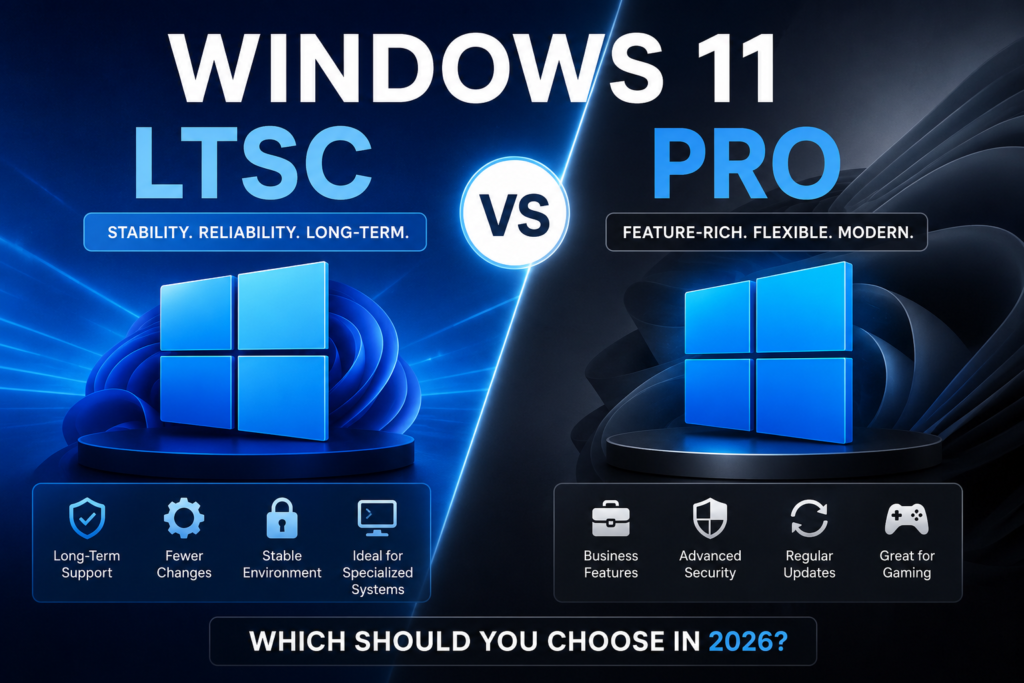
Although both editions share many core Windows capabilities, there are important differences.
Windows 11 LTSC
- Long-term stability
- Fewer feature changes
- Security updates only
- Minimal preinstalled consumer apps
- Designed for specialized environments
Windows 11 Pro
- Regular feature updates
- Broader software ecosystem
- Business management tools
- Frequent improvements
- Best suited for general-purpose computing
Performance
One of the biggest reasons people become interested in LTSC is performance.
Since LTSC contains fewer consumer-focused components and background services, many users report that it feels lighter and more responsive, especially on older hardware.
However, Windows 11 Pro is also highly optimized on modern computers. On recent hardware with sufficient RAM and a fast SSD, the performance difference between the two editions is often quite small during everyday tasks.
For activities such as:
- Web browsing
- Office work
- Video streaming
- Programming
- Content creation
both editions generally perform very well.
Updates
This is where the two editions differ the most.
Windows 11 LTSC
LTSC focuses on long-term reliability. It receives security updates without the frequent feature upgrades that can change the user experience.
Advantages include:
- Fewer unexpected changes
- Lower risk of compatibility issues
- More predictable maintenance
Windows 11 Pro
Windows 11 Pro receives Microsoft’s latest features as they become available.
Benefits include:
- New productivity tools
- Interface improvements
- AI-powered Windows features
- Hardware support for newer technologies
Users who enjoy staying current with Microsoft’s newest innovations will generally prefer Windows 11 Pro.
Security
Security is a strong point for both editions.
Both include important protections such as:
- Microsoft Defender
- Secure Boot
- TPM 2.0 support
- Firewall protection
- Device encryption capabilities
Windows 11 Pro adds several management-focused capabilities that are useful in business environments, while LTSC emphasizes stability through fewer feature changes.
Neither edition should be considered inherently “more secure” simply because of its name. Maintaining updates, using strong passwords, and practicing safe browsing remain essential regardless of which version you choose.
Gaming
A common question is whether LTSC is better for gaming.
The answer depends on your priorities.
Many games run perfectly well on LTSC, especially if the necessary drivers and supporting software are available.
However, Windows 11 Pro is generally the safer choice for gamers because it receives ongoing compatibility improvements and support for new gaming technologies.
If gaming is one of your primary uses, Windows 11 Pro is typically the more practical option.
Productivity
For students, remote workers, developers, designers, and office users, Windows 11 Pro provides a familiar and well-supported environment.
It works seamlessly with:
- Microsoft 365
- Teams
- OneDrive
- Remote Desktop
- Enterprise management tools
LTSC can also be productive, but its design priorities are different. It focuses on reliability rather than continually adding new consumer features.
Pros and Cons
Windows 11 LTSC
Pros
- Excellent long-term stability
- Reduced feature changes
- Minimal distractions
- Predictable update cycle
- Well suited for dedicated systems
Cons
- Not intended for most home users
- May not receive every new Windows feature
- Some newer capabilities may arrive later or not at all
Windows 11 Pro
Pros
- Latest Windows features
- Excellent hardware compatibility
- Strong business tools
- Great software support
- Ideal for everyday computing
Cons
- More frequent updates
- Occasional interface changes
- New features may require adjustment over time
Which One Should You Choose?
Choose Windows 11 LTSC if you:
- Need maximum stability
- Manage specialized or dedicated systems
- Prefer minimal feature changes
- Value a predictable update schedule
Choose Windows 11 Pro if you:
- Use your PC daily for work or study
- Want the latest Windows improvements
- Play modern PC games
- Prefer broad software compatibility
- Need advanced business and productivity features
For most home users and professionals, Windows 11 Pro remains the more versatile choice. LTSC serves a more specialized role where long-term consistency is the highest priority.
Frequently Asked Questions
Is Windows 11 LTSC faster than Pro?
On some systems, LTSC may feel lighter because it focuses on long-term stability and includes fewer consumer-focused components. On modern hardware, the real-world difference is usually modest for everyday tasks.
Can you game on Windows 11 LTSC?
Many games are compatible, but Windows 11 Pro generally offers the best support for the latest gaming features and ongoing compatibility improvements.
Which version receives more updates?
Windows 11 Pro receives regular feature updates along with security updates. LTSC primarily receives security and reliability updates while minimizing feature changes.
Is Windows 11 LTSC available for everyone?
LTSC is intended for specific organizational and enterprise scenarios. Availability and licensing differ from standard consumer editions of Windows.
Final Verdict
When comparing Windows 11 LTSC vs Pro, there isn’t a universal winner. Each edition is designed with a different purpose in mind.
If your priority is a dependable operating system with minimal change over time, LTSC offers an appealing approach for specialized environments. If you want the latest Windows features, broad software compatibility, and a flexible experience for work, study, and entertainment, Windows 11 Pro is likely the better choice.
Understanding how each edition is intended to be used will help you select the version that best matches your needs in 2026.