DIY
DIY
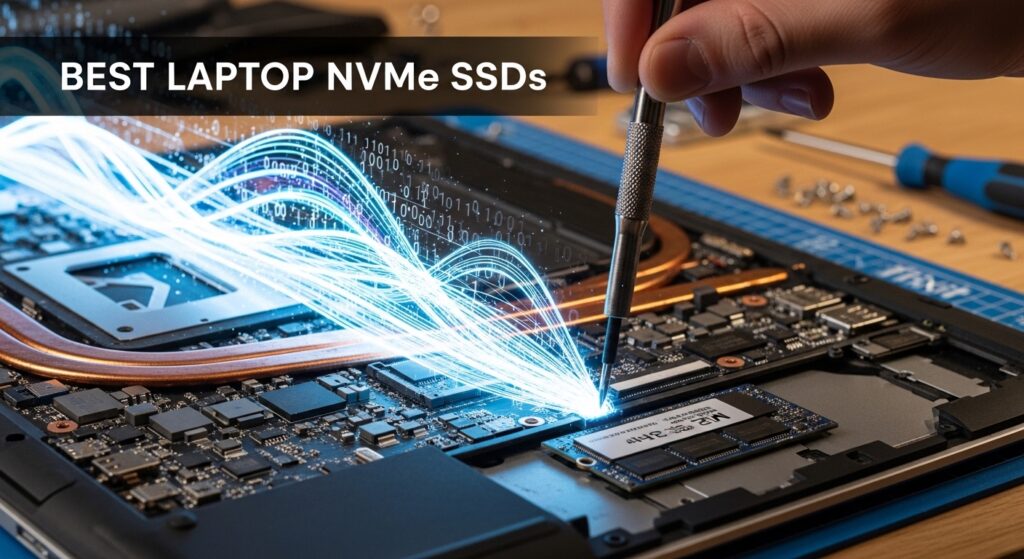
Your laptop’s stock SSD is probably the biggest thing holding it back. Manufacturers routinely ship even expensive laptops with the cheapest, slowest NAND they can source to protect their margins. The result is sluggish boot times, lagging application loads, and stuttery file transfers — all on hardware that should be capable of so much more.

Upgrading your laptop’s NVMe SSD is, dollar for dollar, the single most impactful hardware upgrade you can make in 2026. A quality drive can cut your boot time in half, eliminate application stutter, and make your entire machine feel like new — often for under $80.
In this guide we’ve researched and compared the 8 best NVMe SSDs for laptop upgrades available on Amazon right now, covering every budget and use case. We’ll also explain what actually matters for laptop SSDs — because the specs that drive reviewers wild on desktop benchmarks often tell a very different story inside a thin, thermally constrained laptop chassis.
2026 price alert: NVMe SSD prices are rising across the board in 2026 due to AI-driven NAND shortages. The prices referenced in this guide reflect current Amazon listings — check each link for the latest price before purchasing, and consider buying sooner rather than later if you’re on the fence.
Quick Comparison: Best NVMe SSDs for Laptops 2026
| # | Model | PCIe Gen | Seq. Read (max) | Form Factor | Best For | Check Price |
|---|---|---|---|---|---|---|
| 1 | Kingston NV3 | Gen 3 | 3,500 MB/s | M.2 2280 | Best budget upgrade | Amazon → |
| 2 | Crucial P310 | Gen 4 | 7,100 MB/s | M.2 2230 / 2280 | Best for ultrabooks & compact laptops | Amazon → |
| 3 | WD Black SN7100 | Gen 4 | 7,250 MB/s | M.2 2280 | Best power-efficient Gen 4 | Amazon → |
| 4 | Samsung 990 EVO Plus | Gen 4/5 hybrid | 7,250 MB/s | M.2 2280 | Best value hybrid drive | Amazon → |
| 5 | Samsung 990 Pro | Gen 4 | 7,450 MB/s | M.2 2280 | Best overall Gen 4 | Amazon → |
| 6 | SK Hynix Platinum P41 | Gen 4 | 7,000 MB/s | M.2 2280 | Best for battery life | Amazon → |
| 7 | WD Black SN850X | Gen 4 | 7,300 MB/s | M.2 2280 | Best premium flagship | Amazon → |
| 8 | Crucial T705 | Gen 5 | 13,600 MB/s | M.2 2280 | Best PCIe Gen 5 / future-proof | Amazon → |
NVMe SSDs in Laptops: What’s Different From Desktop?
Most SSD reviews are written with desktop PCs in mind. But laptops introduce a set of constraints that change everything — and understanding them will save you from overspending on specs you’ll never use.
Thermal Throttling: The Laptop SSD’s Hidden Enemy
When an NVMe SSD gets hot under sustained load, it throttles its performance to protect itself. On a desktop with good airflow and a heatsink, this rarely happens. Inside a thin laptop with limited airflow and no heatsink on the M.2 slot, it happens constantly. The practical result is that a blazing-fast Gen 4 drive installed in a slim 14″ laptop may spend more time throttled than it does running at its rated speed — while a more efficient drive at lower peak speeds runs cooler and delivers more consistent real-world performance.
This is the core reason the SK Hynix Platinum P41 and WD Black SN7100 — both known for excellent thermal efficiency — are particularly popular in laptop upgrades, even though their peak sequential numbers don’t top the spec sheets.
Power Draw and Battery Life
Your SSD is running constantly in the background. Every file access, every application load, every system operation touches storage. A drive that draws 6–8 watts under load versus one that draws 3–4 watts has a measurable impact on your battery life over a full working day. DRAM-less drives — which skip the onboard DRAM cache — are often more power-efficient, and the best modern DRAM-less drives like the SN7100 now match or beat DRAM drives in many real-world workloads.
Form Factors: 2280, 2230, and 2242
The M.2 form factor describes the physical size of the SSD stick. Most laptops use M.2 2280 (22mm wide, 80mm long) — this is the standard you’ll find in the vast majority of consumer laptops. However, ultrabooks, some premium thin-and-light machines, Microsoft Surface laptops, and Framework laptop configurations may use M.2 2230 (22mm wide, 30mm long) or occasionally M.2 2242. Getting this wrong means your drive won’t physically fit. Always check your laptop’s specifications or open it up to measure before ordering.
PCIe Generation: Does Gen 5 Make Sense in a Laptop?
PCIe Gen 4 can deliver up to ~7,500 MB/s sequential read speeds. Gen 5 can hit 13,000+ MB/s. But very few laptops in 2026 have PCIe Gen 5 M.2 slots — most consumer laptops still top out at Gen 4, and some older or budget machines are limited to Gen 3. Installing a Gen 5 drive in a Gen 4 slot won’t damage anything, but the drive will simply run at Gen 4 speeds — meaning you’d be paying a premium for nothing. Check your laptop’s M.2 PCIe generation before buying anything above Gen 4.
DRAM vs. DRAM-Less: The 2026 Reality
For years the rule was simple: always buy a drive with DRAM cache. DRAM-less drives used to suffer badly on sustained workloads. That’s no longer the advice in 2026. Modern DRAM-less drives use Host Memory Buffer (HMB) technology — borrowing a small slice of your system RAM as a cache — and the best of them deliver performance that’s indistinguishable from DRAM-equipped drives in typical laptop workloads. Drives like the WD Black SN7100 and Crucial P310 are proof. The only scenario where you’d clearly benefit from onboard DRAM is very heavy, sustained sequential writes — video editing workflows copying hundreds of gigabytes at a stretch.
How to Check Your Laptop’s M.2 Slot
The easiest methods: check your laptop manufacturer’s official spec page or service manual, use CPU-Z or HWiNFO64 to read the current drive’s interface generation, or search “[your laptop model] M.2 upgrade” — someone has almost certainly documented it. If you own a ThinkPad, Dell XPS, HP Spectre, ASUS ZenBook, or MacBook Air (non-Apple SSD on some models), the M.2 form factor and PCIe generation will be documented in the official support database.
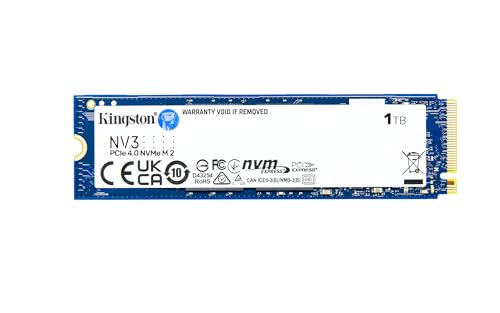
1. Kingston NV3 — Best Budget NVMe SSD for Laptop Upgrades
→ Check the latest price on Amazon
| Interface | PCIe Gen 3 x4 NVMe |
| Sequential Read | Up to 3,500 MB/s |
| Sequential Write | Up to 2,800 MB/s |
| DRAM Cache | No (HMB) |
| Form Factor | M.2 2280 |
| Capacities | 500GB / 1TB / 2TB / 4TB |
| Warranty | 3 years |
| Best for | Older laptops, budget upgrades, breathing new life into aging machines |
Why We Picked It
The Kingston NV3 is the drive you buy when you need to transform an aging laptop’s performance without spending much money. It’s a PCIe Gen 3 drive — and while Gen 4 is the current mainstream standard, Gen 3 is still several times faster than any SATA SSD and completely saturates what most older laptops can actually use. If your laptop is more than three years old and has a Gen 3 M.2 slot, there is no point paying for Gen 4 speeds you cannot access. The NV3 gives you everything you need at the lowest possible price.
Key Features
- Gen 3 speeds, modern efficiency: At up to 3,500 MB/s sequential read, the NV3 is dramatically faster than any SATA SSD (limited to ~550 MB/s) while running cool and power-efficient enough to be gentle on laptop batteries.
- Outstanding price per gigabyte: The NV3 consistently offers some of the lowest cost-per-gigabyte of any NVMe drive on Amazon, making it the top pick for users who want maximum storage capacity for minimum spend.
- Available up to 4TB: Rarely seen at budget pricing, 4TB capacity allows you to fully replace a laptop’s storage without compromising. Perfect for media libraries, large photo collections, or multi-game installs.
- Plug-and-play compatibility: Works in virtually every laptop with an M.2 NVMe slot, including older machines that only support Gen 3. No driver installation required — it just works.
- Real-world upgrade impact: Users upgrading from HDD to the NV3 consistently report Windows boot times dropping from 60–90 seconds to under 15 seconds. Even users upgrading from an aging SATA SSD notice meaningful improvements in application loading.
Who It’s Best For
Anyone with a laptop three or more years old, budget-conscious upgraders, users replacing a failed SATA SSD, and students who need more storage capacity without premium pricing.
Who Should Skip It
If your laptop supports PCIe Gen 4, stepping up to the Crucial P310 (#2) or WD Black SN7100 (#3) is worth the modest extra cost. Gen 3 speeds, while still fast, leave real performance on the table in Gen 4-capable machines.
Pros:
- Lowest price per gigabyte on this list
- Available in 4TB — rare at this price point
- Cool and efficient — ideal for power-limited laptops
Cons:
- Gen 3 only — wasted in modern Gen 4 laptops
- No DRAM cache — some slowdown under extreme sustained writes
- 3-year warranty vs. the 5-year offered by premium drives
→ Check the Kingston NV3 price on Amazon
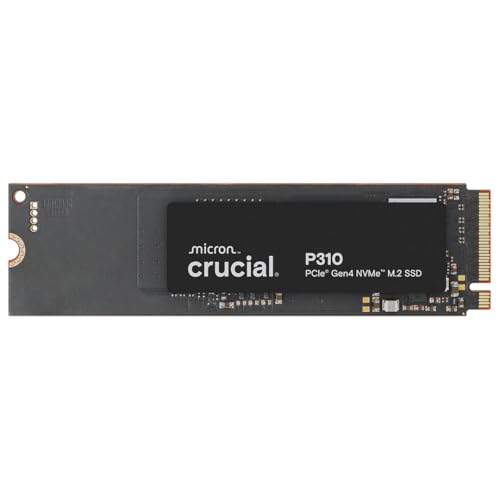
2. Crucial P310 — Best NVMe SSD for Ultrabooks and Compact Laptops
→ Check the latest price on Amazon
| Interface | PCIe Gen 4 x4 NVMe |
| Sequential Read | Up to 7,100 MB/s |
| Sequential Write | Up to 6,000 MB/s |
| DRAM Cache | No (HMB) |
| Form Factor | M.2 2230 and M.2 2280 |
| Capacities | 500GB / 1TB / 2TB |
| Warranty | 5 years |
| Best for | Ultrabooks, Surface laptops, Framework, compact devices |
Why We Picked It
The Crucial P310 solves a problem that used to require hunting eBay for OEM drives: getting a fast, modern NVMe SSD in the M.2 2230 short form factor. Ultrabooks, Microsoft Surface laptops, some HP EliteBooks, and compact business machines use the shorter 2230 slot — and until recently, your options were slim and expensive. The P310 is available in both 2230 and 2280 sizes, delivering Gen 4 speeds in the smaller format at a price that makes it an easy recommendation. It’s also one of the most power-efficient Gen 4 drives tested, drawing just 4.5W under load.
Key Features
- M.2 2230 availability: One of the very few mainstream Gen 4 SSDs available in the short 2230 form factor at a reasonable price. Critical for Surface Pro, certain HP EliteBook, and compact ultrabook upgrades where the standard 2280 simply does not fit.
- Gen 4 speeds at a budget price: At 7,100 MB/s sequential read, the P310 approaches the Gen 4 ceiling while using Micron’s advanced G8 NAND to punch well above its price class in benchmarks.
- Exceptional power efficiency: 40% lower power draw than many previous-generation drives, according to Crucial’s own specifications. In sustained daily use inside a laptop, this contributes meaningfully to battery runtime.
- 5-year warranty: Unusually generous for a drive at this price point — Crucial’s confidence in the G8 NAND technology is reflected in the coverage.
- Works as a 2280 with adapter: The 2230 version ships with a bracket to extend it to 2280, meaning one drive works in both slot sizes — useful if you’re not 100% sure which size you need.
Who It’s Best For
Anyone with a laptop that uses M.2 2230 (this is your drive — there are very few good alternatives). Also excellent for budget Gen 4 upgrades in standard 2280 laptops where maximum performance isn’t the priority.
Who Should Skip It
If your laptop uses standard M.2 2280 and you want the best possible performance, the SN7100 (#3) or Samsung 990 Pro (#5) deliver better sustained performance. The P310 uses QLC NAND, which means lower endurance ratings than TLC-based drives at the same capacity.
Pros:
- One of the only quality Gen 4 drives in M.2 2230 form factor
- Excellent power efficiency — better battery life
- 5-year warranty at a budget-friendly price
Cons:
- QLC NAND — lower TBW endurance than TLC competitors
- Performance can dip under very heavy sustained sequential writes
- Limited to 2TB maximum capacity
→ Check the Crucial P310 price on Amazon
3. WD Black SN7100 — Best Power-Efficient Gen 4 NVMe SSD for Laptops
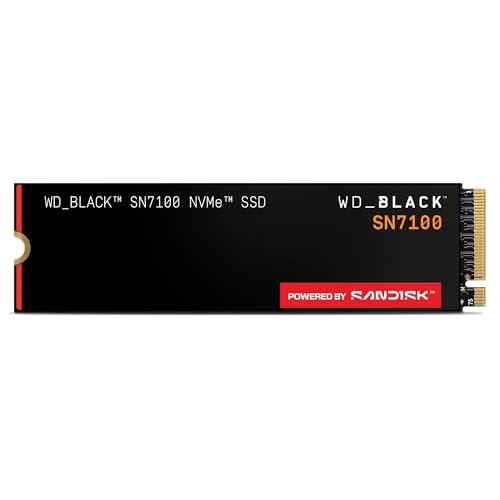
→ Check the latest price on Amazon
| Interface | PCIe Gen 4 x4 NVMe |
| Sequential Read | Up to 7,250 MB/s |
| Sequential Write | Up to 6,900 MB/s |
| DRAM Cache | No (HMB — extremely efficient implementation) |
| Form Factor | M.2 2280 |
| Capacities | 500GB / 1TB / 2TB / 4TB |
| Warranty | 5 years |
| Best for | Laptops where battery life and thermal performance matter most |
Why We Picked It
The WD Black SN7100 is the drive that changed the DRAM conversation. Despite having no onboard DRAM cache, it tops efficiency charts for its performance tier — delivering sequential reads up to 7,250 MB/s while consuming dramatically less power than competing drives. For laptop users, this is the sweet spot: near-flagship Gen 4 performance with the thermal and power characteristics of a much simpler drive. The single-sided PCB design also makes it compatible with laptops that have tight clearance over the M.2 slot — a practical advantage that rarely gets mentioned in spec sheets.
Key Features
- Best-in-class power efficiency for Gen 4: The SN7100 sits at the top of efficiency charts in its performance tier, making it the standout recommendation for users who care about battery longevity. In a full day of mixed laptop use, the difference versus a power-hungry drive is noticeable.
- Kioxia 218-layer BiCS8 TLC NAND: High-density TLC flash provides better endurance than QLC alternatives and more consistent performance during sustained workloads. TLC remains the preferred NAND type for primary system drives in 2026.
- Single-sided PCB: The components are only on one side of the board — important for thin laptops where double-sided drives may not fit in the M.2 slot due to physical clearance issues with the motherboard or chassis.
- HMB implementation that genuinely competes with DRAM drives: WD’s Host Memory Buffer implementation is among the most optimised available. In real-world laptop workloads — application loading, web browsing, document editing, compilation — the SN7100 matches DRAM-equipped drives of the same generation.
- Random 4K performance leadership: For the operations that define day-to-day laptop responsiveness — small file reads, OS operations, application launches — the SN7100 delivers class-leading random 4K read speeds. This is the number that matters most for how snappy your laptop feels.
Who It’s Best For
The SN7100 is our top recommendation for most laptop buyers — particularly those with thin-and-light machines, anyone prioritising battery life, and users who want Gen 4 performance without overheating concerns. It’s the best all-around Gen 4 laptop drive available right now.
Who Should Skip It
If you regularly move very large files (100GB+) in a single session — video editing workflows, large dataset transfers — a DRAM-equipped drive like the Samsung 990 Pro maintains more consistent write performance at the top end. For typical laptop use, however, this scenario almost never occurs.
Pros:
- Best power efficiency of any Gen 4 drive — real battery life impact
- TLC NAND — better endurance than QLC competitors
- Single-sided PCB — fits virtually every laptop M.2 slot
Cons:
- No DRAM — slight disadvantage in extreme sustained write scenarios
- Price has risen in 2026 — gap to DRAM drives has narrowed
- No heatsink option (rarely needed for laptops anyway)
→ Check the WD Black SN7100 price on Amazon
4. Samsung 990 EVO Plus — Best Hybrid Gen 4/5 Drive for Laptops

→ Check the latest price on Amazon
| Interface | PCIe Gen 5 x2 / PCIe Gen 4 x4 NVMe |
| Sequential Read | Up to 7,250 MB/s |
| Sequential Write | Up to 6,300 MB/s |
| DRAM Cache | No (Samsung’s LPDDR4 HMB) |
| Form Factor | M.2 2280 |
| Capacities | 500GB / 1TB / 2TB / 4TB |
| Warranty | 5 years |
| Best for | Users who want future-ready connectivity without full Gen 5 pricing |
Why We Picked It
Samsung’s 990 EVO Plus is a clever piece of engineering: it operates as a PCIe Gen 5 x2 drive on systems that support it, and falls back to PCIe Gen 4 x4 on older machines — delivering the same sequential bandwidth either way. This dual-mode approach means the drive is genuinely forward-compatible as more laptops adopt Gen 5 M.2 slots in 2026 and 2027, without requiring you to pay full Gen 5 pricing today. Samsung’s NAND quality, software ecosystem (Samsung Magician), and brand reliability make this a particularly easy recommendation for users who value manufacturer support.
Key Features
- Dual-mode PCIe interface: Runs as PCIe Gen 5 x2 or Gen 4 x4 automatically depending on your laptop’s M.2 slot — delivering equivalent bandwidth in both modes without any user configuration. Your drive won’t be bottlenecked by your current hardware, and will take advantage of Gen 5 when you upgrade.
- Samsung V-NAND TLC flash: Samsung’s vertically stacked TLC NAND offers excellent endurance ratings and consistent performance over the drive’s lifespan. The 1TB model is rated for 600 TBW — solid for a drive in this tier.
- Samsung Magician software: Samsung’s companion app is genuinely one of the better SSD management tools available — monitoring drive health, performing secure erase, running performance benchmarks, and offering firmware updates, all with a clean interface.
- Thermal management designed for thin devices: Samsung engineered the 990 EVO Plus with the awareness that it will be installed in thermally constrained laptops. The drive’s thermal behaviour is notably better than earlier Samsung NVMe drives, which were known to throttle aggressively in thin chassis.
- Available at 4TB: 4TB at Gen 4/5 speeds in a mainstream form factor — useful for power users who want a single-drive laptop setup for the next several years.
Who It’s Best For
Users who buy laptops every 3–4 years and want a drive that will still be relevant in their next machine. Also excellent for Samsung ecosystem users who want unified management across their storage devices.
Who Should Skip It
If you want the absolute best single-drive Gen 4 performance today, the Samsung 990 Pro delivers more consistent peak performance. The 990 EVO Plus is more about future-proofing than raw current performance.
Pros:
- Dual Gen 4/5 interface — works optimally in both current and future laptops
- Samsung Magician software — best-in-class drive management
- Excellent TBW endurance at 1TB and 2TB capacities
Cons:
- No DRAM cache — not ideal for very heavy sustained write workloads
- Slightly higher price than the SN7100 for similar real-world laptop performance
- Gen 5 benefit requires a compatible M.2 slot that most current laptops don’t have
→ Check the Samsung 990 EVO Plus price on Amazon
5. Samsung 990 Pro — Best Overall Gen 4 NVMe SSD for Laptops

→ Check the latest price on Amazon
| Interface | PCIe Gen 4 x4 NVMe |
| Sequential Read | Up to 7,450 MB/s |
| Sequential Write | Up to 6,900 MB/s |
| DRAM Cache | Yes (Samsung LPDDR4) |
| Form Factor | M.2 2280 |
| Capacities | 1TB / 2TB / 4TB |
| Warranty | 5 years |
| Best for | Users who want the most consistent, reliable Gen 4 performance |
Why We Picked It
The Samsung 990 Pro has earned its reputation as the most consistently recommended Gen 4 NVMe SSD across independent reviewers and professional benchmarks. It delivers the highest sequential read speeds in the Gen 4 category, uses Samsung’s in-house Pascari controller paired with onboard LPDDR4 DRAM, and backs it all with Samsung’s 5-year warranty and best-in-class TBW endurance ratings. For a laptop user who wants to install a drive and forget about it for five years — knowing it will perform reliably under any workload — the 990 Pro is the gold standard.
Key Features
- Samsung Pascari controller with onboard DRAM: The proprietary controller, paired with dedicated LPDDR4 cache, enables extremely consistent performance across varied workloads. Unlike HMB-based drives that borrow system RAM, the 990 Pro’s dedicated cache means performance is predictable regardless of what else your laptop is doing.
- 7,450 MB/s sequential read — Gen 4 ceiling: The 990 Pro pushes as close to the PCIe Gen 4 theoretical ceiling as any drive available. Sequential read speeds matter most when copying large files, cloning drives, or doing sustained data operations.
- Outstanding TBW endurance: The 2TB model carries a 1,200 TBW endurance rating — among the highest in its class. For a laptop primary drive, this means the drive will outlast the laptop itself under normal usage patterns.
- Single-sided PCB at up to 4TB: Unusual for a high-performance drive — most 4TB options require double-sided PCBs. The 990 Pro stays single-sided even at 4TB, maintaining compatibility with laptops that have tight M.2 clearance.
- Improved thermal management vs. predecessors: Samsung addressed the throttling issues that plagued the 980 Pro in thin laptops. The 990 Pro runs cooler under sustained load, making it far more suitable for mobile use than its predecessor.
Who It’s Best For
Users who want the absolute best mainstream Gen 4 drive without overthinking it. Creative professionals using their laptop for video editing, photographers managing large RAW libraries, and developers running heavy compilation workloads will particularly appreciate the DRAM-backed consistency.
Who Should Skip It
If battery life and thermal efficiency are your top priorities, the SN7100 (#3) is more power-efficient. If you’re on a budget, the 990 EVO Plus or SN7100 offer 90% of the real-world experience at a lower price.
Pros:
- Best-in-class Gen 4 sequential performance
- Onboard DRAM for consistent performance under all workloads
- Industry-leading TBW endurance with 5-year warranty
Cons:
- Premium pricing — more expensive than DRAM-less alternatives
- Runs warmer than the SN7100 — may throttle in very thin ultra-slim laptops
- Overkill for everyday office/browsing laptop use
→ Check the Samsung 990 Pro price on Amazon
6. SK Hynix Platinum P41 — Best NVMe SSD for Laptop Battery Life

→ Check the latest price on Amazon
| Interface | PCIe Gen 4 x4 NVMe |
| Sequential Read | Up to 7,000 MB/s |
| Sequential Write | Up to 6,500 MB/s |
| DRAM Cache | Yes (SK Hynix LPDDR4) |
| Form Factor | M.2 2280 |
| Capacities | 500GB / 1TB / 2TB |
| Warranty | 5 years |
| Best for | Ultrabooks, all-day battery users, thin-and-light laptops |
Why We Picked It
The SK Hynix Platinum P41 holds a unique position on this list: it is one of the very few high-performance DRAM-equipped Gen 4 drives that is also specifically engineered for low power consumption. SK Hynix manufactures both the controller and the NAND in-house — a vertical integration advantage shared only with Samsung — and they’ve used this control to produce a drive that delivers 7,000 MB/s reads while drawing notably less power than competing DRAM-based drives. If you use your laptop away from a power outlet for long periods and refuse to compromise on storage performance, the P41 is purpose-built for you.
Key Features
- Vertical integration advantage: SK Hynix manufactures their own controller chip and their own 176-layer TLC NAND — the same supply chain advantage Samsung enjoys. This means optimised power profiles at the silicon level rather than bolted-on efficiency measures. The result is a drive that runs cool and efficient without sacrificing performance.
- DRAM-equipped for consistent performance: Unlike the SN7100 which achieves efficiency through a DRAM-less design, the P41 pairs its low power draw with dedicated onboard cache. You get both efficiency and the performance consistency that DRAM enables — the best of both worlds for laptop users.
- Excellent thermal behaviour in thin chassis: Independent thermal testing consistently puts the P41 as one of the coolest-running DRAM drives under sustained laptop workloads. Less heat means less throttling, which means the rated performance is what you actually get rather than just what the spec sheet claims.
- 176-layer TLC NAND: High-density TLC flash with strong endurance ratings. The 1TB model is rated for 750 TBW — above average for its tier — and combined with the 5-year warranty makes this a compelling long-term investment.
- Proven real-world track record: The P41 has been in the market long enough to have an extensive real-world reliability record. Forum threads and user reviews from professionals using it in thin laptops, including Dell XPS and ASUS ZenBook units, consistently praise its stability and performance consistency over years of daily use.
Who It’s Best For
Frequent travellers, remote workers who spend long days working off battery, thin ultrabook owners who worry about thermals, and anyone who values consistent real-world performance over peak benchmark numbers.
Who Should Skip It
Only available up to 2TB — if you need 4TB, look at the Samsung 990 Pro or WD Black SN850X. Also slightly more expensive than the SN7100 for similar or lower peak speeds; the premium is justified specifically by the battery life and thermal advantages.
Pros:
- Best battery life of any DRAM-equipped Gen 4 drive
- Runs exceptionally cool — ideal for thin laptops
- Strong TBW endurance with a 5-year warranty
Cons:
- Limited to 2TB maximum capacity
- Slightly lower peak sequential speeds than Samsung 990 Pro
- Premium price for the efficiency advantage
→ Check the SK Hynix Platinum P41 price on Amazon
7. WD Black SN850X — Best Premium Flagship NVMe SSD for Laptops

→ Check the latest price on Amazon
| Interface | PCIe Gen 4 x4 NVMe |
| Sequential Read | Up to 7,300 MB/s |
| Sequential Write | Up to 6,600 MB/s |
| DRAM Cache | Yes |
| Form Factor | M.2 2280 |
| Capacities | 1TB / 2TB / 4TB |
| Warranty | 5 years |
| Best for | Gaming laptops, heavy workloads, PS5 compatibility needed |
Why We Picked It
The WD Black SN850X is the brand that made WD’s Black line a household name among performance enthusiasts. It delivers 7,300 MB/s sequential reads, an improved controller over the already-respected SN850, and class-leading random I/O performance that makes it particularly well-suited for gaming laptops where rapid small-file access — loading game assets, maps, and textures — matters more than sequential throughput. It’s also one of the few high-performance drives certified for PlayStation 5 expansion, making it a natural choice for users who game across both a laptop and a PS5 with one drive swap.
Key Features
- Outstanding random 4K performance: The SN850X’s controller excels at the random small-file operations that define day-to-day OS responsiveness and in-game loading times. In gaming laptop benchmarks, it consistently posts some of the lowest texture streaming times of any Gen 4 drive.
- Game Mode 2.0: WD Dashboard includes a Game Mode that monitors upcoming asset loads and pre-fetches data before it’s needed — reducing load times in supported titles. A feature that actually works, unlike many marketing-driven “gaming modes” in the industry.
- PlayStation 5 compatible: If you’re buying one drive to serve both your gaming laptop and your PS5 expansion slot, the SN850X is certified and widely recommended for both. You can swap the drive between devices as your storage needs change.
- Heatsink option available: WD sells a version with a pre-attached heatsink — not useful for most laptops where the heatsink won’t fit, but relevant for users who also plan to use the drive in a desktop at some point.
- Available at 4TB: One of the few premium DRAM-equipped drives available at 4TB capacity, making it an option for power users who want the largest possible single-drive laptop configuration.
Who It’s Best For
Gaming laptop owners who want the best random I/O performance for rapid in-game loading, users who need a single drive that works in both a laptop and a PS5, and professionals who run extremely mixed workloads demanding consistent performance across sequential and random operations.
Who Should Skip It
For typical productivity, development, or office laptop use, the Samsung 990 Pro or SN7100 offer equivalent or better real-world experience at a lower or similar price. The SN850X’s advantages are most pronounced in gaming and heavy mixed-workload scenarios.
Pros:
- Best random 4K performance — snappiest day-to-day feel
- PlayStation 5 certified — versatile across devices
- 4TB available with full DRAM and premium performance
Cons:
- One of the higher-priced drives on this list
- Runs warmer than the SN7100 and P41 — throttles more in thin laptops
- Game Mode advantage limited to supported titles
→ Check the WD Black SN850X price on Amazon
8. Crucial T705 — Best PCIe Gen 5 NVMe SSD (Future-Proof Pick)

→ Check the latest price on Amazon
| Interface | PCIe Gen 5 x4 NVMe |
| Sequential Read | Up to 13,600 MB/s |
| Sequential Write | Up to 10,200 MB/s |
| DRAM Cache | Yes (Micron LPDDR4) |
| Form Factor | M.2 2280 |
| Capacities | 1TB / 2TB / 4TB |
| Warranty | 5 years |
| Best for | Gen 5-capable laptops, 4K video editing, large dataset workloads |
Why We Picked It
The Crucial T705 is the Gen 5 pick for users who genuinely have a PCIe Gen 5 M.2 slot in their laptop — a small but growing number as of 2026. With sequential reads hitting 13,600 MB/s, it’s nearly double the speed ceiling of any Gen 4 drive, and it uses Micron’s 232-layer TLC NAND for outstanding endurance. Crucially, Crucial (and the broader Gen 5 market) has addressed the heat problem that made early Gen 5 drives impractical for laptops: the T705 runs significantly cooler than first-generation Gen 5 drives, and the slimmer version without a heatsink is designed with thin laptop installation in mind.
Important note before buying: Only purchase the T705 if your laptop has a confirmed PCIe Gen 5 M.2 slot. In a Gen 4 slot, it runs at Gen 4 speeds — you’d pay a large premium for no benefit. Most consumer laptops in 2026 are still Gen 4. Check your spec sheet carefully.
Key Features
- 13,600 MB/s sequential read — the fastest consumer NVMe available: For workflows that genuinely saturate sequential throughput — editing 4K RAW video, working with uncompressed audio, moving large AI model files — the T705’s speeds translate to real time savings. Transferring 100GB of footage takes seconds rather than the quarter-minute a Gen 4 drive requires.
- Micron 232-layer TLC NAND: Cutting-edge NAND technology from Micron (Crucial’s parent company) delivering 1,750K random write IOPS alongside excellent endurance. The 2TB model carries a 1,200 TBW rating — matching the Samsung 990 Pro’s benchmark for longevity.
- Improved thermal management over Gen 5 predecessors: Early Gen 5 drives ran extremely hot — often requiring large heatsinks that made them incompatible with laptop installation. The T705 runs measurably cooler than first-generation Gen 5 drives, making it a realistic laptop option for machines with Gen 5 slots and reasonable thermal headroom.
- Acronis data recovery software included: Crucial bundles a subscription to Acronis True Image, providing both cloning (useful for migrating your existing laptop OS to the new drive) and cloud backup functionality. Genuine value-add for the upgrade process.
- DirectStorage ready: On Windows 11 with supported games, NVMe Gen 5 speeds translate to faster asset loading via Microsoft’s DirectStorage API. Laptop gaming on compatible titles shows measurable improvement in texture streaming performance.
Who It’s Best For
Professional content creators using a Gen 5-capable laptop for 4K/6K video editing or large RAW photo workflows. Developers working with massive codebases or large language model files. Anyone with a confirmed PCIe Gen 5 M.2 slot who wants the absolute best storage performance available on Amazon today.
Who Should Skip It
Everyone with a Gen 4 or Gen 3 M.2 slot — which is the majority of laptop users in 2026. Also skip it for everyday productivity, web browsing, document editing, or light development work where the Gen 5 headroom will never be used. The Samsung 990 Pro or SN7100 are better value in those scenarios by a large margin.
Pros:
- Fastest consumer NVMe available — 13,600 MB/s reads
- Cooler than first-gen Gen 5 drives — now viable for laptops
- Acronis cloning software bundled — useful for the upgrade process
Cons:
- Requires PCIe Gen 5 M.2 slot — most 2026 laptops don’t have one
- Premium pricing — significant step up from Gen 4 alternatives
- Still runs warmer than Gen 4 drives — thin laptops may throttle
→ Check the Crucial T705 price on Amazon
Speed vs. Price: The Real-World Laptop SSD Truth
Here’s the honest version of the speed vs. price conversation that most SSD articles skip over.
Sequential Speed Is a Marketing Number
The headline figure on every SSD spec sheet — “7,450 MB/s sequential read” — is measured under ideal conditions: a specific file size, optimal temperatures, a fresh drive, and a desktop system with adequate cooling and no PCIe bandwidth constraints. Your laptop delivers none of these conditions simultaneously. Inside a thermally constrained chassis, that number throttles. Under mixed-use workloads (which is all laptops do), that number never materialises anyway.
The number that actually determines how your laptop feels is random 4K read performance — the speed at which your drive reads thousands of tiny files simultaneously. This is the operation that defines OS responsiveness, application launch speed, browser tab loading, and code compilation time. It’s the spec that matters most and the one that receives the least attention in headline marketing.
How the Drives Compare Where It Actually Matters
| Drive | Random 4K Read | Power Draw (load) | NAND Type | Best real-world use |
|---|---|---|---|---|
| Kingston NV3 | ~500K IOPS | Low (~2.5W) | TLC | Older laptops, Gen 3 slots |
| Crucial P310 | ~850K IOPS | Low (~4.5W) | QLC | 2230 ultrabooks, budget Gen 4 |
| WD Black SN7100 | ~1,000K IOPS | Very low (~3.5W) | TLC | Best laptop all-rounder |
| Samsung 990 EVO Plus | ~850K IOPS | Medium (~5W) | TLC | Future-ready hybrid connectivity |
| Samsung 990 Pro | ~1,400K IOPS | Medium (~6W) | TLC | Heavy workloads, video editing |
| SK Hynix P41 | ~1,200K IOPS | Low (~4W) | TLC | Battery life + performance balance |
| WD Black SN850X | ~1,200K IOPS | Medium-high (~6.5W) | TLC | Gaming laptops, mixed I/O |
| Crucial T705 | ~1,750K IOPS | High (~8W) | TLC | Gen 5 systems, 4K video workflows |
The Sweet Spot for 90% of Laptop Users
For the vast majority of laptop users — including developers, students, office workers, and casual gamers — the WD Black SN7100 is the ideal drive. It leads its tier in power efficiency, delivers random 4K performance that makes the laptop feel genuinely snappy, uses high-endurance TLC NAND, and avoids the thermal throttling that plagues more aggressive drives in thin chassis. The Samsung 990 Pro is the step up if you regularly push your laptop on sustained workloads and want the peace of mind of onboard DRAM. Everything above that is real-world overkill for typical laptop use — and in the case of Gen 5, often physically impossible to fully utilise.
How to Choose the Right NVMe SSD for Your Laptop
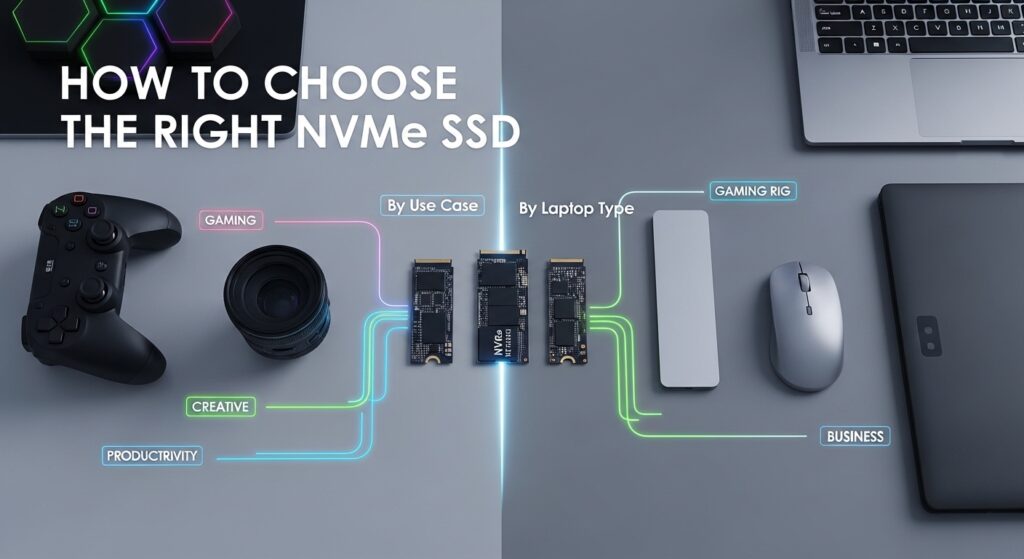
By Use Case
- Everyday productivity (browsing, documents, email, Zoom): Kingston NV3 (Gen 3 laptop) or Crucial P310 / WD Black SN7100 (Gen 4 laptop). You will feel a dramatic difference from any stock drive — don’t overspend.
- Software development: WD Black SN7100 or Samsung 990 Pro. Fast random reads accelerate compilation, Git operations, and IDE indexing. The DRAM on the 990 Pro makes a difference for very large codebases.
- Photo editing (Lightroom, Capture One): Samsung 990 Pro or SK Hynix Platinum P41. Large RAW file random access benefits from DRAM-backed caching.
- 4K video editing (Premiere, DaVinci Resolve): Samsung 990 Pro (Gen 4) or Crucial T705 (Gen 5 slot required). Sequential write consistency during proxy generation and render matters here.
- Gaming laptop: WD Black SN850X for the best in-game asset loading and random I/O. Samsung 990 Pro is a close alternative.
- Ultrabook / thin-and-light: SK Hynix Platinum P41 for the best thermal and battery balance. Crucial P310 if you need M.2 2230.
By Laptop Type
- Standard 15″ mainstream laptop (Dell Inspiron, HP Pavilion, ASUS VivoBook): WD Black SN7100 or Samsung 990 EVO Plus.
- Premium ultrabook (Dell XPS 13/15, LG Gram, ASUS ZenBook): SK Hynix Platinum P41 — thermal efficiency and battery life are paramount in these chassis.
- Gaming laptop (ASUS ROG, Razer Blade, Lenovo Legion): WD Black SN850X or Samsung 990 Pro.
- Microsoft Surface / compact ultrabooks with M.2 2230: Crucial P310 — it’s one of the only quality 2230 Gen 4 drives on Amazon.
- Business laptop (ThinkPad, EliteBook, Latitude): Samsung 990 Pro or SK Hynix P41 — both prioritise reliability alongside performance.
By Budget
- Under $60 (1TB): Kingston NV3 — exceptional value, transformative upgrade from HDD or old SATA SSD.
- $60–$100 (1TB): Crucial P310 or WD Black SN7100 — the best price-to-performance tier on this list.
- $100–$150 (1TB): Samsung 990 EVO Plus or SK Hynix Platinum P41 — premium performance with future-ready features or best-in-class efficiency.
- $150+ (1TB): Samsung 990 Pro, WD Black SN850X, or Crucial T705 — diminishing returns for typical use, but justified for heavy workloads.
Capacity Guide for 2026
In 2026, 1TB is the practical minimum for any laptop that will serve as a primary machine. Operating systems, applications, browser caches, and routine files comfortably fill 256GB or 512GB drives within a year or two of purchase. Our recommendations:
- 1TB: Minimum for most users. Fine for productivity, light development, and everyday use with cloud storage supplementing local files.
- 2TB: Recommended for developers with large repositories, photographers, video editors, and gamers. Avoids the constant storage management tax of a smaller drive.
- 4TB: Power users, content creators who prefer keeping everything local, or anyone who has historically run out of storage regularly.
A Note on TBW (Terabytes Written) Endurance
TBW ratings describe how much data can be written to the drive before it statistically begins to degrade. For a laptop primary drive with typical usage — an average user writes roughly 20–40GB per day — even a modest 600 TBW rating translates to over 40 years of use. Don’t let TBW anxiety push you toward more expensive drives than you need. Only very heavy workloads (video production, database servers, virtual machines with constant write cycles) meaningfully consume TBW at a rate worth worrying about in a laptop context.
Frequently Asked Questions
Is NVMe worth it over SATA for a laptop upgrade?
Yes, in almost every case. Even an entry-level NVMe Gen 3 drive like the Kingston NV3 delivers sequential reads of 3,500 MB/s — over six times faster than the 550 MB/s ceiling of SATA. More importantly, NVMe drives have dramatically better random I/O performance, which is what determines how snappy your laptop feels in daily use. If your laptop has an M.2 NVMe slot, there is no reason to choose SATA unless your machine physically only supports SATA M.2 (increasingly rare after 2019).
Which NVMe SSD is best for battery life in a laptop?
The SK Hynix Platinum P41 is the best DRAM-equipped option for battery life — it delivers premium Gen 4 performance at notably lower power draw than competing DRAM drives. If you prefer a DRAM-less drive, the WD Black SN7100 tops efficiency charts in the Gen 4 tier. Both are significantly better choices for battery-conscious users than the Samsung 990 Pro or WD Black SN850X, which run warmer and draw more power under sustained use.
Does PCIe Gen 5 make sense in a laptop in 2026?
Only if your laptop has a confirmed PCIe Gen 5 M.2 slot — and most consumer laptops released through 2025 do not. Even among 2026 laptops, Gen 5 M.2 slots remain uncommon outside of high-end workstation and gaming models. If you do have a Gen 5 slot and your workflow involves sustained large-file transfers — 4K RAW video, AI model files, large dataset processing — the Crucial T705 offers genuinely transformative speeds. For everything else, a good Gen 4 drive like the Samsung 990 Pro delivers equivalent day-to-day responsiveness at lower cost and heat.
What capacity NVMe SSD should I get for my laptop?
In 2026, we recommend 1TB as the minimum for any primary laptop drive and 2TB as the sweet spot for most users. A 512GB drive fills up faster than expected once you account for OS installation, application bloat, Downloads folder growth, and any media files. The price difference between 1TB and 2TB has narrowed significantly — check the current Amazon price before defaulting to 1TB.
Will upgrading my laptop’s SSD void the warranty?
This depends entirely on your laptop manufacturer and region. In the United States, the Magnuson-Moss Warranty Act generally protects consumers — manufacturers cannot void your entire warranty simply because you upgraded storage. However, some manufacturers (notably Apple with proprietary non-replaceable storage on certain MacBooks, and a few others) use soldered or proprietary M.2 slots that prevent upgrades entirely, or may flag drive replacement as a warranty issue for the storage component specifically. Always check your laptop’s service manual and manufacturer policy before opening the machine. Many major brands — Dell, Lenovo ThinkPad, HP EliteBook, ASUS — explicitly support user-replaceable M.2 drives.
How do I know what M.2 form factor my laptop uses?
The three most reliable methods: first, check the official spec page or service manual for your specific laptop model on the manufacturer’s support site — this will list the exact M.2 size and PCIe generation supported. Second, use a system information tool like CPU-Z, HWiNFO64, or CrystalDiskInfo to read the details of your currently installed drive. Third, if you’re comfortable opening the laptop, physically measure the current drive — the form factor is printed on the drive label (2280, 2230, or 2242). When in doubt, the Crucial System Scanner tool at crucial.com will scan your system and recommend compatible drives, though it focuses on Crucial products specifically.
Should I clone my existing drive or do a clean install?
Both approaches work, but they have different trade-offs. Cloning copies everything exactly as-is — your OS, applications, settings, and files — to the new drive, and is the fastest path to being up and running. Use Macrium Reflect (free) or the bundled software included with some drives (Acronis with the Crucial T705, for example). A clean install takes longer but gives you a fresh, bloat-free system — worth considering if your current install has accumulated years of software clutter. For most users upgrading a working, well-maintained system, cloning is the right choice.
Our Final Verdict
Upgrading your laptop’s NVMe SSD remains one of the highest-impact hardware investments you can make in 2026 — and thanks to strong competition across the Gen 4 tier, you don’t need to spend heavily to get an excellent drive.
Here’s the quick decision guide:
- Best budget upgrade: Kingston NV3 — transformative upgrade for older laptops at minimal cost.
- Best for ultrabooks and compact laptops (M.2 2230): Crucial P310 — the only quality Gen 4 option for short-slot machines.
- Best overall for most laptops: WD Black SN7100 — best power efficiency, great performance, TLC endurance.
- Best for battery life: SK Hynix Platinum P41 — DRAM-equipped and power-efficient, ideal for all-day use.
- Best Gen 4 performance: Samsung 990 Pro — most consistent, highest endurance, best for heavy workloads.
- Best gaming laptop drive: WD Black SN850X — outstanding random I/O, Game Mode, PS5 compatible.
- Best Gen 5 / future-proof: Crucial T705 — only if your laptop has a Gen 5 M.2 slot.
Whatever drive you choose, the upgrade process is more straightforward than most people expect — a screwdriver, 20 minutes, and the cloning software bundled with your new drive is all you need. The performance difference on the other side is immediate and dramatic.