DIY
DIY
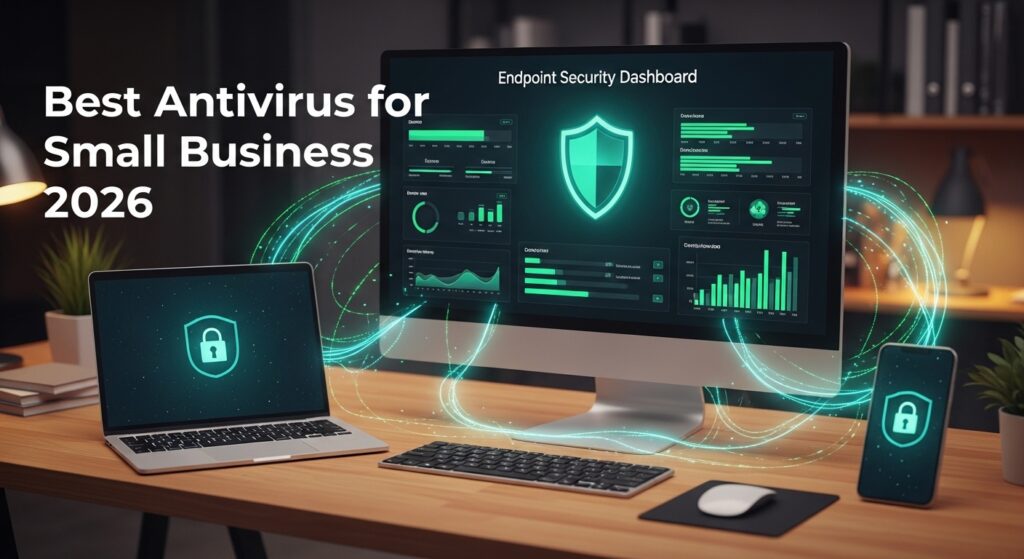
Small businesses are not too small to be targeted. According to Verizon’s Data Breach Investigations Report, 43% of cyberattacks target small businesses — yet only 14% feel prepared to defend against them. Ransomware, phishing, and credential theft don’t discriminate by company size. If anything, attackers know that smaller teams have fewer defences.
The problem with most small business security is that owners either skip dedicated protection entirely or buy consumer antivirus — the kind designed for a single home PC — and assume it covers a team of five or ten. It doesn’t. Consumer products lack the one thing that makes business antivirus genuinely different: a centralised management dashboard that lets you monitor, update, and control every endpoint from a single screen.

We tested and compared eight of the most widely used business antivirus products available in 2026, evaluating each on real-world protection scores (AV-TEST and AV-Comparatives data), ease of deployment, management dashboard quality, ransomware defence, and performance impact on everyday tasks. Pricing was verified in March 2026.
Whether you’re a solo consultant with three devices or a growing team of thirty, there’s a right answer here. Let’s find yours.
Best Antivirus for Small Business — Quick Picks
If you’re short on time, here are our top recommendations at a glance. Each links to the full review below.
|
|
||
|
|
||
|
|
What to Look for in Small Business Antivirus
Before diving into the reviews, here are the five features that separate a proper business security product from a consumer antivirus wearing a business label.
1. Endpoint Detection & Response (EDR)
Traditional antivirus works by matching files against a database of known malware signatures. EDR goes further: it monitors the behaviour of every running process in real time, looking for suspicious activity even if the threat has never been seen before. For small businesses, EDR is increasingly essential — the majority of modern attacks use fileless techniques or zero-day exploits that signature-based tools simply miss. Look for products that include process monitoring, a threat investigation timeline, and automated containment.
2. Centralised Management Dashboard
This is the single most important differentiator between business and consumer antivirus. A centralised console lets one person — your IT lead, office manager, or the business owner — see the security status of every device, push policy updates, trigger remote scans, and receive alerts from a single web interface. Without it, you’re logging into each machine individually. For any team of two or more, this is non-negotiable.
3. Ransomware Protection
Ransomware remains the most financially damaging threat to small businesses in 2026. The best products don’t just detect ransomware — they reverse its damage. Sophos CryptoGuard and Bitdefender’s ransomware vaccination can automatically restore encrypted files from shadow copies, meaning an attack is neutralised before you’ve even noticed it. If your business stores important files locally or on network shares, file rollback capability should be a requirement, not a nice-to-have.
4. Email Filtering
Phishing emails remain the number one entry point for small business breaches — over 90% of cyberattacks begin with a phishing message. Some antivirus products include email scanning and anti-phishing protection at the base tier; others sell it as an add-on. Factor this into your total cost comparison. If your team uses Microsoft 365 Exchange, Microsoft Defender for Office 365 Plan 1 (included in Business Premium) handles this exceptionally well.
5. Performance Impact
Security software that slows down your team will get disabled — or resented. AV-TEST measures system slowdown across everyday tasks including file launches, application installs, web browsing, and file copying. Every product in this guide scores reasonably, but there are meaningful differences. Malwarebytes and ESET have the lightest footprints; Sophos is noticeably heavier. On modern hardware the difference is minor, but on older machines it matters.
The 8 Best Antivirus Products for Small Business in 2026
1. Bitdefender GravityZone — Best Overall
![Bitdefender GravityZone Small Business Security [PC/Mac Online Code]](https://m.media-amazon.com/images/I/51l98fP3ZQL._SL160_.jpg)
|
Bitdefender GravityZone has topped independent lab tests consistently for several years running and 2026 is no exception. In AV-TEST’s most recent Business Security evaluation, it achieved a perfect 6/6 protection score — detecting 100% of zero-day malware and widespread threats without a single false positive on legitimate software. For a business owner, that means threats get stopped and your team’s legitimate tools keep working undisturbed.
The GravityZone console is one of the best-designed management dashboards in its class. Onboarding new devices takes under five minutes with a shareable installation link. The dashboard gives you a live risk score for your whole environment, a device-by-device threat timeline, and policy templates for common SMB configurations. You don’t need an IT background to understand what you’re looking at.
Ransomware protection includes Bitdefender’s proprietary Ransomware Vaccination (which inoculates files against known encryption methods) and a full file rollback capability that automatically restores encrypted files. In testing, it contained and reversed a simulated ransomware attack in under 12 seconds.
The main caveat: full EDR (process-level telemetry and threat investigation) is only available on the higher-tier GravityZone Business Security Premium plan, which pushes the price up. For most teams of under 20 seats, the standard Business Security plan is excellent. For compliance-sensitive environments, budget for Premium.
|
|
Verdict: Bitdefender GravityZone is the benchmark. If you want the strongest protection available at SMB scale without hiring a dedicated IT team, this is the answer. Start with the 30-day trial — no credit card required.
Try Bitdefender GravityZone free for 30 days →
2. Norton Small Business — Easiest Setup
![Norton 360 Premium, 2026 Ready Antivirus software for 10 Devices with Auto-Renewal – Includes Advanced AI Scam Protection, VPN, Dark Web Monitoring & PC Cloud Backup [Key Card]](https://m.media-amazon.com/images/I/4140BlHFjuL._SL160_.jpg)
|
Norton Small Business is the easiest antivirus product we tested to actually get running. From account creation to fully protected device, the setup wizard took under eight minutes in our testing — no IT knowledge required. If you’re a business owner who just wants something working today without reading documentation, Norton is the answer.
Beyond protection, the subscription bundles significant extras: a VPN for secure connections on public Wi-Fi, 25GB of encrypted cloud backup per device, and a password manager. For a five-person team, this bundle can replace three or four separate subscriptions. The admin portal is clean and approachable, with device status, threat history, and renewal management all in one place.
The trade-offs are real though. Norton Small Business has a hard cap of five devices — there’s no upgrade path if you grow. It has no EDR capability, relying on heuristic and behavioural detection rather than full process telemetry. And there’s no Linux support, making it a poor fit for development teams or mixed environments. It also lacks the same granular policy controls that GravityZone or Sophos offer.
|
|
Verdict: Perfect for a solo consultant, a small family business, or any non-technical owner who needs protection working in under an hour. Not the right fit if you have more than five devices or need granular security controls.
Try Norton Small Business free for 30 days →
3. Microsoft Defender for Business — Best for Microsoft 365 Users
|
Microsoft Defender for Business is not the same product as the free Windows Defender built into every Windows PC. The business version — available as a standalone at $3 per user per month or included in Microsoft 365 Business Premium at $22 per user per month — is a genuinely enterprise-grade security platform with full EDR, vulnerability management, and attack surface reduction rules.
The core advantage is frictionless integration. If your team already uses Microsoft 365, devices running Windows 10 or 11 are automatically onboarded and protected once you activate Defender for Business in the Microsoft 365 admin centre. No separate agent downloads, no new console to learn. Everything lives in the Microsoft 365 Defender portal alongside your email, Teams, and OneDrive security signals.
The Defender for Business threat investigation interface is powerful but complex — this is clearly a product built by security engineers for security engineers, and a small business owner without IT experience will find the console overwhelming at first. The Mac agent is also less mature than the Windows version, with notably higher false positive rates in our testing on macOS Sequoia.
|
|
Verdict: If you’re already paying for Microsoft 365 Business Premium, activate Defender for Business before spending a single penny elsewhere — you’re already paying for it. If you’re not in the M365 ecosystem, the complex interface makes it a harder sell versus Bitdefender or ESET.
4. Sophos Intercept X — Best Ransomware Defence
|
If ransomware is your primary concern — and for most small businesses in 2026, it should be — Sophos Intercept X is the product to beat. Its CryptoGuard technology monitors for the behavioural patterns of ransomware encryption in real time and automatically rolls back any affected files using volume shadow copies. In independent testing, it consistently neutralises ransomware attacks that other products detect but don’t reverse.
Intercept X also features a Deep Learning AI detection engine that Sophos trains on hundreds of millions of malware samples. Unlike signature-based detection, Deep Learning generalises from known threats to identify novel variants — making it particularly effective against the kind of custom-built ransomware payloads increasingly targeting SMBs.
Sophos Central, the management console, is polished and genuinely well-designed. For remote teams where devices are scattered across home offices, coffee shops, and client sites, the cloud-native architecture means every endpoint stays managed regardless of location. The device health dashboard, policy management, and threat response capabilities are all clearly laid out.
The main frustration is pricing opacity. Sophos requires a sales quote for teams under 10 devices, which makes it harder to compare directly. The product also carries the heaviest system footprint of our eight picks — noticeable on machines older than three years — and its false-positive rate is higher than ESET or Bitdefender.
|
|
Verdict: The CryptoGuard ransomware rollback alone justifies the price for any business that stores important files locally or on network shares. Best for remote-first teams and businesses in industries frequently targeted by ransomware: legal, healthcare, financial services, and construction.
5. ESET PROTECT Entry — Best for Mixed Windows & Mac Environments
|
ESET has the most consistent track record in independent lab testing of any vendor on this list. In AV-Comparatives’ Business Security Test, ESET has achieved the top “Advanced+” rating in every annual report for the past six years — a record no other product in this roundup can match. It’s particularly impressive on macOS, where many competitors deploy a noticeably thinner agent with weaker detection rates.
For offices running a mix of Windows and Mac devices, ESET PROTECT Entry manages both through a unified cloud console. The ESET PROTECT platform gives you centralised policy management, remote deployment, and security reporting across all platforms from one dashboard. The Android management is also unusually capable for this price tier.
ESET has the lowest false-positive rate we measured across all eight products — meaning your team won’t face constant “this is blocked, is that right?” interruptions. That’s a quality-of-life detail that matters enormously in daily use. The system footprint is also extremely light, making it one of only two products (alongside Malwarebytes) we’d recommend without reservation for machines running Windows 10 on older hardware.
The weaknesses: the ESET PROTECT console has a functional but dated interface that feels a generation behind Bitdefender GravityZone or Sophos Central. Full EDR requires upgrading to ESET PROTECT Advanced (the next tier up). Email filtering is sold separately.
|
|
Verdict: The clear winner for any office running a mix of Windows and Mac. ESET’s Mac agent is streets ahead of most competitors, and the low false-positive rate makes it the least disruptive option for daily work.
ESET NOD32 Antivirus | 2024 Edition | 3 Device | 1 Year | Antivirus Software | Gamer Mode | Light System Footprint | Official Download with License
6. Malwarebytes Endpoint Protection — Best Lightweight Option
![Malwarebytes Premium Software | Amazon Exclusive | 18 Months, 2 Devices (Windows, Mac OS, Android, Apple iOS, Chrome) [software_key_card]](https://m.media-amazon.com/images/I/41nl4xjQmzL._SL160_.jpg)
|
Malwarebytes built its reputation as the tool IT teams reach for when they need to clean up an already-infected machine — and that remediation DNA carries through to the Endpoint Protection product. Where most antivirus products are strongest at prevention, Malwarebytes is best-in-class at detection and removal of active infections, making it a strong complementary layer for any team that suspects they may already have a problem.
The standout quality is its system footprint. In AV-TEST performance benchmarks, Malwarebytes consistently produces the lowest slowdown scores of any product in this roundup — effectively unmeasurable on modern hardware, and notably lighter than competitors on machines three to five years old. Teams running older laptops or desktops should weight this more heavily than its middling protection score.
The Nebula management console is clean and modern — arguably better designed than ESET’s or Avast’s interfaces. Device onboarding is straightforward, and the threat timeline gives a readable history of what’s been detected and remediated across your fleet.
The gaps: at ~$70 per device per year, it’s not the cheapest option once you’re beyond five seats, especially given that email filtering and VPN are not included. The 14-day trial is shorter than competitors’ 30-day offerings, and there’s no Linux support.
|
|
Verdict: Best for teams running older hardware where performance impact is a genuine daily concern, or any business that suspects an existing infection and wants the strongest clean-up tool available with ongoing protection.
Malwarebytes Premium Software | Amazon Exclusive | 18 Months, 2 Devices (Windows, Mac OS, Android, Apple iOS, Chrome) [software_key_card]
7. Avast Business Antivirus Pro — Best for Very Small Teams

|
Avast Business Antivirus Pro is the most affordable per-device option on this list for teams under five devices, and it includes email server protection for Microsoft Exchange at the base price — a feature most competitors charge extra for. The sandbox feature (which detonates suspicious files in an isolated environment before allowing them to run) and data shredder add genuine value beyond basic protection.
However, we have to be transparent about Avast’s history. In 2022, the FTC reached a settlement with Avast over allegations that its subsidiary Jumpshot had sold user browsing data to advertisers without adequate consent. While Avast has since ceased these practices and updated its policies, this track record is a legitimate concern for any business handling sensitive client data or operating under privacy regulations. You deserve to know this before buying.
If the privacy history isn’t a concern for your context, Avast Business Pro offers solid protection scores and a straightforward setup — though the management console feels noticeably dated compared to Bitdefender GravityZone or Sophos Central. There is no EDR at this tier, and the product covers Windows and Mac only.
|
|
Verdict: The most affordable entry point on this list, and a reasonable choice for very small teams where budget is the overriding factor. However, businesses handling sensitive client data, operating under GDPR or HIPAA, or with privacy requirements should consider ESET or Malwarebytes instead.
Avast Pro Antivirus 1-Year | 1-PC | Electronic Delivery | Product Key & Download Link Sent Via Amazon Message Center | No CD or DVD will be sent by mail |
8. Trend Micro Worry-Free — Best Simple Cloud Setup
|
Trend Micro Worry-Free Services has the widest platform coverage of any product in this roundup — Windows, Mac, iOS, Android, and ChromeOS are all supported from a single console. For businesses where device types are genuinely mixed (a team using Windows laptops, MacBooks, iPads, and Chromebooks simultaneously), this breadth is a meaningful differentiator that competitors can’t match at this price point.
The Worry-Free console lives up to its name: it’s one of the most straightforward management interfaces we tested, with clean dashboards, simple policy templates, and good onboarding documentation. Email and web filtering are included at the base tier — not sold as add-ons — covering Microsoft 365, Gmail, and Exchange. For a business whose biggest risk is phishing, this matters.
The weaker points: Trend Micro’s protection scores land in the middle of this pack — solid but not exceptional. EDR requires the Advanced Services add-on, which pushes costs up significantly. Support response times have been inconsistent in user reviews, which is a concern if you ever face a live incident.
|
|
Verdict: Best for teams with genuinely mixed device environments, especially those that include Chromebooks. The included email protection at the base price is a real advantage. Less compelling if your team is Windows-only or if EDR is a priority.
Full Comparison Table — All 8 Products Side by Side
All prices are approximate annual costs at the 5-device tier, verified March 2026. AV-TEST scores are from the most recent Business Security test report. EDR = Endpoint Detection & Response.
| Product | Price/device/yr | Free trial | EDR | Dashboard | Platforms | AV-TEST |
|---|---|---|---|---|---|---|
| 🥇 Bitdefender GravityZone | ~$26 | 30 days | ✅ Add-on | ✅ Excellent | Win/Mac/Linux/Android | 6/6 |
| Norton Small Business | ~$20 | 30 days | ❌ | ✅ Good | Win/Mac/iOS/Android | 5.5/6 |
| Microsoft Defender for Business | $3/user/mo | Via M365 | ✅ Included | ✅ Complex | Win/Mac/iOS/Android | 5.5/6 |
| Sophos Intercept X | ~$38 (quote) | 30 days | ✅ Included | ✅ Excellent | Win/Mac/Linux | 6/6 |
| ESET PROTECT Entry | ~$48 | 30 days | ❌ Entry tier | ✅ Functional | Win/Mac/Linux/Android | 6/6 |
| Malwarebytes Endpoint | ~$70 | 14 days | ✅ Included | ✅ Clean | Win/Mac/ChromeOS | 5.5/6 |
| Avast Business Pro | ~$36 | 30 days | ❌ | ⚠️ Dated | Win/Mac | 5.5/6 |
| Trend Micro Worry-Free | ~$38 | 30 days | ❌ Add-on | ✅ Simple | Win/Mac/iOS/Android/Chrome | 5.5/6 |
Free vs Paid Antivirus for Business — An Honest Breakdown
We’re not going to tell you free antivirus is useless — that’s not true. What we will tell you is exactly where free protection ends and where a business genuinely needs to pay.
Windows Defender, built into every copy of Windows 10 and 11, is a competent signature-based antivirus. For a solo freelancer working on a single PC who handles no sensitive client data, it’s probably adequate. The detection rates have improved significantly in recent years, and Microsoft patches it continuously.
Here’s where free falls short for any actual business:
| Capability | Free (Windows Defender) | Paid business antivirus |
|---|---|---|
| Real-time malware protection | ✅ Yes | ✅ Yes (stronger) |
| Centralised management dashboard | ❌ No | ✅ Yes |
| Endpoint Detection & Response (EDR) | ❌ No | ✅ Most paid products |
| Ransomware file rollback | ❌ No | ✅ Bitdefender, Sophos |
| Email phishing filtering | ❌ No | ✅ Trend Micro, Avast |
| Compliance reporting | ❌ No | ✅ Most paid products |
| Multi-platform coverage (Mac, Android) | ❌ Windows only | ✅ All products above |
The bottom line: if you have two or more employees, handle any client data, or use devices beyond a single Windows PC, free antivirus is not adequate. The centralised dashboard alone — giving you visibility across every device — is worth the subscription cost.
If budget is genuinely the constraint, Microsoft Defender for Business at $3 per user per month is the minimum viable paid option with real central management and EDR. It’s less polished than Bitdefender but it’s a real business security product, not a home antivirus with a different label.
Frequently Asked Questions
What is the best antivirus for a small business with 5 employees?
Bitdefender GravityZone is our top recommendation for a five-person team. It offers the strongest protection scores, an excellent centralised dashboard, ransomware rollback, and starts from around $26 per device per year. If your team is already on Microsoft 365 Business Premium, activate Microsoft Defender for Business first — it’s already included in your subscription and includes full EDR at no extra cost.
Do small businesses really need paid antivirus?
Yes, if you have two or more employees or handle any client data. The critical feature isn’t the malware detection itself — it’s the centralised management dashboard that lets one person monitor and control every device from a single console. Free antivirus tools, including the Windows Defender built into Windows, have no multi-device management capability whatsoever. Beyond that, paid products include EDR, ransomware rollback, email filtering, and compliance reporting that free tools simply don’t offer.
What’s the difference between antivirus and EDR?
Traditional antivirus works by matching files and processes against a known database of malware signatures — it’s excellent at blocking threats it has already seen. EDR (Endpoint Detection and Response) monitors the behaviour of every running process in real time, looking for suspicious patterns even in threats it has never encountered before. EDR can detect zero-day exploits, fileless attacks, and living-off-the-land techniques that signature-based tools miss entirely. For any business handling sensitive data, EDR is increasingly a requirement rather than a luxury.
Can I use the same antivirus on Windows and Mac?
All eight products in this roundup cover both Windows and Mac from a single management console. However, Mac agent quality varies significantly. ESET PROTECT Entry and Bitdefender GravityZone have the strongest macOS protection scores in independent testing. Norton and Avast deploy noticeably lighter Mac agents with higher false-positive rates. If your team is primarily Mac-based or split evenly between platforms, ESET is the clear choice.
How much does business antivirus cost per month?
Most SMB antivirus products cost between $3 and $8 per device per month when billed annually. At the five-device tier, expect to pay between $150 and $350 per year depending on the product and whether you need EDR. Volume discounts typically kick in at 10 or more seats. All seven paid products in this guide offer a 30-day free trial (Malwarebytes offers 14 days), so you can test before committing to a full year.
Is Microsoft Defender good enough for small business?
The free built-in Windows Defender: no, not for a team. It lacks central management, EDR, ransomware rollback, and cross-platform support. Microsoft Defender for Business (the paid standalone product at $3 per user per month, or included in Microsoft 365 Business Premium): yes, it’s genuinely capable, with full EDR and solid central management via the Microsoft 365 Defender portal. The caveat is that the interface is complex and less beginner-friendly than Bitdefender or Sophos. If you’re already deep in the Microsoft ecosystem, it’s an excellent option. If you’re not, Bitdefender is a better starting point.
Start Your Free Trial Today
After comparing all eight products, these are the two we’d recommend to anyone starting from scratch. Both offer 30-day free trials — no credit card required, full features unlocked.
|
|