DIY
DIY
⚡ Quick Picks: Best Overall → BenQ RD320U | Best Premium → Dell U2725QE | Best Budget → Dell S2725QS
Table of Contents
- What to Look for in a Developer Monitor
- BenQ RD320U — Best Overall
- Dell U2725QE — Best Premium
- Dell U4025QW — Best Ultrawide
- ASUS ProArt PA279CRV — Best Mid-Range
- BenQ RD320UA — Best with Ergo Arm
- Dell S2725QS — Best Budget
- ASUS ProArt PA32QCV — Best for Dev + Design
- Quick Comparison Table
- Top Picks by Use Case
- FAQ
What to Look for in a Developer Monitor
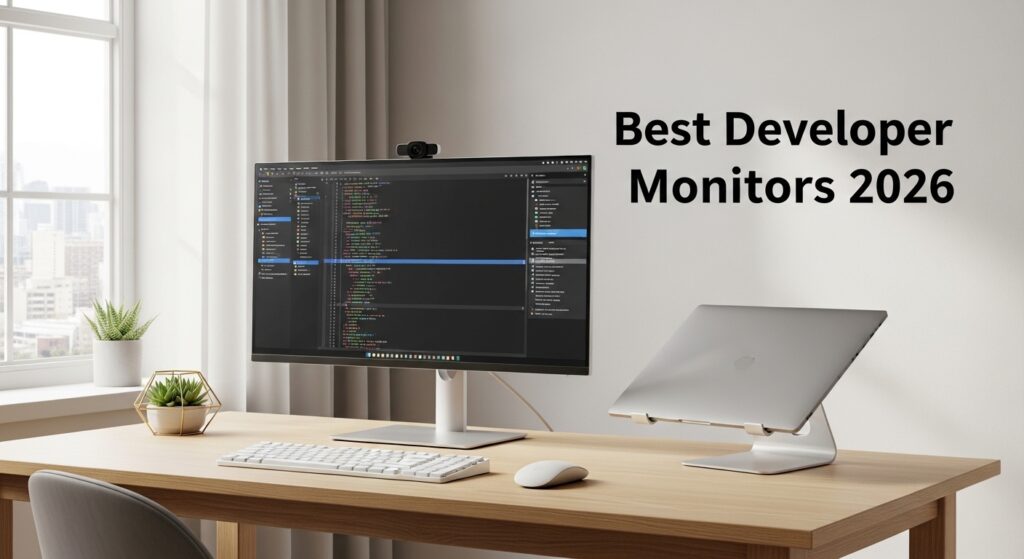
Choosing a monitor for software development is different from picking one for gaming or general office use. Here are the key factors you should evaluate before buying:

Resolution
4K (3840×2160) is the sweet spot for developers in 2026. At 27″–32″, it gives you crisp, razor-sharp text — you’ll never squint at a semicolon again. QHD (2560×1440) is a solid budget alternative that’s still much sharper than 1080p.
Panel Type
IPS panels are the top choice for coders — they offer accurate colors, wide viewing angles, and consistent brightness. IPS Black panels (used in Dell and BenQ’s latest monitors) add deeper blacks without sacrificing IPS color quality. OLED offers stunning contrast but carries burn-in risks with static UI elements like taskbars and code windows.
Screen Size
Most developers prefer 27″ to 32″ for a single monitor. If you want to eliminate a dual-monitor setup, go ultrawide at 34″–40″. Anything larger than 40″ typically requires moving your head too much and can cause fatigue.
Refresh Rate
You don’t need 144Hz for coding. 60Hz–120Hz is perfectly sufficient. However, 120Hz adds a noticeable smoothness when scrolling through long files, which is a nice bonus.
Connectivity & USB-C
This is critical in 2026. Look for USB-C with 90W+ Power Delivery so you can connect your laptop with one cable and charge simultaneously. Thunderbolt 4 support is a must-have if you use a MacBook or modern Windows ultrabook. A built-in USB hub saves desk clutter.
Eye Care
Look for flicker-free backlighting and low blue light modes. Matte or nano-matte panels reduce glare from office lighting. BenQ’s monitors even include a dedicated MoonHalo ambient backlight specifically designed to ease eye strain during night coding sessions.
Ergonomics
A monitor with full height adjustment, tilt, swivel, and pivot lets you position the screen perfectly. VESA compatibility (100×100mm) means you can mount it on a third-party arm. Poor posture from a badly positioned monitor is a leading cause of developer neck and back pain.
🏆 1. BenQ RD320U — Best Overall Monitor for Software Developers

The BenQ RD320U is the only monitor on the market designed from the ground up specifically for software developers. While other monitors are adapted from business or gaming lines, BenQ built the RD320U with coding workflows at its core — and it shows.
| Spec | Details |
|---|---|
| Screen Size | 31.5 inches |
| Resolution | 4K UHD (3840 × 2160) |
| Panel Type | IPS Black, Nano-Matte |
| Refresh Rate | 60Hz |
| USB-C Power Delivery | 90W |
| Connectivity | HDMI 2.0, DisplayPort 1.4, USB-C, USB Hub, KVM |
| Special Features | MoonHalo Backlight, Coding Modes, Night Hours Protection |
| Amazon Price | ~$650 |
Why Developers Love It
The RD320U includes dedicated Coding Modes — display presets that optimize font rendering and code element contrast for popular IDEs like VS Code, IntelliJ, and terminal windows. The MoonHalo LED backlight behind the monitor casts a soft bias glow that dramatically reduces the perceived contrast between the bright screen and dark room during late-night sessions. The KVM switch lets you control two computers with one keyboard and mouse — ideal for developers working across a laptop and desktop simultaneously.
Pros
- Only monitor purpose-built for developers with dedicated Coding Modes
- Nano-Matte panel eliminates glare without washing out colors
- MoonHalo backlight reduces eye strain during night coding
- 90W USB-C charges your laptop while you work
- Built-in KVM switch for two-computer setups
- 2000:1 contrast ratio (IPS Black) — deeper blacks than standard IPS
Cons
- Only 60Hz refresh rate
- No Thunderbolt 4 (USB-C only)
- Premium price compared to generic 4K monitors
Best for: Full-stack developers, backend engineers, and anyone who wants a monitor tailor-made for writing code all day.
💼 2. Dell UltraSharp U2725QE — Best Premium Monitor for Developers
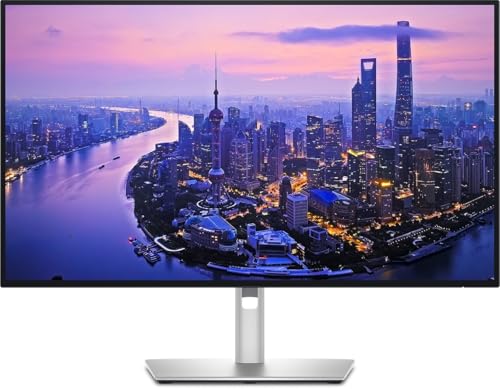
The Dell UltraSharp U2725QE is a powerhouse for professional developers who demand the best connectivity alongside stunning 4K clarity. Its Thunderbolt 4 hub turns your monitor into a full docking station — one cable connects your laptop, charges it, and connects all your peripherals.
| Spec | Details |
|---|---|
| Screen Size | 27 inches |
| Resolution | 4K UHD (3840 × 2160) |
| Panel Type | IPS Black |
| Refresh Rate | 120Hz |
| USB-C Power Delivery | 90W |
| Connectivity | Thunderbolt 4, USB-C, HDMI 2.1, DisplayPort 1.4, USB Hub |
| Special Features | Thunderbolt 4 Daisy-Chain, IPS Black (47% deeper blacks) |
| Amazon Price | ~$750 |
Why Developers Love It
The U2725QE’s IPS Black panel delivers 47% deeper blacks than standard IPS, making dark-themed code editors like VS Code look exceptional. The 120Hz refresh rate makes scrolling through large codebases silky smooth. Thunderbolt 4 means you can daisy-chain a second monitor or connect to eGPUs and high-speed storage. The built-in USB hub has 4 downstream USB ports, so your desk stays tidy.
Pros
- Thunderbolt 4 — perfect for MacBook Pro and modern Windows laptops
- 120Hz makes scrolling through large files very smooth
- IPS Black panel with excellent contrast for dark-theme coding
- One-cable docking: video + data + 90W charging in one plug
- Daisy-chain second monitor via Thunderbolt 4
- Excellent build quality and ergonomics from Dell
Cons
- 27″ may feel small for developers used to 32″
- Higher price than non-Thunderbolt equivalents
- No coding-specific display modes
Best for: MacBook Pro users, developers who travel and need a single-cable docking experience, or anyone on a premium budget.
🖥️ 3. Dell UltraSharp U4025QW — Best Ultrawide for Developers

If you’ve ever wished you could see your IDE, terminal, browser, and Slack all at once without alt-tabbing, the Dell U4025QW is your answer. This 40-inch 5K2K ultrawide is the ultimate single-monitor developer workstation.
| Spec | Details |
|---|---|
| Screen Size | 40 inches (Ultrawide) |
| Resolution | 5K2K (5120 × 2160) |
| Panel Type | IPS Black |
| Refresh Rate | 120Hz |
| USB-C Power Delivery | 90W |
| Connectivity | Thunderbolt 4 ×2, HDMI 2.1, DisplayPort 1.4, USB Hub ×6 |
| Special Features | Dual Thunderbolt 4, 6-port USB hub, Picture-by-Picture |
| Amazon Price | ~$1,600 |
Why Developers Love It
The 5120×2160 resolution across 40 inches gives you the equivalent of two 27″ QHD monitors side by side, with no bezel gap in the middle. The dual Thunderbolt 4 ports let you connect two laptops simultaneously and switch between them — perfect for contractors working across client machines. The 6-port USB hub means a single monitor cable manages your entire peripheral ecosystem.
Pros
- Massive 5K2K canvas — IDE + browser + terminal + Slack all visible at once
- Dual Thunderbolt 4 ports for connecting two computers
- IPS Black panel with deep contrast on dark code themes
- 120Hz for fluid scrolling and window management
- 6-port USB hub eliminates desk cable chaos
- No bezel gap — cleaner than a dual-monitor setup
Cons
- Very expensive (~$1,600)
- Requires a powerful GPU to drive 5K2K at 120Hz
- Large footprint — needs a wide desk
- Overkill for developers who prefer minimalist setups
Best for: Senior engineers, tech leads, and developers who want to eliminate dual monitors and maximize their visible workspace.
✅ 4. ASUS ProArt Display PA279CRV — Best Mid-Range Monitor for Developers

The ASUS ProArt PA279CRV hits a sweet spot that few monitors achieve: professional-grade color accuracy, a reliable 4K IPS panel, USB-C charging, and a price well below the Dell and BenQ premium options. It’s the go-to mid-range pick for 2026.
| Spec | Details |
|---|---|
| Screen Size | 27 inches |
| Resolution | 4K UHD (3840 × 2160) |
| Panel Type | IPS |
| Refresh Rate | 60Hz |
| USB-C Power Delivery | 96W |
| Connectivity | USB-C (96W), DisplayPort 1.2, HDMI 2.0, USB Hub, Daisy-Chain |
| Special Features | 99% DCI-P3, 99% Adobe RGB, Factory Calibrated ΔE<2, Calman Verified |
| Amazon Price | ~$420 |
Why Developers Love It
The PA279CRV comes factory calibrated with a ΔE<2 color accuracy guarantee — meaning what you see on screen is extremely close to real-world colors. It covers 99% of Adobe RGB and DCI-P3, which is excellent if you do any front-end, UI/UX, or web design alongside coding. The 96W USB-C PD is actually higher than most competitors, charging even power-hungry laptops at full speed.
Pros
- Factory-calibrated color accuracy (ΔE<2) — great for UI/UX developers
- 99% DCI-P3 and 99% Adobe RGB color gamut
- 96W USB-C — highest PD in this price range
- DisplayPort daisy-chaining for multi-monitor setups
- Excellent ergonomics: height, tilt, swivel, pivot
- ASUS 3-year warranty
Cons
- Standard IPS (not IPS Black) — blacks not as deep as Dell or BenQ premium models
- Only 60Hz
- No Thunderbolt 4
Best for: Full-stack developers, web developers, and anyone who splits time between writing code and working on UI design or front-end styling.
🔝 5. BenQ RD320UA — Best Monitor with Integrated Ergo Arm

The BenQ RD320UA is the premium sibling of the RD320U. It carries the same developer-focused display technology but adds one major upgrade: a factory-included ergonomic monitor arm that replaces the standard stand and allows infinite positioning precision.
| Spec | Details |
|---|---|
| Screen Size | 31.5 inches |
| Resolution | 4K UHD (3840 × 2160) |
| Panel Type | IPS Black, Nano-Matte |
| Refresh Rate | 60Hz |
| USB-C Power Delivery | 90W |
| Connectivity | HDMI, DisplayPort, USB-C 90W, USB Hub, KVM |
| Special Features | Integrated Ergo Arm, MoonHalo Backlight, Coding Modes, KVM |
| Amazon Price | ~$700 |
Why Developers Love It
For developers who spend all day at their desk, posture is everything. The integrated ergo arm means you can position the RD320UA at the perfect height, depth, and angle without buying a separate monitor arm (which alone can cost $80–$150). It also frees up the entire monitor’s base footprint on your desk — giving you more room for your keyboard, notebook, and coffee. Everything else is identical to the RD320U: Coding Modes, MoonHalo backlight, KVM switch, and IPS Black nano-matte panel.
Pros
- Integrated high-quality ergo arm included in the box
- Saves desk space — no bulky monitor stand base
- All RD320U developer features: Coding Modes, MoonHalo, KVM
- Nano-Matte panel for glare-free coding in bright offices
- 90W USB-C for one-cable laptop connection
Cons
- ~$50 more than the RD320U
- Only 60Hz
- Ergo arm is proprietary — harder to replace if damaged
Best for: Developers with small desks, those with back/neck posture concerns, or anyone who was planning to buy an ergo arm anyway.
💡 6. Dell S2725QS — Best Budget 4K Monitor for Developers

Not every developer needs to spend $600+. The Dell S2725QS proves that you can get a sharp, reliable 4K IPS monitor for coding at a surprisingly accessible price. It strips away the premium connectivity features but keeps the display quality where it counts most.
| Spec | Details |
|---|---|
| Screen Size | 27 inches |
| Resolution | 4K UHD (3840 × 2160) |
| Panel Type | IPS |
| Refresh Rate | 60Hz |
| USB-C Power Delivery | No |
| Connectivity | HDMI 2.0 ×2, DisplayPort 1.2, 3.5mm Audio, USB Hub |
| Special Features | Thin bezels, tilt/height/swivel/pivot stand, Dell 3yr warranty |
| Amazon Price | ~$260 |
Why Developers Love It
The S2725QS delivers the core thing developers need — a 4K IPS panel with sharp text rendering — without the $400+ premium. At 27 inches, the pixel density is high enough that fonts look crisp without needing scaling. The full ergonomic stand (height, tilt, swivel, pivot) is a rare feature at this price point. Dell’s 3-year warranty is the cherry on top.
Pros
- Excellent value — 4K IPS quality at ~$260
- Full ergonomic stand included (height, tilt, swivel, pivot)
- Reliable Dell build quality with 3-year warranty
- Thin bezels — great for dual-monitor setups
- Comfortably sharp for 4K text at 27 inches
Cons
- No USB-C — requires separate power for laptops
- Standard IPS (not IPS Black)
- No coding-specific features or presets
- 60Hz only
Best for: Junior developers, bootcamp students, or experienced developers building a secondary monitor on a tight budget.
🎨 7. ASUS ProArt PA32QCV — Best for Developer + Designer Hybrid
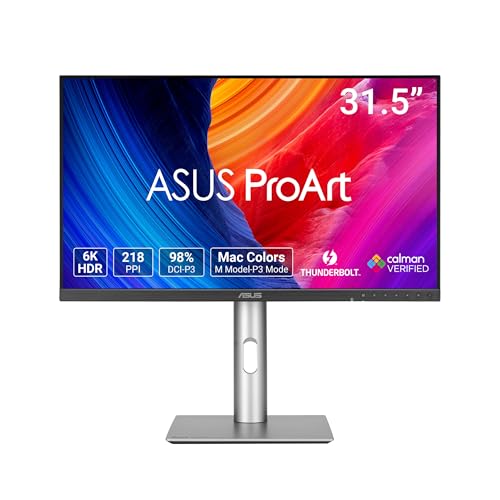
The ASUS ProArt PA32QCV is the most premium monitor on this list and earns its place at the top of RTINGS’ tested programming monitors for 2026. Its 6K resolution delivers the sharpest text rendering of any monitor here — every character in your IDE is rendered with microscopic clarity.
| Spec | Details |
|---|---|
| Screen Size | 32 inches |
| Resolution | 6K (6144 × 3456) |
| Panel Type | IPS |
| Refresh Rate | 60Hz |
| USB-C Power Delivery | 90W |
| Connectivity | Thunderbolt 4 ×2, USB-C ×4, USB-A ×2, DisplayPort |
| Special Features | 6K resolution, Thunderbolt 4 hub, 99% DCI-P3, factory calibrated |
| Amazon Price | ~$1,300 |
Why Developers Love It
6K on a 32″ screen means 223 PPI — approaching Retina-level sharpness on a desktop monitor. Text in VS Code, terminals, and documentation is rendered with extraordinary crispness. The dual Thunderbolt 4 ports support a full hub ecosystem, and the 90W USB-C charges demanding laptops. If you also do any UI design, photo editing, or video work alongside coding, the ProArt’s factory-calibrated color accuracy means you never second-guess what you’re seeing on screen.
Pros
- 6K resolution — sharpest text rendering available in a developer monitor
- Dual Thunderbolt 4 for full hub and daisy-chain capability
- Factory-calibrated color accuracy — no manual calibration needed
- 6-port USB hub (4× USB-C + 2× USB-A) built in
- 99% DCI-P3 color coverage for design work
- ASUS 3-year warranty
Cons
- Very expensive (~$1,300)
- Requires a powerful GPU to drive 6K
- 60Hz only
- Overkill if you only write code and never do visual work
Best for: Senior developers, tech leads, or developers who also do UI/UX design, front-end CSS work, photo editing, or video production.
Quick Comparison: Best Developer Monitors 2026
td>4KIPS60HzNo~$260
| Monitor | Size | Resolution | Panel | Refresh | USB-C PD | Price |
|---|---|---|---|---|---|---|
| BenQ RD320U | 32″ | 4K | IPS Black | 60Hz | 90W | ~$650 |
| Dell U2725QE | 27″ | 4K | IPS Black | 120Hz | 90W (TB4) | ~$750 |
| Dell U4025QW | 40″ | 5K2K | IPS Black | 120Hz | 90W (TB4) | ~$1,600 |
| ASUS ProArt PA279CRV | 27″ | 4K | IPS | 60Hz | 96W | ~$420 |
| BenQ RD320UA | 32″ | 4K | IPS Black | 60Hz | 90W | ~$700 |
| Dell S2725QS | 27″ | |||||
| ASUS ProArt PA32QCV | 32″ | 6K | IPS | 60Hz | 90W (TB4) | ~$1,300 |
Which Monitor is Right for You?
- 🏆 Best for most developers → BenQ RD320U — purpose-built for coding, great value
- 💼 Best for MacBook / Thunderbolt laptop users → Dell U2725QE — one cable docking with TB4
- 🖥️ Best if you hate dual monitors → Dell U4025QW — 40″ ultrawide fits everything
- ✅ Best mid-range value → ASUS ProArt PA279CRV — color-accurate, USB-C, affordable
- 🔝 Best for posture & ergonomics → BenQ RD320UA — ergo arm included
- 💡 Best tight budget pick → Dell S2725QS — solid 4K IPS at ~$260
- 🎨 Best for dev + design hybrid work → ASUS ProArt PA32QCV — 6K sharpness + color accuracy
Frequently Asked Questions
What resolution is best for software development?
4K (3840×2160) at 27″–32″ is the sweet spot in 2026. It gives you extremely sharp text rendering, meaning you can comfortably fit more lines of code on screen without straining your eyes. QHD (2560×1440) is still a good budget option and noticeably sharper than 1080p.
Is an ultrawide monitor good for coding?
Yes — especially 34″–40″ ultrawides. They let you keep your IDE, browser, terminal, and communication tools (like Slack) visible simultaneously without switching windows. The Dell U4025QW at 40″ essentially replaces a two-monitor setup with no bezel gap and a cleaner workflow.
Do I need a 144Hz monitor for programming?
No. Refresh rate matters for gaming, not coding. 60Hz is perfectly fine for writing and debugging code. That said, 120Hz (like the Dell U2725QE) adds smooth scrolling through large files, which some developers appreciate. Anything above 120Hz is unnecessary for coding purposes.
What is the difference between the BenQ RD320U and RD320UA?
The display, resolution, panel type, and all software features are identical. The only difference is that the RD320UA includes an integrated ergonomic arm instead of a standard monitor stand. The RD320UA costs about $50 more but saves you from buying a separate arm. If you were going to purchase an arm anyway, the UA model is the smarter buy.
Is OLED worth it for a developer monitor?
OLED offers stunning contrast and near-infinite black depth, which looks spectacular on dark-themed code editors. However, burn-in risk is real with the static UI elements common in developer setups — taskbars, IDE sidebars, and docked terminals. For most developers who code 8+ hours a day, an IPS Black panel (like those in the BenQ and Dell models above) offers the best balance of deep blacks and long-term reliability.
Should I get a 27″ or 32″ monitor for coding?
It comes down to desk size and personal preference. 27″ at 4K gives you high pixel density and a compact footprint — ideal for smaller desks or laptop-centric setups. 32″ at 4K gives you more screen real estate to split your IDE and reference windows side by side, without going full ultrawide. Most developers who try a 32″ never go back to 27″.
Final Verdict
For the majority of software developers in 2026, the BenQ RD320U is the best monitor you can buy. It’s the only display built specifically for developers, packed with coding-specific features that no other monitor offers at this price point. If Thunderbolt 4 is your priority, go with the Dell U2725QE. On a tight budget, the Dell S2725QS delivers 4K sharpness at an unbeatable price.
Have a question about any of these monitors, or want to share what you’re currently using at your dev desk? Drop a comment below — we’d love to hear from you!
Prices listed are approximate and subject to change. Always check the Amazon listing for the current price. As an Amazon Associate, Techdiy.info earns from qualifying purchases at no extra cost to you.